Find a consignment
Who this is for: anyone signed in to the console. A declarant or consignee without an account follows the public route at the end.
What you will achieve: starting from whatever the caller can tell you, you will find the declaration and say where the goods are, which country holds them, and whether anything is wrong.
Before you start: the serial number is best. Failing that, a container number, a vehicle plate or a party's name will do.
1. Search the register
- Select Declarations in the header.
- In the search box, type what you have: the serial number or part of it, a container number, a plate, or the name of the consignor, consignee, declarant or transporter.
- Press
Enter.
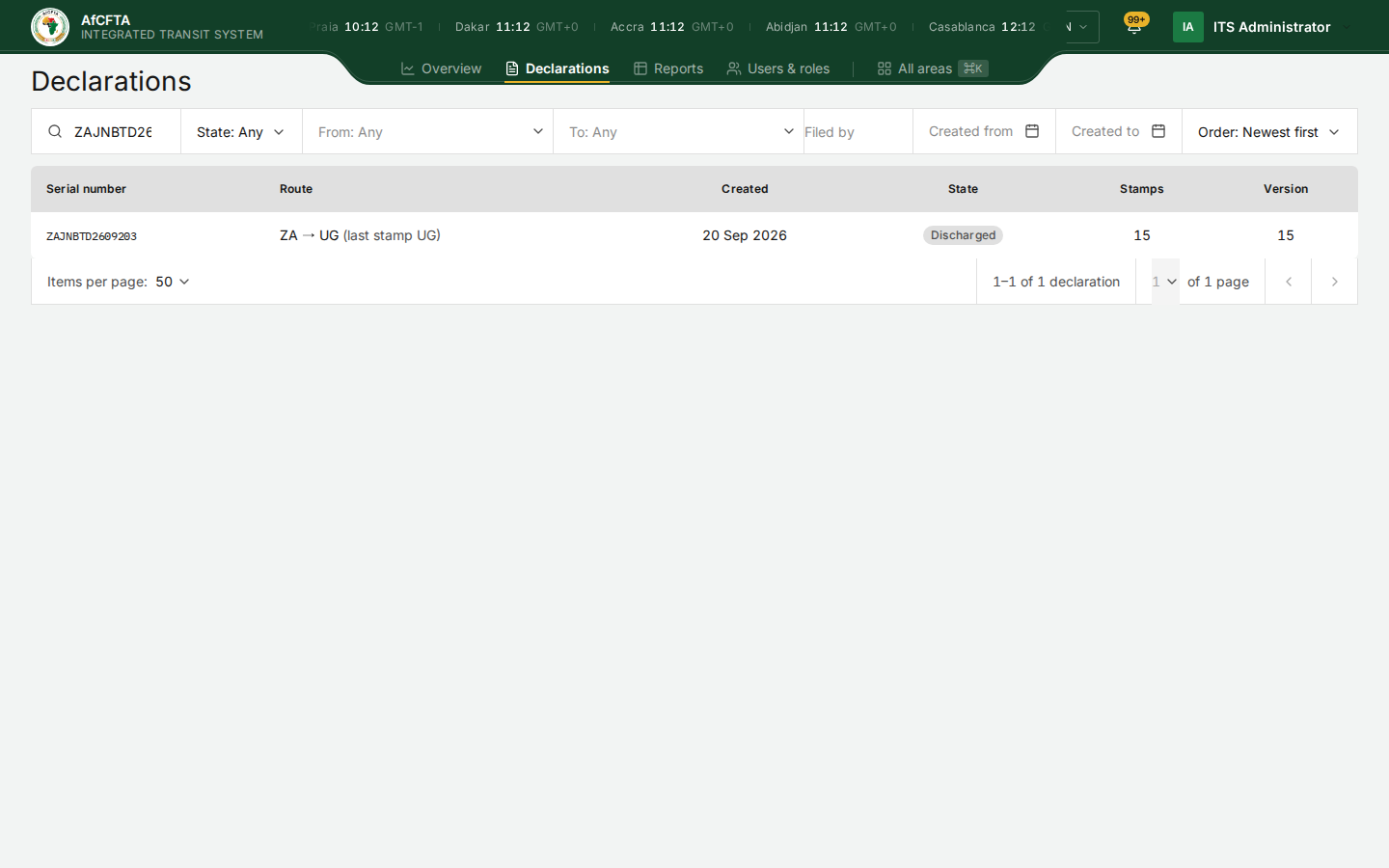
If you have several serial numbers, paste them all at once, separated by commas or on separate lines. See Declarations.
2. If nothing comes back
Nothing to show means one of two things, and ITS will not say which:
- the declaration does not exist, or the number is mistyped;
- the declaration exists but is outside your organisation's scope.
Check the number with the caller. A State Party sees only the declarations touching its own territory; the Secretariat sees them all. See Declarations.
3. Open the declaration
- Select the serial number.
The Overview tab opens. Read the fact strip across the top:
- State: where the declaration stands. Departed means released inland, not left the country; Arrived means entered the country it is in now. See Statuses and colours.
- Held by: which country has the goods now, or Between administrations if they have left one country and the next has not stamped entry.
- Corridor: where it started, where it is going, and the countries it has passed through.
4. Say where the goods are
In the Custody tile, the last filled point on the line is the last country that stamped. The list on the right gives the office and the time of every stamp. The last line tells you what ITS is waiting for, such as Entry stamp expected · Declared next: TZ.
That is the answer: "It left Zambia at Nakonde at 00:52 and Tanzania has not stamped entry yet."
Cargo tracking shows a live position only when the consignment has an electronic seal and the seal platform answers. Most show No electronic seal or Position unavailable. The stamps are the record; a missing position says nothing about the goods.
5. Check whether anything is wrong
- Time in transit against Window closes: if the window has closed and the transit is still open, it is overdue.
- Guarantee: Invalid means the guarantee platform does not accept the reference; Declared, unverified means nobody could check it.
- The Corridor tab's Time since last stamp shows how long nothing has happened.
If you have no account
A declarant or a consignee can see where a consignment is on the public Track page:
- Open the ITS landing page and select Track a consignment.
- Type the serial number and your TIN, as printed on the document.
- Select Track.
See Track a consignment.