Governance
Governance is the Secretariat's register of who takes part in ITS and who may submit declarations for whom. It has two tabs:
- State Parties: each of the 55 countries, the REC it belongs to, whether it submits through its own system or through a REC, and its connection.
- Regional Economic Communities: each REC, its member countries, and the members it submits for.
What is recorded here decides what everybody else sees. A REC reads and acts only for the members that have delegated their submissions to it, so a change on this screen changes what that REC finds in Declarations, Reports and Customs offices.
Who can see this screen
Only the Secretariat: roles System admin and Secretariat admin.
| You are signed in as | What happens |
|---|---|
| The Secretariat | Governance is under Set up in All areas. Both tabs open, with their actions. |
| A State Party or a REC | Governance is not in All areas. Typing its address shows the tabs, grey placeholder rows that never fill, and a red Request failed — Forbidden from access message with a reference. |
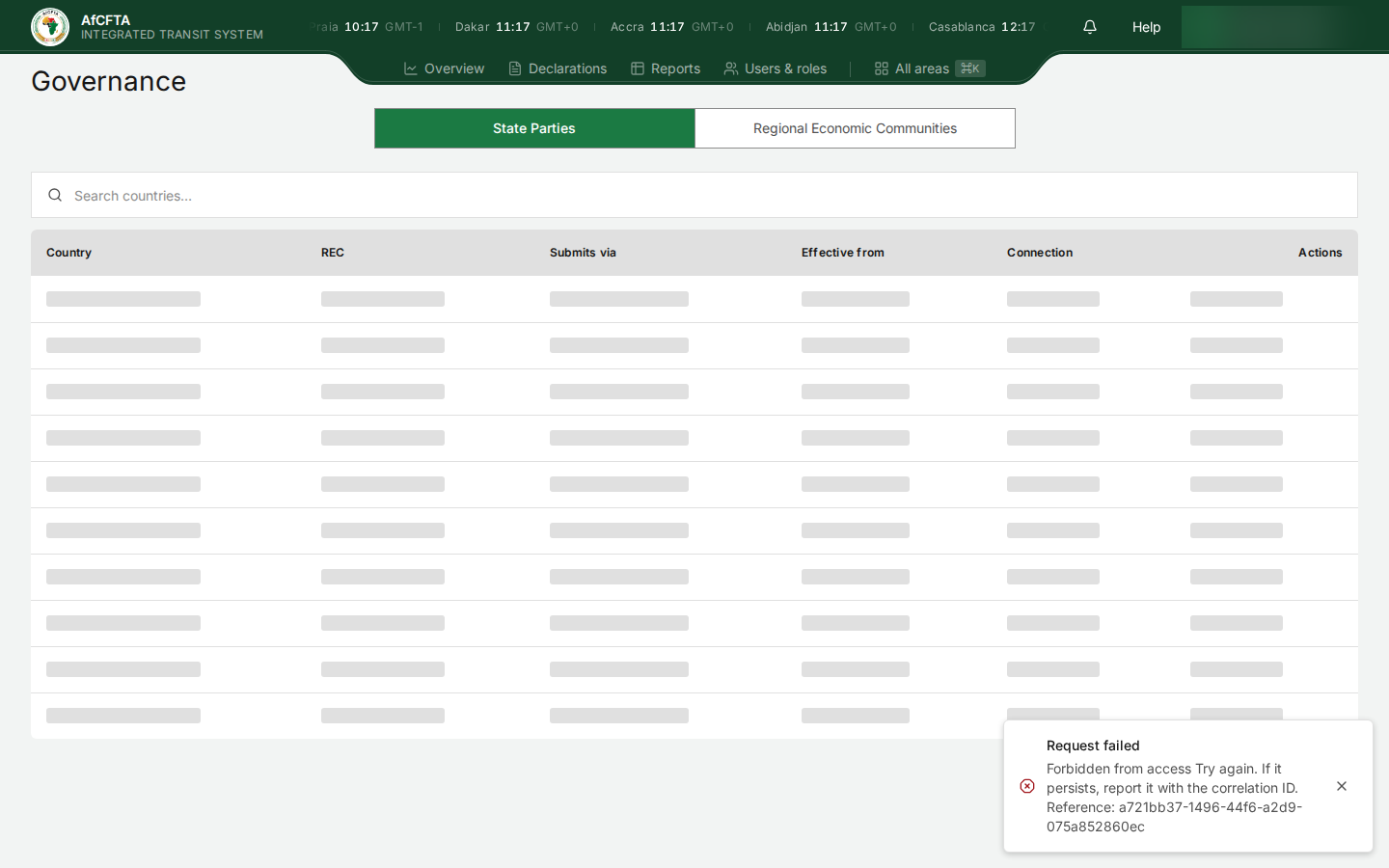
A State Party or REC that needs to know its own arrangement should ask the Secretariat. What a REC may do for its members is also visible to it on Reports (the members in its Scope picker) and on Customs offices.
Before you start
- You need Secretariat admin or System admin. See What each role can do.
- Have the formal decision in hand before you change anything: the date participation starts, or the members a REC will submit for and from when. Changes take effect on the next request ITS receives.
How to open it
- Select All areas in the header (or press
⌘K/Ctrl+K). - Under Set up, select Governance. It opens on State Parties.
The State Parties tab
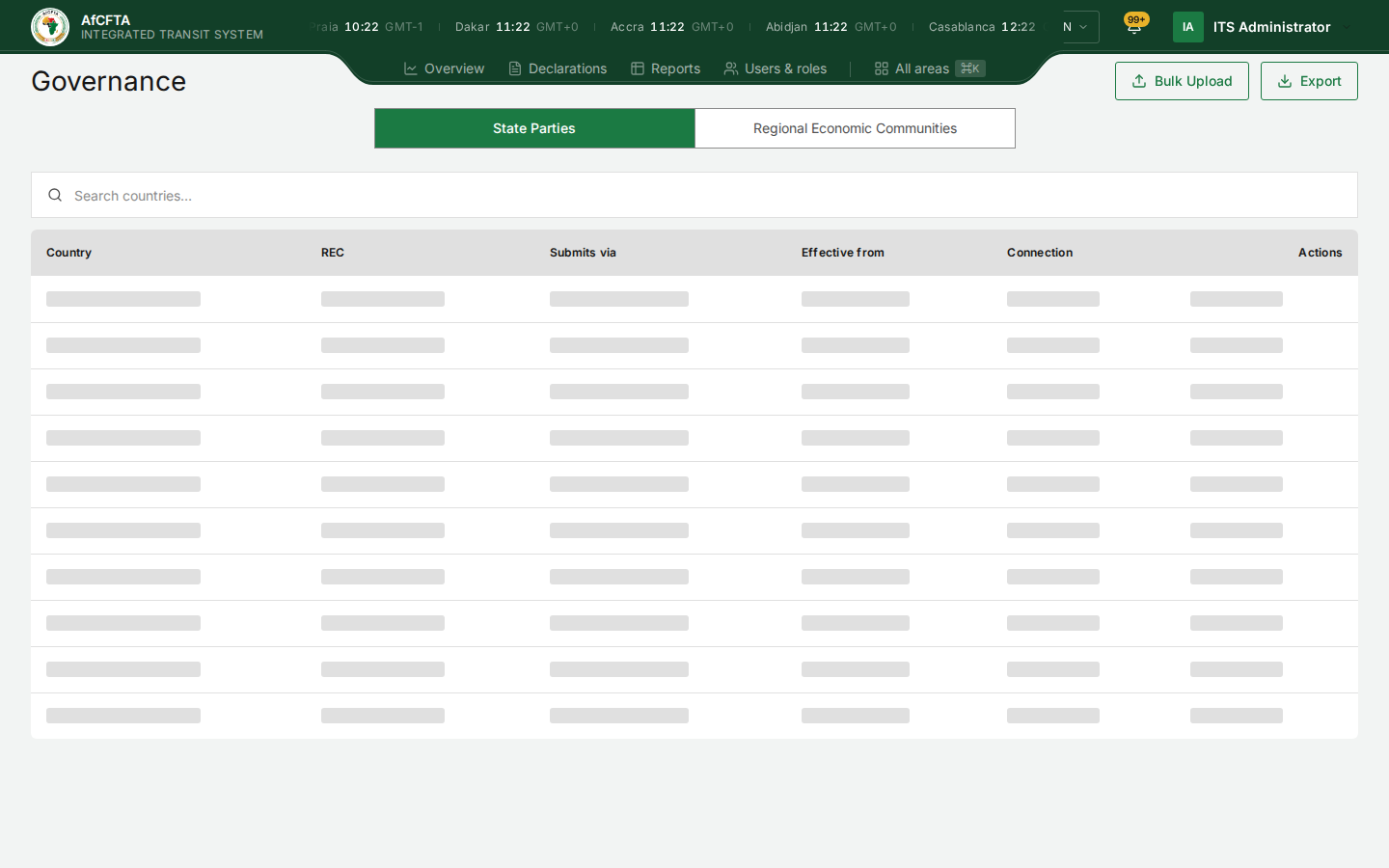
| On the page | What it is for |
|---|---|
| Search countries… | Finds a country by name or code. |
| Bulk Upload | Imports arrangements from a file. See Bulk Upload and Export. |
| Export | Downloads the arrangements. |
| Country | The country's flag, name and two-letter code. |
| REC | The REC it belongs to, or Not in a REC. |
| Submits via | Own system (its national customs system connects to ITS), the REC that submits for it, or Not onboarded. |
| Effective from | When the current arrangement took effect. |
| Connection | How far its connection has got: Not started, SANDBOX, ADMITTED, WITHDRAWN and so on. |
| Actions | Record participation for a country that is not onboarded; Withdraw for one that is. |
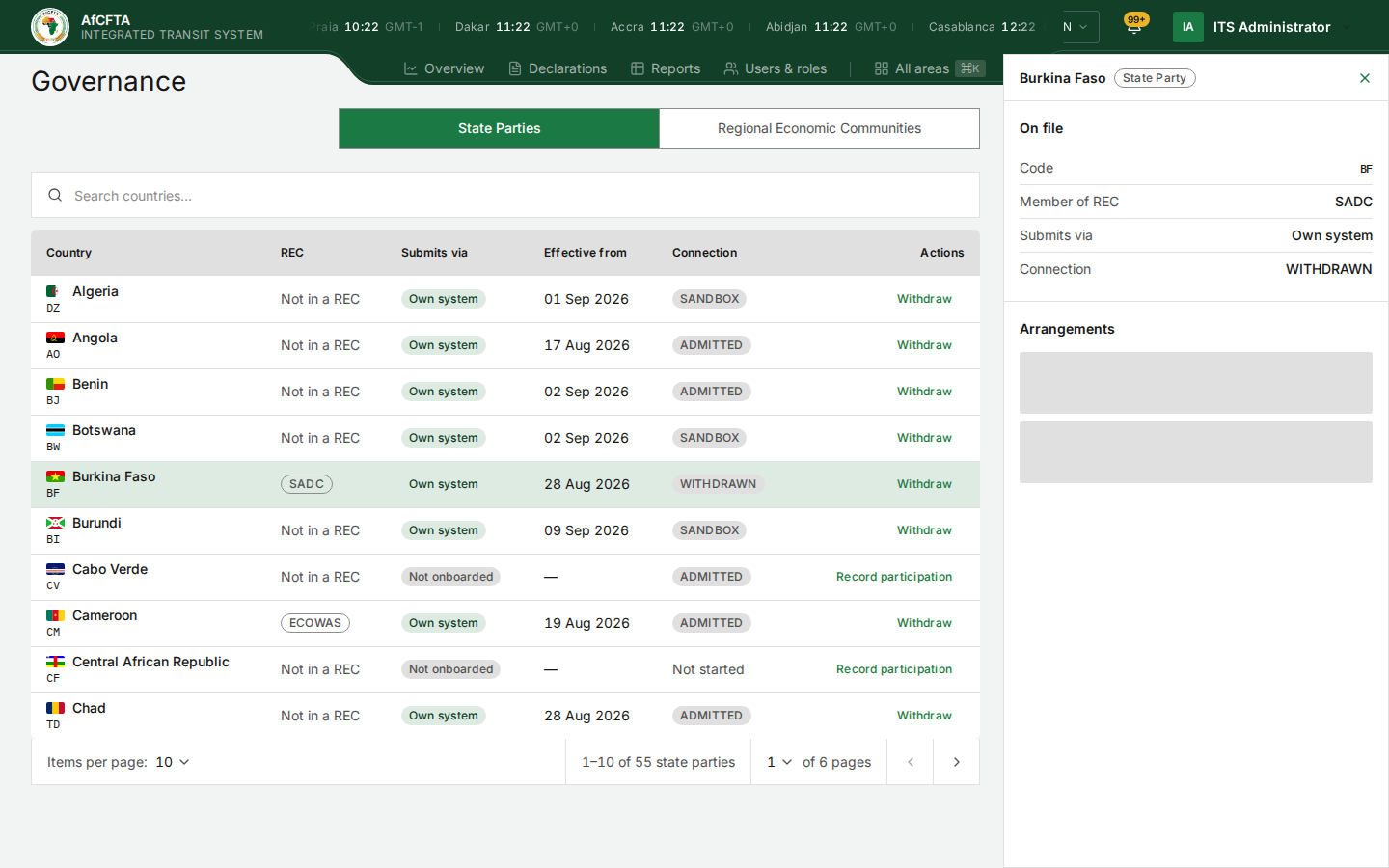
Select a row to open the country's panel on the right: its code, the REC it is a member of, how it submits, its connection and its arrangements.
Record a country's participation
A country cannot lodge declarations until its participation is recorded.
-
On the country's row, select Record participation.
-
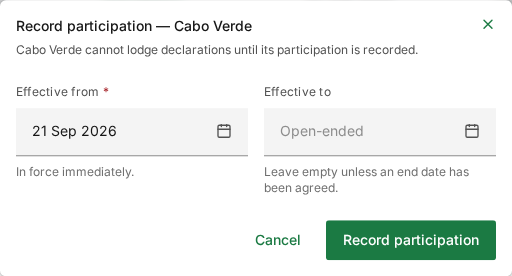
Set Effective from. Today means In force immediately. A future date means ITS refuses the country's declarations until then.
-
Leave Effective to empty unless an end date has been agreed.
-
Select Record participation to save, or Cancel to leave everything as it was.
Withdraw on a participating country's row opens the same window the other way round, to end its participation.
The Regional Economic Communities tab
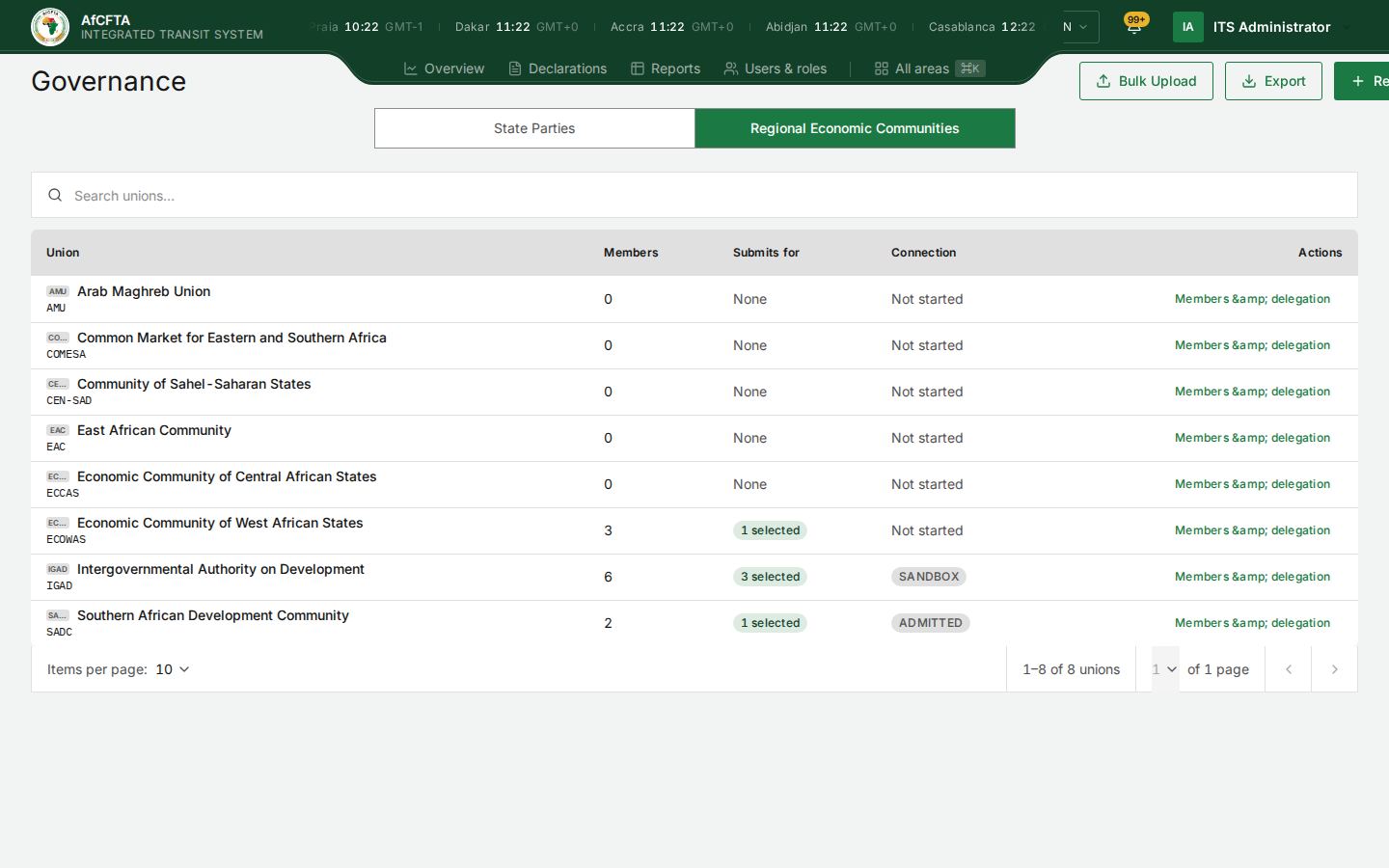
| On the page | What it is for |
|---|---|
| Search unions… | Finds a REC by name or code. |
| Register a REC | Adds a REC that is not in the list yet. |
| Union | The REC's name and code. |
| Members | How many member countries are recorded. |
| Submits for | None, a number selected, or all members. |
| Connection | How far the REC's own connection has got. |
| Members & delegation | Opens the REC's arrangements. |
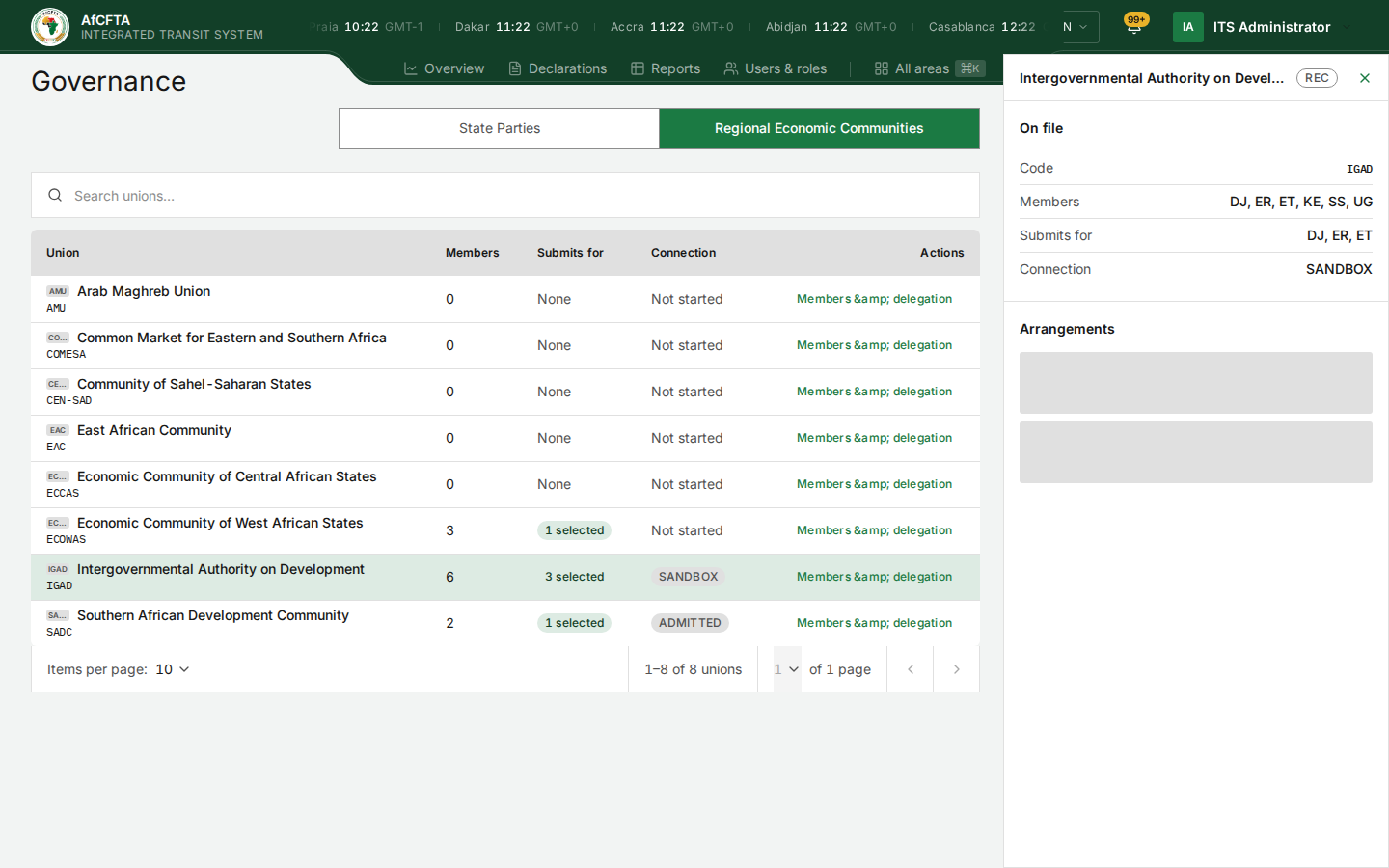
Select a row to open the REC's panel: its code, Members, Submits for and Connection.
Members, and who a REC submits for
Membership and delegation are two different things, and the difference matters:
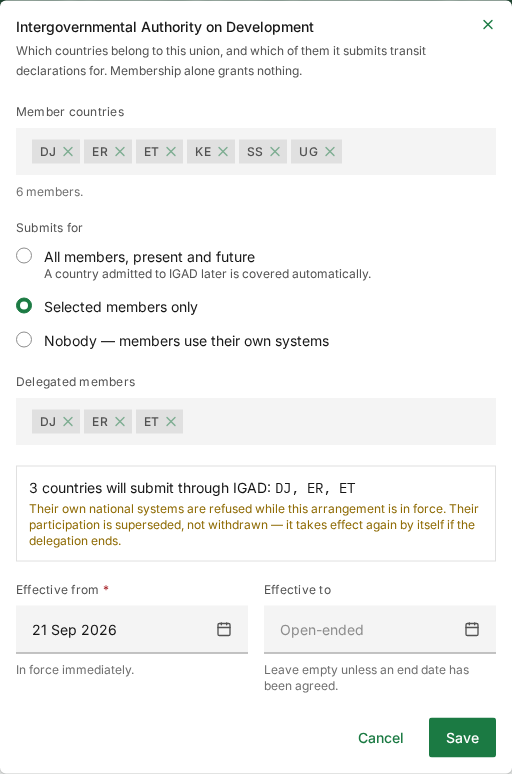
- Member countries are the countries that belong to the REC. Membership alone grants nothing.
- Submits for are the members whose declarations the REC lodges on their behalf. Only these members' own national systems are then refused, and only these members' declarations and customs offices are the REC's to see and maintain.
-
On the REC's row, select Members & delegation.
-
Under Member countries, add or remove members.
-
Under Submits for, choose one:
Choice What it means All members, present and future The REC submits for every member. A country admitted to the REC later is covered automatically. Selected members only The REC submits for the members listed under Delegated members. Nobody — members use their own systems The REC submits for nobody. -
Read the summary box, for example "3 countries will submit through IGAD: DJ, ER, ET". Their own national systems are refused while the arrangement is in force. Their participation is set aside, not withdrawn, and comes back by itself when the delegation ends.
-
Set Effective from and, only if agreed, Effective to.
-
Select Save, or Cancel to leave everything as it was.
Register a REC
- On the Regional Economic Communities tab, select Register a REC.
- Give its name (for example "East African Community") and its short code (for example "EAC"), used everywhere the REC is referred to.
- Select Register REC.
A newly registered REC grants nothing yet: record its members, then what it submits for.
Bulk Upload and Export
Bulk Upload imports arrangements from a spreadsheet: choose the dataset, download its template, fill it in and upload it. Every row needs an effective from date. An arrangement already recorded is reported, not overwritten.
Export downloads a dataset as Excel or CSV.
Known problems
On the development system several countries are recorded in the wrong REC: Burkina Faso in SADC, Cameroon in ECOWAS, Botswana and Angola in no REC at all, and the East African Community with no members. Governance holds whatever was recorded, so check a REC's members before you rely on them.
A withdrawn country (Burkina Faso, WITHDRAWN) still offers Withdraw. Cabo Verde is Not onboarded under Submits via while its connection reads ADMITTED. The tab also counts "55 state parties", which is the number of African Union members.
The row action reads Members & delegation instead of "Members &
delegation", some REC codes are cut short in the small tile beside the name
(CO…, EC…), and a panel's Arrangements can stay grey for a while
before it loads.
Related pages
- What each role can do
- Customs offices: who may maintain which offices follows from delegation.
- Compare your members as a REC