Start your day as a State Party
Who this is for: a State Party's administrator. A REC administrator's day is the same, for the members it administers.
What you will achieve: you will know what ITS told your administration since yesterday, which consignments are on their way to your borders, which are overdue on your territory, and whether your customs system's calls are being refused.
1. Sign in and go to work
- Sign in. See Sign in.
- If you land on System integration, select Overview in the header.
Check the name at the top right of the header: at a shared computer, make sure the account is yours.
2. Read what ITS told you
- Select the bell, then View all notifications.
- Set Status to Unread.
Work through them by category:
- Declarations: consignments lodged in, stamped by, or sent on to your country. An Expect it at your frontier notice names a consignment that has been sent to you next.
- Register: a declaration names one of your offices that your register does not carry. Add or correct the office; see Keep your customs offices up to date.
- Integration: calls refused, or announcements ITS could not deliver to your system.
See Notifications.
N of your requests were refused today counts refusals of the portal's own background requests as well as your system's calls. Do not raise an incident on the count alone: check Failed transmissions first.
3. See what is heading for your frontier
- Select Declarations.
- Set To to your own country, and State to In transit and Departed.
The list is every open declaration bound for your country. The Route column's (last stamp ZM) tells you which country it is in now. Open one to see which country named yours as next, and when it exited. See Find a consignment.
Declarations passing through your country are in your register too. Clear To and look at the (last stamp …) column for your neighbours' codes.
4. Check what is overdue
- Select Overview.
Overdue now counts declarations in your scope still open after their transit window closed. Selecting it opens the register unfiltered, so for the list itself open Reports, then the Register area, and read its overdue worklist. See Reports.
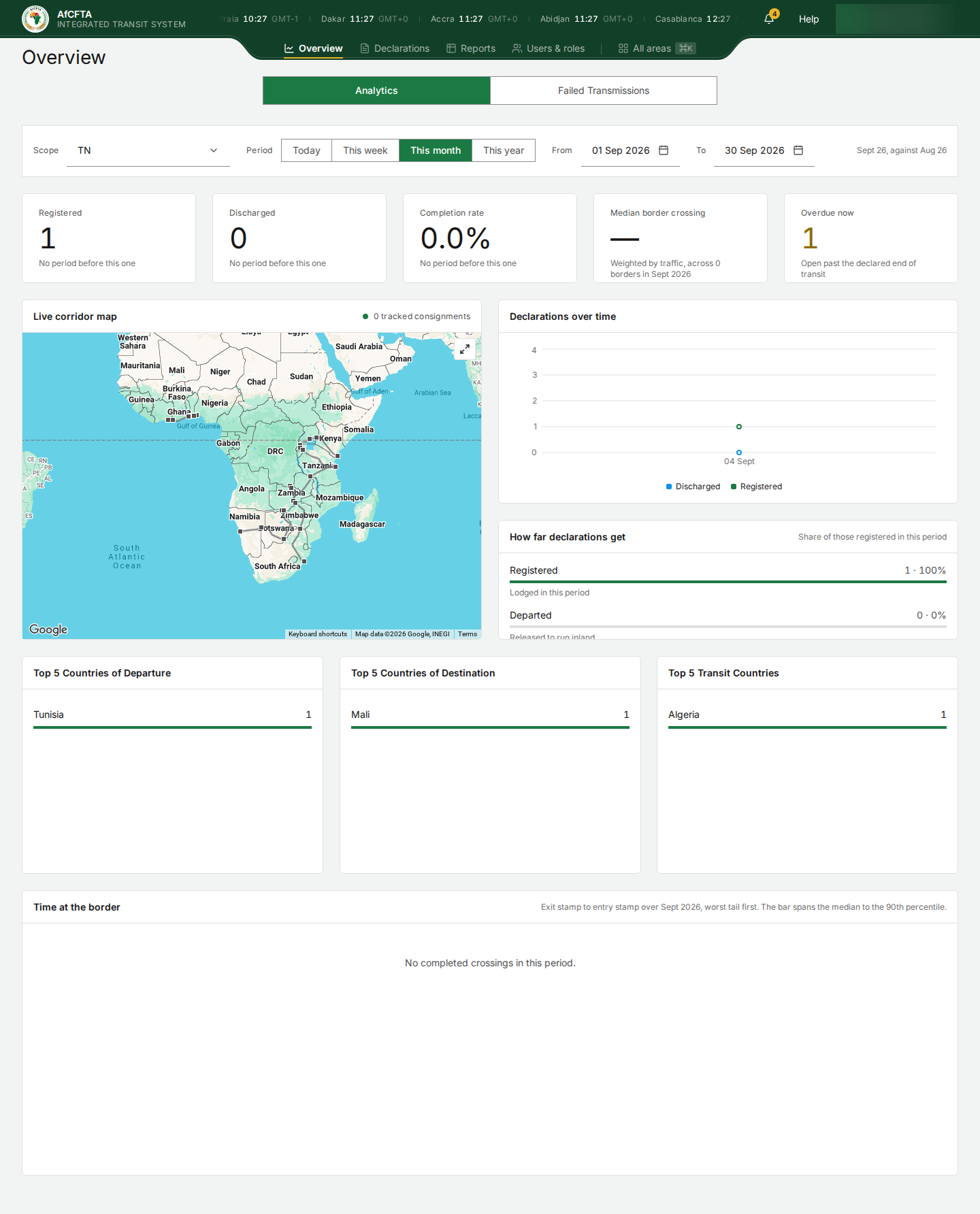
For each overdue declaration held by your country, find out from your own customs system or the office concerned why the next act has not been sent.
5. Check for real refusals
- Select Overview, then Failed Transmissions.
Ignore the rows for GET /api/v1/authz/tenants and GET /api/v1/notifications/… with Not authorised · ERR-006: those are the portal's own requests. Look for calls your customs system makes, such as POST /api/v1/etd or a stamp. For each, give the Reference to your system's technical team; Errors and troubleshooting explains the codes. See Failed transmissions.
What "done" looks like
- Your unread notices are read, and every Register notice has become an office correction.
- You know which consignments are due at your frontier today.
- You know which overdue declarations are yours to chase.
- Your system's real refusals, if any, are with your technical team.