Customs offices
Customs offices is the register of the offices a transit can depart from, cross a border at, and be discharged at. It is published for all of Africa and maintained by each administration for its own offices: Tunisia keeps Tunisia's offices up to date, and a REC keeps the offices of the members it submits for.
The register matters for declarations. An office recorded as Inland can never be stamped as a border crossing, and an office code that is not in the register shows up in the Unregistered stations report.
Before you start
- Anyone whose role reads customs offices can open the register. To add, edit or withdraw offices you need Organisation admin, Secretariat admin or System admin. See What each role can do.
- Know your office codes. A code is the UN/LOCODE shape: the two-letter
country code, then three characters (
TNB6Qis Bu Urqub in Tunisia; its station code isB6Q).
How to open it
- Select All areas in the header (or press
⌘K/Ctrl+K). - Under Set up, select Customs offices.
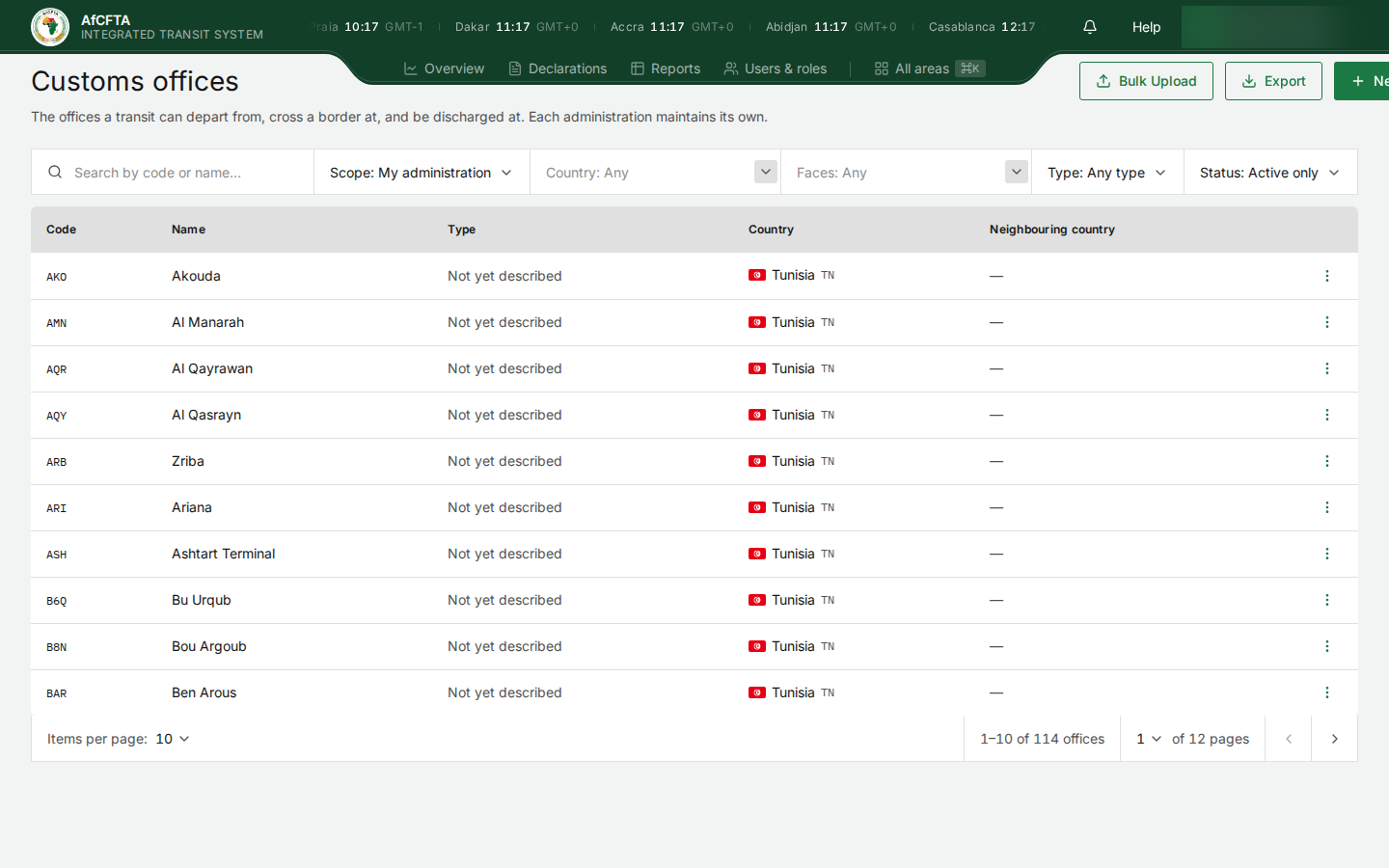
It opens on Scope: My administration and Status: Active only.
On the page
| On the page | What it is for |
|---|---|
| Bulk Upload | Add many offices from one file. See Import and export. |
| Export | Download the offices you are looking at. See Import and export. |
| New office | Add one office. See Add or edit an office. |
| Search by code or name… | Finds offices whose code or name contains what you type. |
| Scope | My administration (the offices you maintain) or All of Africa (the whole register). |
| Country | The administration whose register the office is in. |
| Faces | The country on the other side of a border post. Use it to answer "which of our offices face Kenya?". |
| Type | Any type, Border or Inland. |
| Status | Active only or Including withdrawn. |
| Code | The station code, the three characters after the country code. |
| Name | The office's name. |
| Type | Border, Inland, or Not yet described where nobody has said yet. |
| Country | The country's flag, name and code. |
| Neighbouring country | For a border post, the country it faces. A dash for anything else. |
| ⋮ (Actions) | View, and for the offices you maintain, Edit and Withdraw. |
The number under the table ("1–10 of 114 offices") counts what the filters leave, not the whole register.
What "My administration" means
Scope is the one filter that means something different for each kind of organisation.
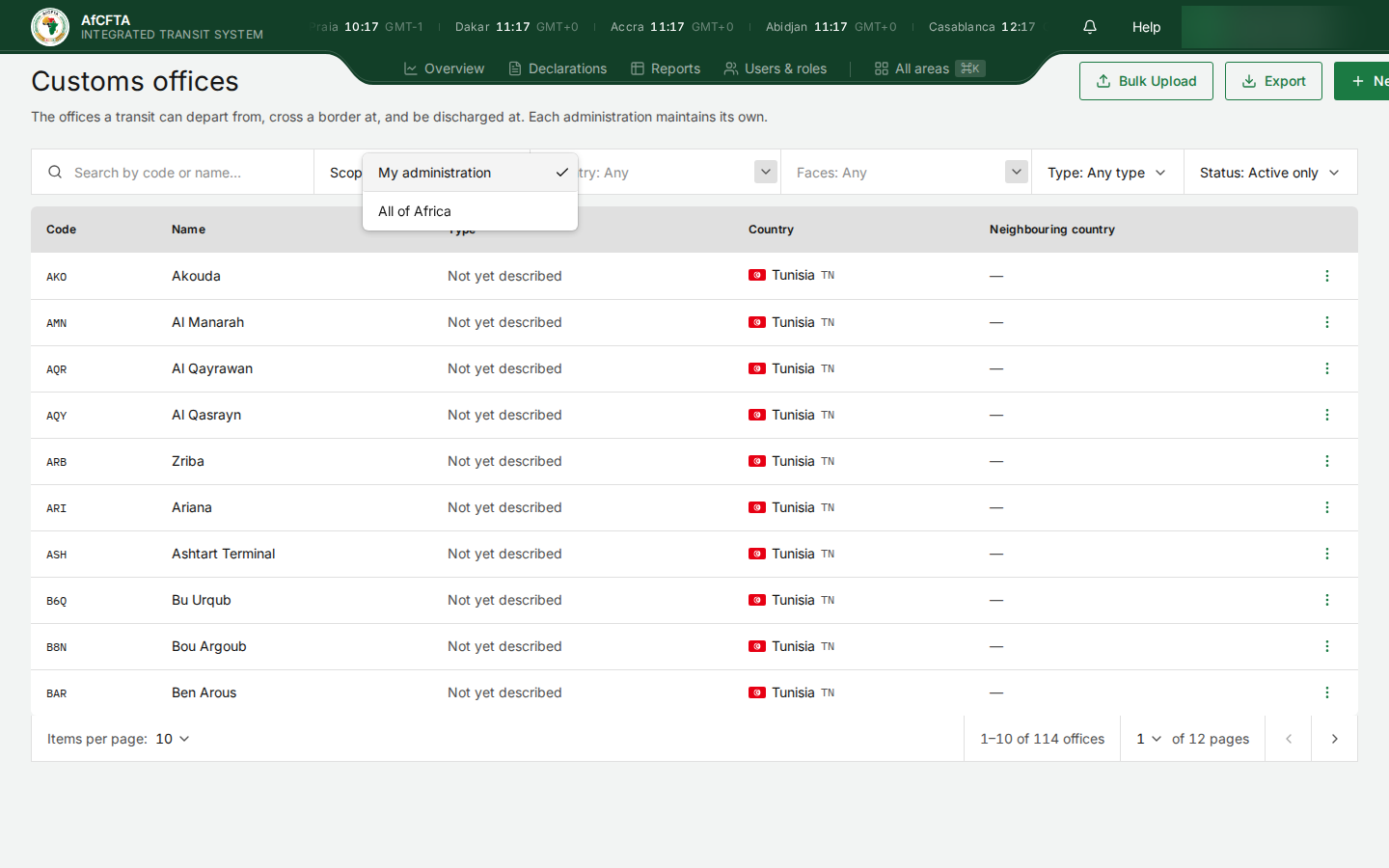
| You are signed in as | My administration shows | All of Africa shows | You can change |
|---|---|---|---|
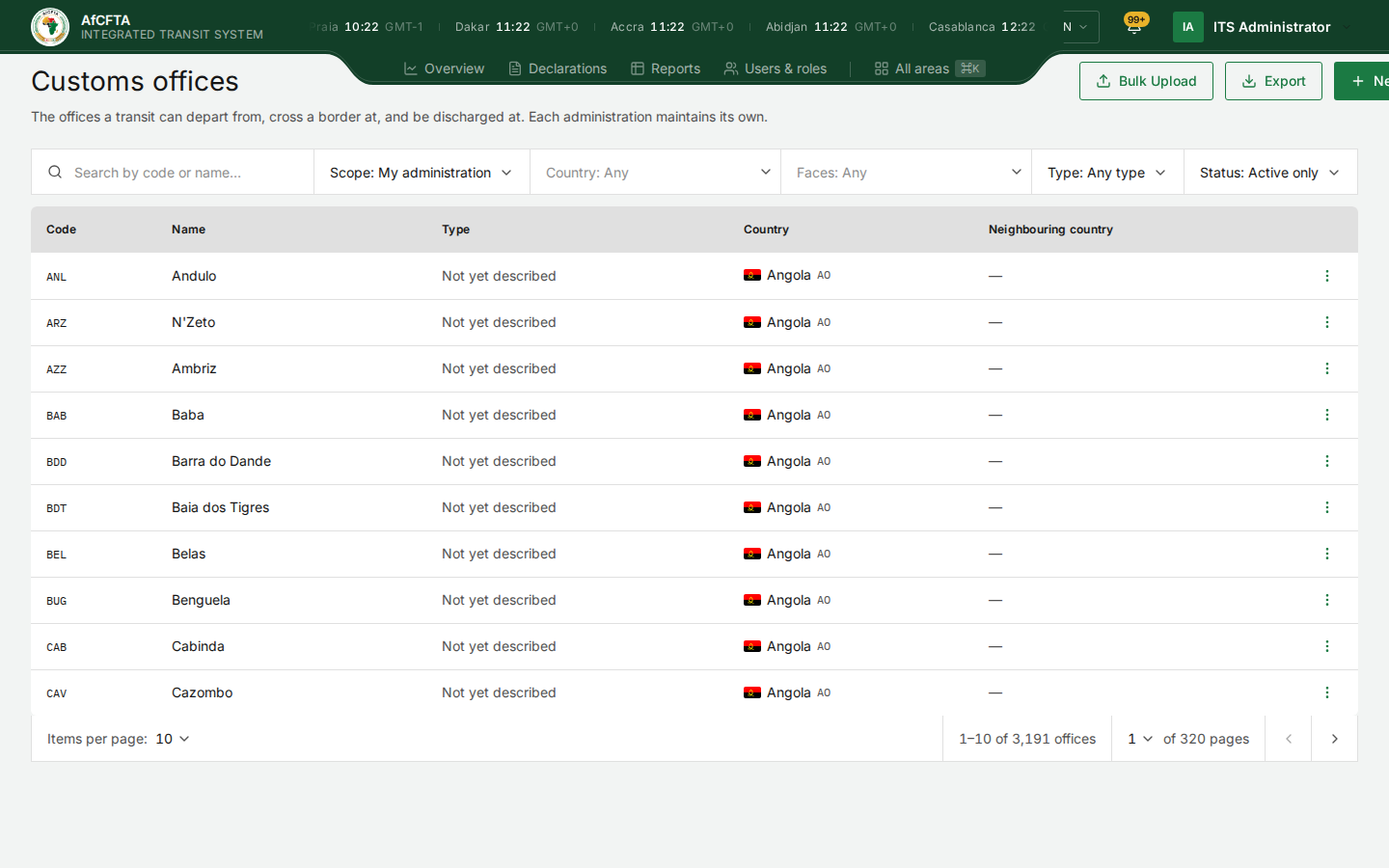
| The Secretariat | Every office in Africa (3,191 on the development system). The Secretariat maintains the register on everyone's behalf. | The same. | Every office. |
| A State Party (Tunisia) | Your own country's offices (114). | Every office, with only View on other countries' rows. | Your own country's offices. |
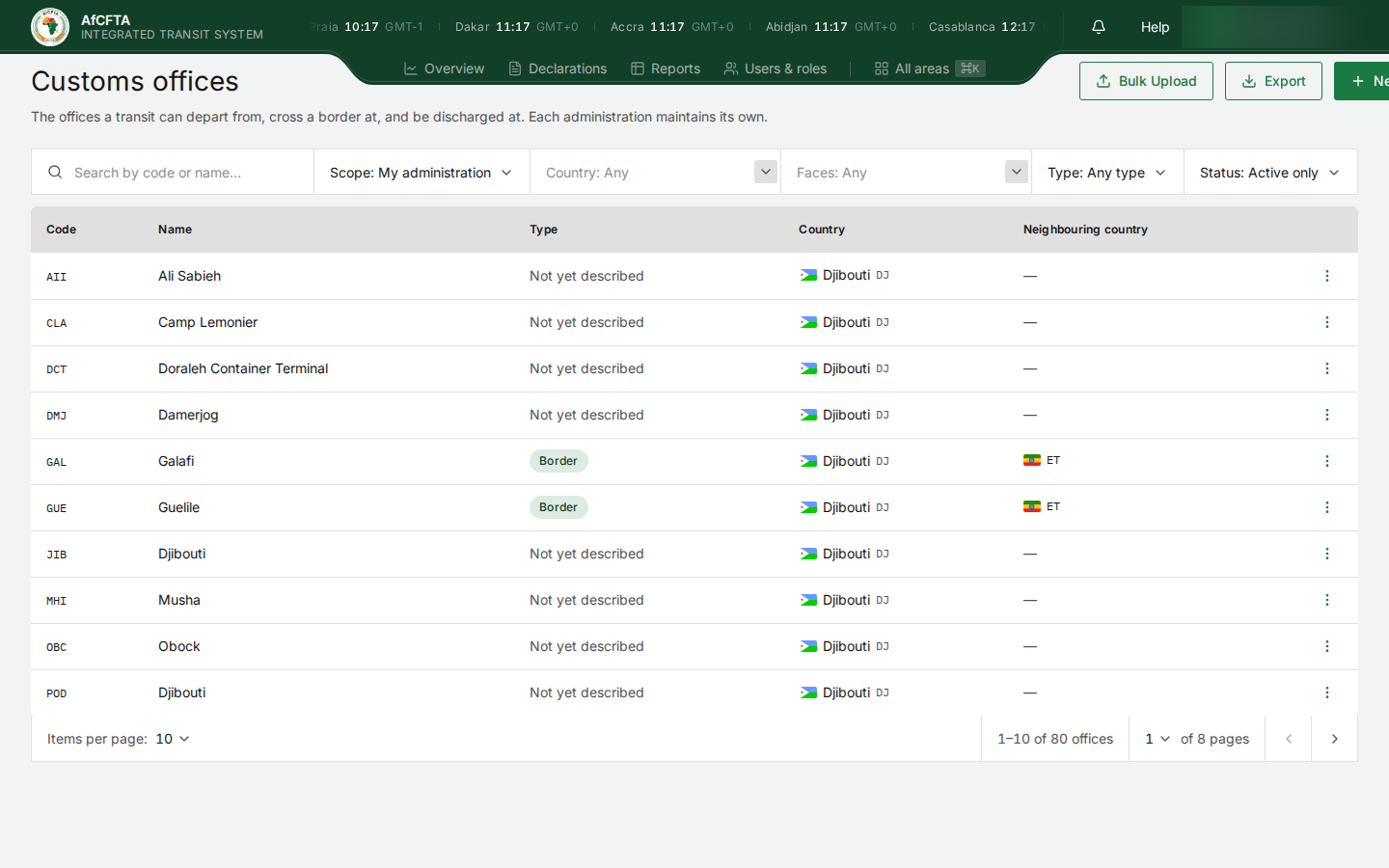
| A REC (IGAD) | The offices of the members you submit for: Djibouti, Eritrea and Ethiopia (80). | Every office, with only View on other rows. | Only those members' offices. |
A REC does not maintain the offices of members that run their own national systems, only of those that delegated their submissions to it. The Secretariat records the delegation on Governance.
| Secretariat | State Party | REC |
|---|---|---|
 | |  |
On an office you maintain, the ⋮ menu offers View, Edit and Withdraw. On anyone else's, it offers View only:
| Your own office | Another administration's office |
|---|---|
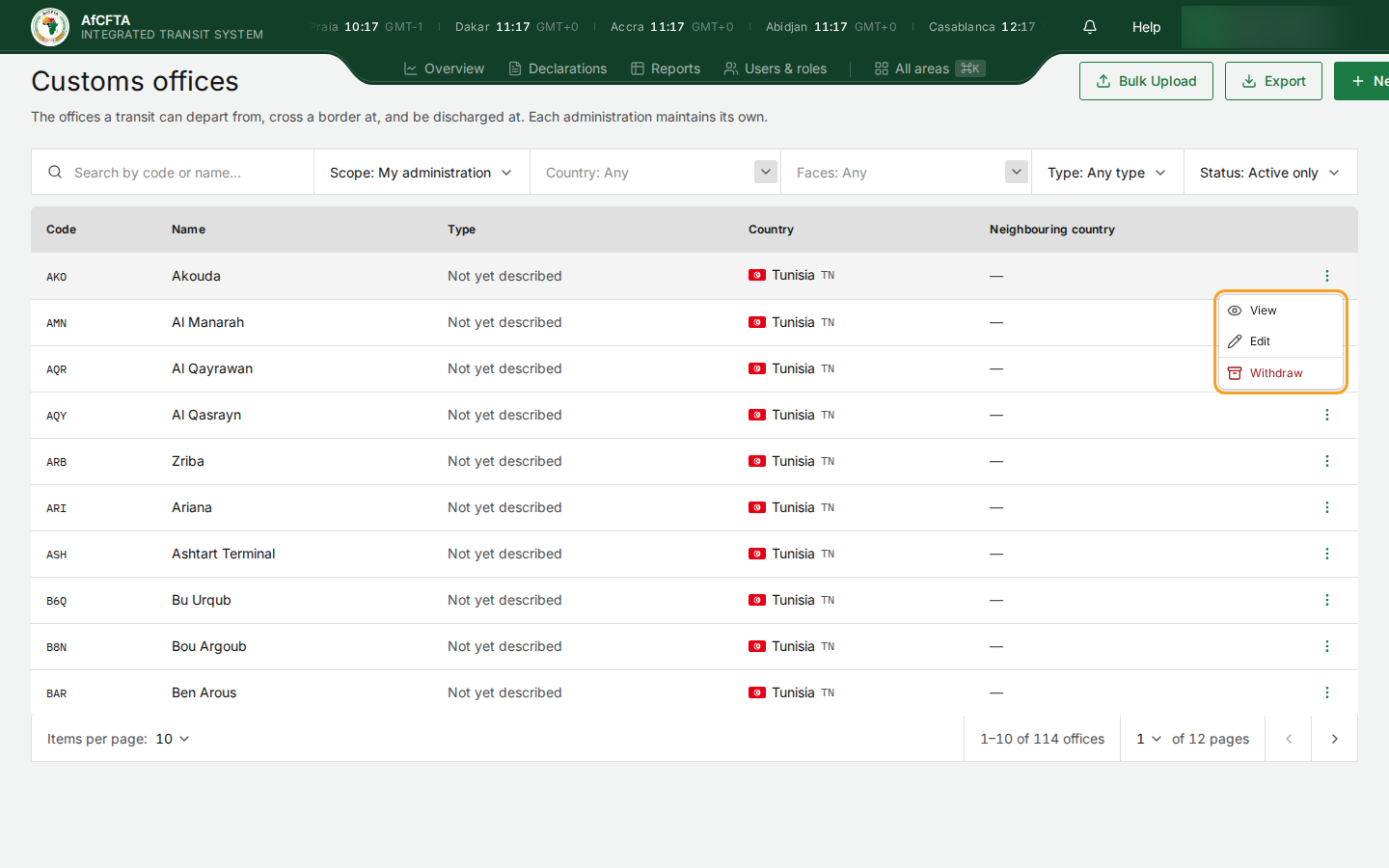 | 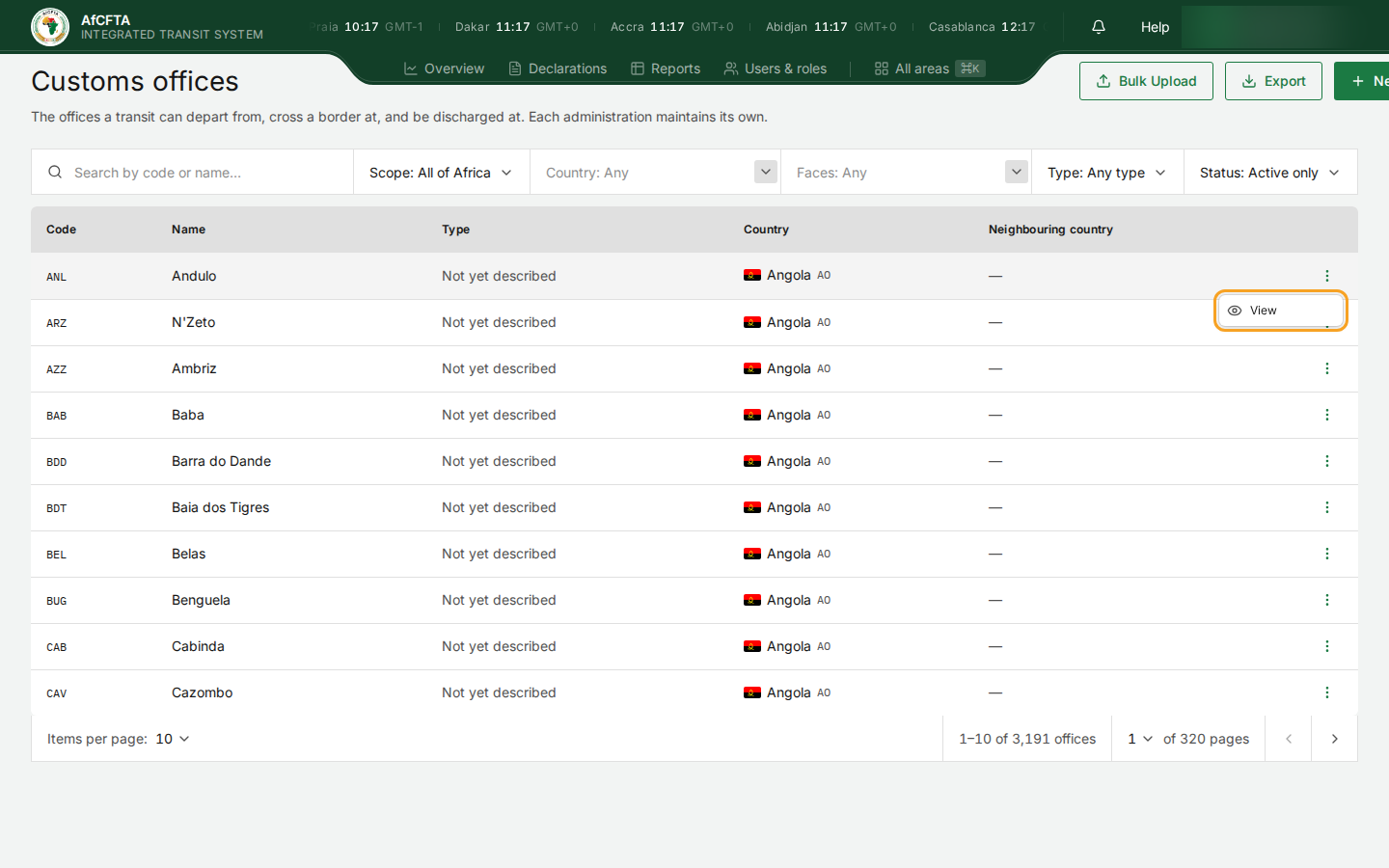 |
If you maintain no offices at all (your organisation submits through a REC), My administration says so and suggests All of Africa.
Find an office
- Leave Scope on My administration to look only at your own offices, or choose All of Africa.
- Type part of the code or the name in Search by code or name….
- Narrow with Country, Faces or Type if the list is long.
- Choose Status: Including withdrawn to find an office that has been withdrawn.
- Select View in the row's ⋮ menu to see everything recorded about it.
Withdraw an office
Withdraw takes an office out of use: it stops being offered on new declarations. Declarations already stamped there still name it, and a withdrawn office can be reopened.
- In the office's ⋮ menu, select Withdraw.
- Read Withdraw this office? and select Withdraw to go ahead, or Cancel.
To reopen it, set Status to Including withdrawn, find the office and reopen it from its ⋮ menu.
Known problems
The register was seeded from UN/LOCODE, which does not say which offices are border posts. Nearly every office therefore reads Not yet described until its administration sets the type. ITS never treats "Not yet described" as inland, so stamps are still accepted there. Setting the type on your border posts is the most useful thing you can do on this screen. See Keep your customs offices up to date.
The seed data carries the same place under two codes and spellings (Tunisia's B6Q Bu Urqub and B8N Bou Argoub), two offices named "Djibouti" (JIB and POD), and places that are not customs offices (CLA Camp Lemonier). Withdraw what is wrong for your own country.
On a window about 1440 pixels wide, the New office button is partly off the right edge of the screen, and only "+ Ne" shows. Widen the window or zoom out to reach it.
Neighbouring country shows only the flag and code (ET), not the name.