Notifications
ITS tells your administration when something concerns it: a declaration touching your territory, an office code your register does not carry, a problem with your integration. The bell in the header shows the latest; the notification centre keeps everything.
Who receives what
A notice is addressed to an organisation, not to a person. Everybody in your organisation whose account may see it gets it, including a colleague who joins next month, who sees the history too. Whether you have read a notice is recorded for you alone: marking it read does not mark it read for your colleagues.
| You are | You are told about |
|---|---|
| The Secretariat | Declarations, onboarding and adoption across the continent, and integration problems of any organisation |
| A State Party or a REC | Declarations touching your territory, register corrections you can make, and problems with your own integration |
The bell
Select the bell in the header to see the six latest notices. See Find your way around.
Open the notification centre
- Select the bell, then View all notifications.
- Or open All areas and select Notifications under Work.
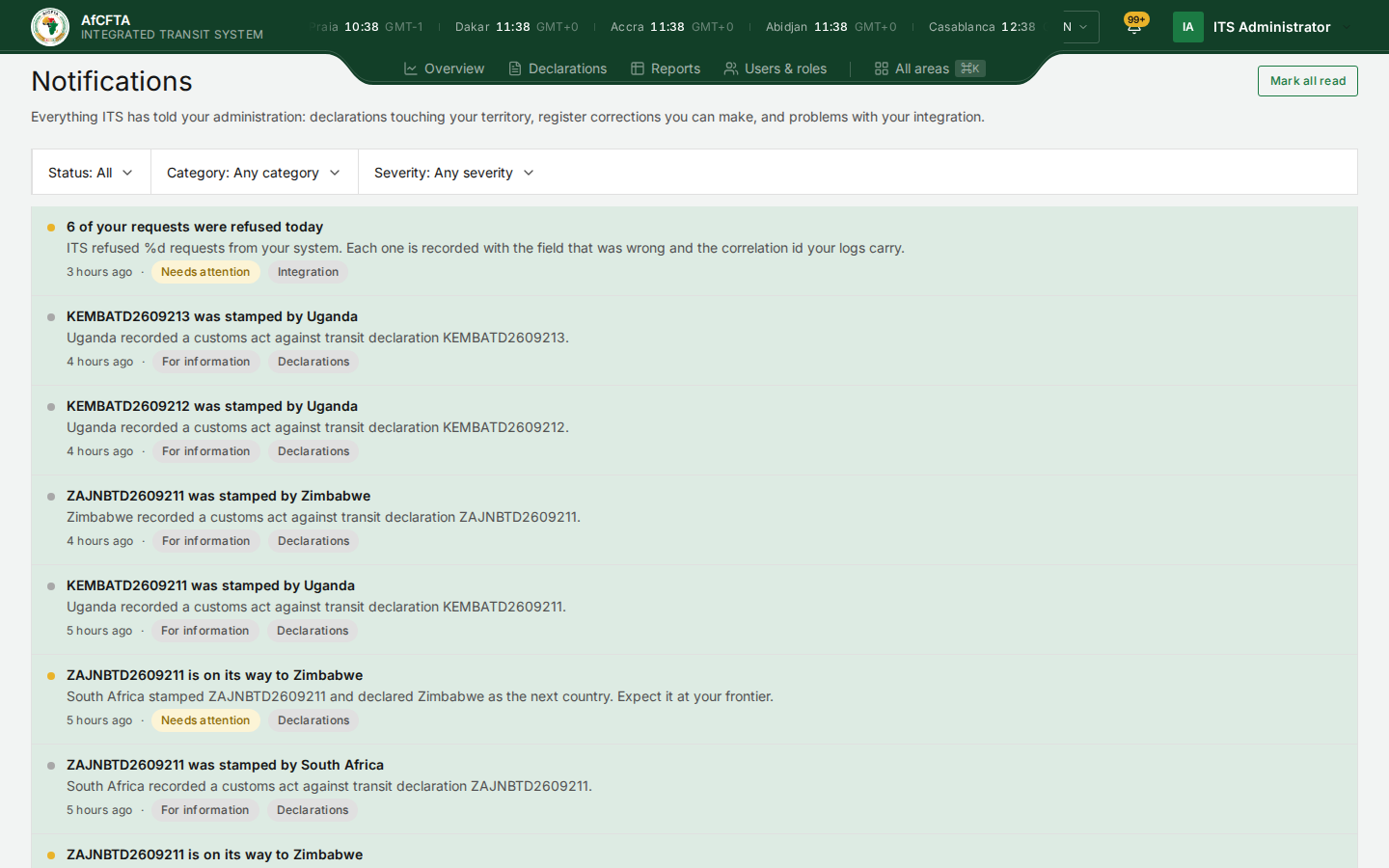
The page describes itself as Everything ITS has told your administration: declarations touching your territory, register corrections you can make, and problems with your integration.
Each notice
| Part | What it shows |
|---|---|
| The dot | Amber for a notice needing attention, grey for information. The notice's background is tinted while it is unread |
| The title | What happened, for example KEMBATD2609213 was stamped by Uganda |
| The sentence under it | More detail, for example Uganda recorded a customs act against transit declaration KEMBATD2609213. |
| When | How long ago, such as 4 hours ago |
| The severity | For information, Needs attention or Failing |
| The category | Declarations, Register, Onboarding, Integration or Adoption |
| Category | What it is about |
|---|---|
| Declarations | A declaration touching your territory was lodged, stamped, sent on to you, corrected or closed |
| Register | A declaration names one of your offices that your customs office register does not carry. See Customs offices |
| Onboarding | An organisation's progress towards connecting its system |
| Integration | Your system's calls are being refused, or ITS cannot deliver announcements to it |
| Adoption | Which countries on a corridor are, or are not, connected to ITS |
Filter the list
| Filter | Options |
|---|---|
| Status | All or Unread |
| Category | Any category, or one of the five categories |
| Severity | Any severity, For information, Needs attention or Failing |
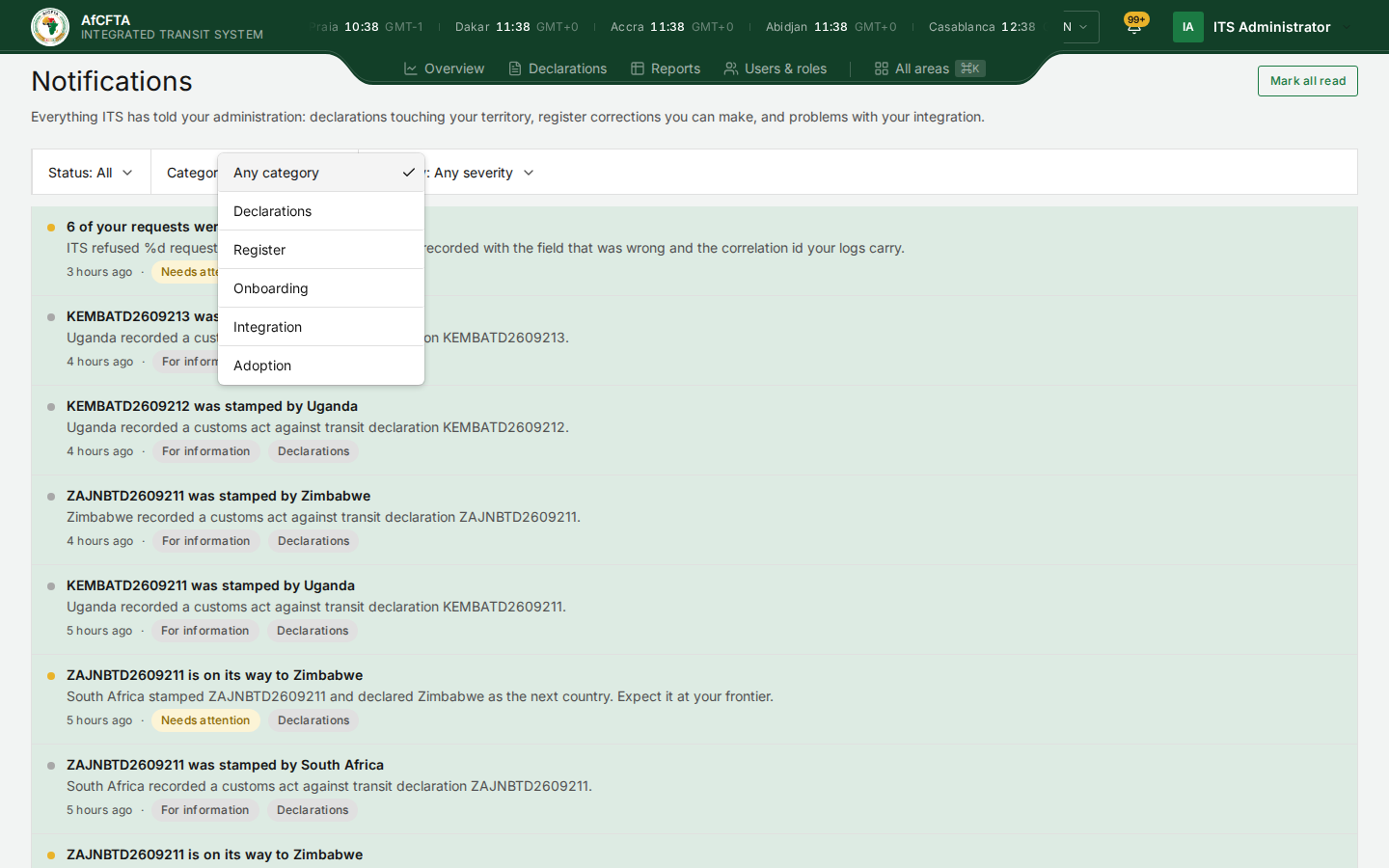
The list shows ten notices per page, newest first. Items per page under the list changes that.
Open one notice
- Select the notice.
Its own page opens, with About, When, Category, Severity and, for an integration problem, the Correlation id to look up in Failed transmissions. An Open button takes you to what the notice is about, such as the declaration. A notice with nothing to act on says This one is for information. There is nothing to do about it here. Back to notifications returns you to the list.
Mark notices read
Mark all read, at the top right of the centre and of the bell's panel, marks every notice read for you. It cannot be undone, and it changes nothing for your colleagues.
When the list is empty
| What you see | What it means |
|---|---|
| Nothing yet | Nothing has been addressed to your organisation yet |
| Nothing matches those filters / Widen the filters to see the rest of the record. | The filters hide everything. Set them back to All, Any category and Any severity |
Things that can mislead you
Notices headed N of your requests were refused today, category Integration, count refusals recorded against your organisation. Most of them are the portal's own background requests, refused because your account does not need them, not calls from your customs system. See Failed transmissions.
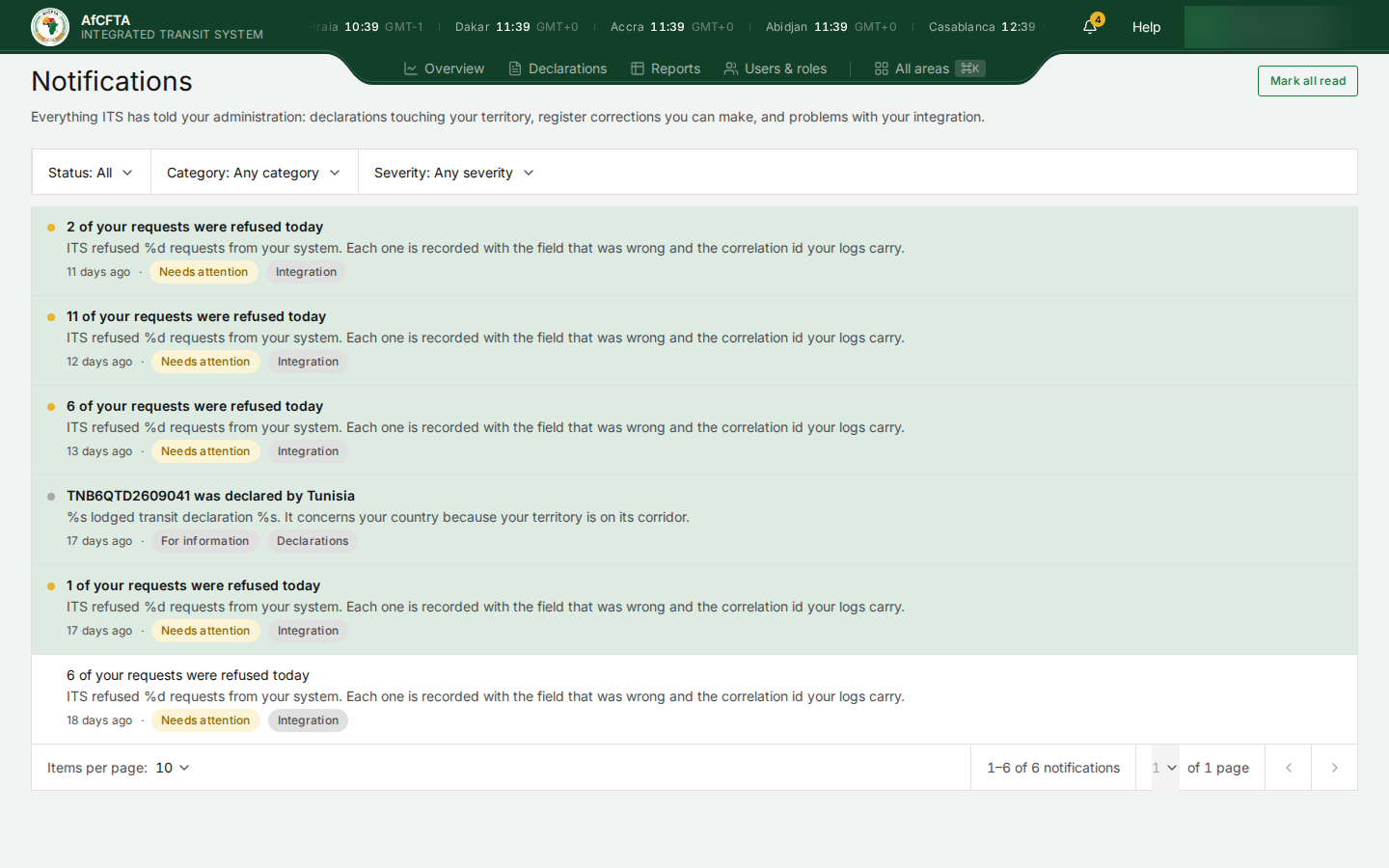
- Some sentences show placeholders instead of numbers and names, such as ITS refused %d requests from your system and %s lodged transit declaration %s. The title above them has the real values.
- 1 of your requests were refused today is how a one-refusal notice reads, and today means the day it was sent, even when that was weeks ago.
- A State Party is told that its own declaration was declared by itself, TNB6QTD2609041 was declared by Tunisia … because your territory is on its corridor.
- The Secretariat receives Expect it at your frontier notices meant for the next country.
- The same event can appear more than once.
- The number on the bell counts notices needing attention, and does not match the unread count in the centre.
Related pages
- Find your way around
- Failed transmissions
- Start your day as a State Party
- Notifications feed, for the same notices read by a customs system