Track a consignment
The Track page shows the declarant and the consignee where their consignment has reached. It needs no account, but it does need proof that you are one of the two parties: your TIN.
Before you start
- The serial number, printed at the top of the Transit Document, for example
ZAJNBTD2609203. - The declarant's TIN (box 34 on the document) or the consignee's TIN (box 4). Both are printed on the document.
The exporter's and the transporter's TINs are printed on the same document, but they do not open it. A transporter who wants to follow a load has to ask the declarant or the consignee.
Look a consignment up
-
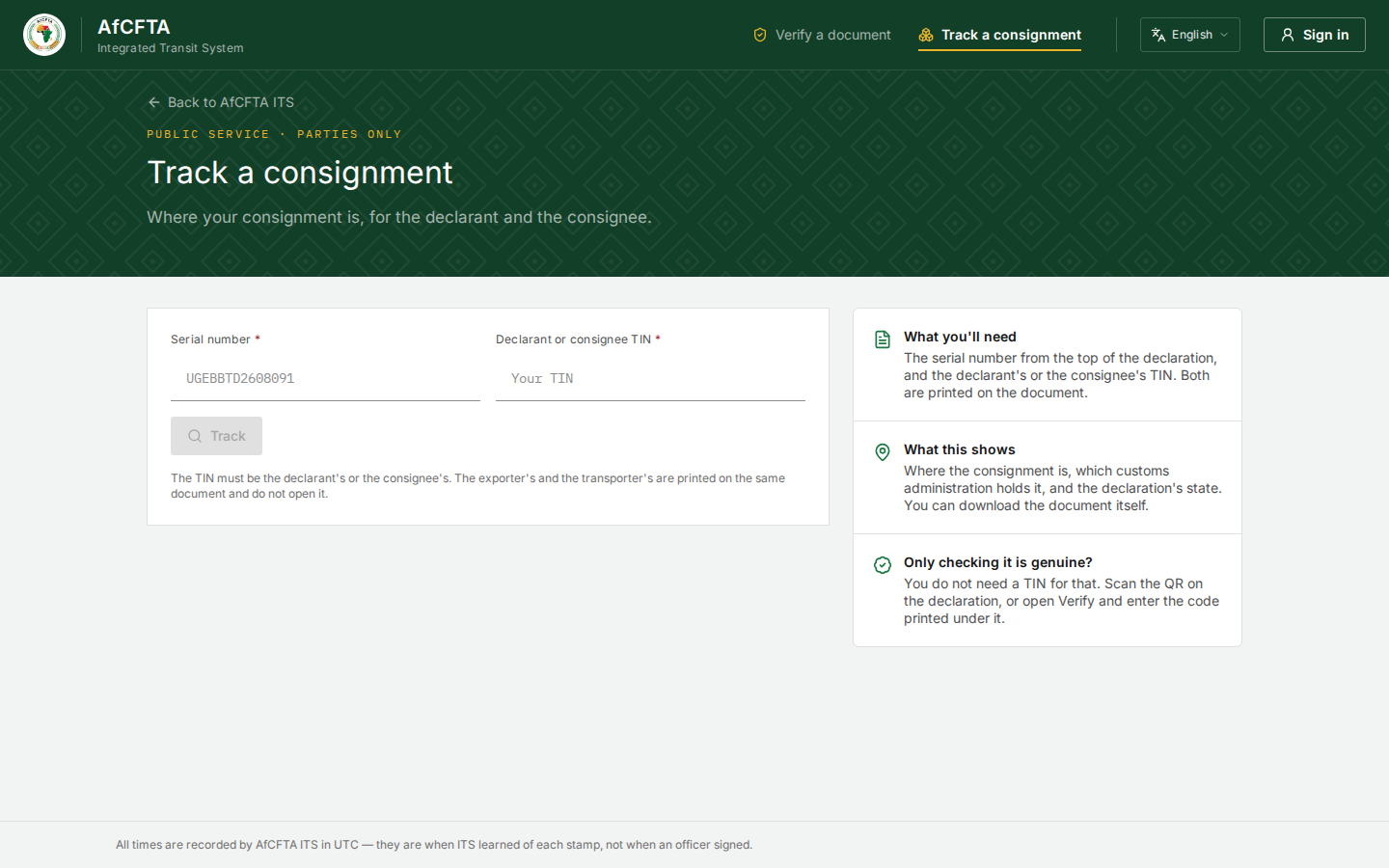
Open the ITS landing page and select Track a consignment.
-
In Serial number, type the serial number from the top of the declaration.
-
In Declarant or consignee TIN, type your TIN exactly as it is printed on the document.
-
Select Track. The button is greyed out until both fields are filled.
| Field | Required | Rules |
|---|---|---|
| Serial number | Yes | 14 to 18 characters, such as ZAJNBTD2609203; or the older 23-character form |
| Declarant or consignee TIN | Yes | The declarant's or the consignee's, as printed. ITS matches it exactly |
The page sends your TIN to ITS separately from the page address, so it is never recorded in the web logs of the networks between you and ITS, and never appears in your browser history. That is also why a tracked consignment has no link you can bookmark or share.
If you only want to know whether a document is genuine, you do not need a TIN: use Verify a document.
Read the answer
| On the page | What it shows |
|---|---|
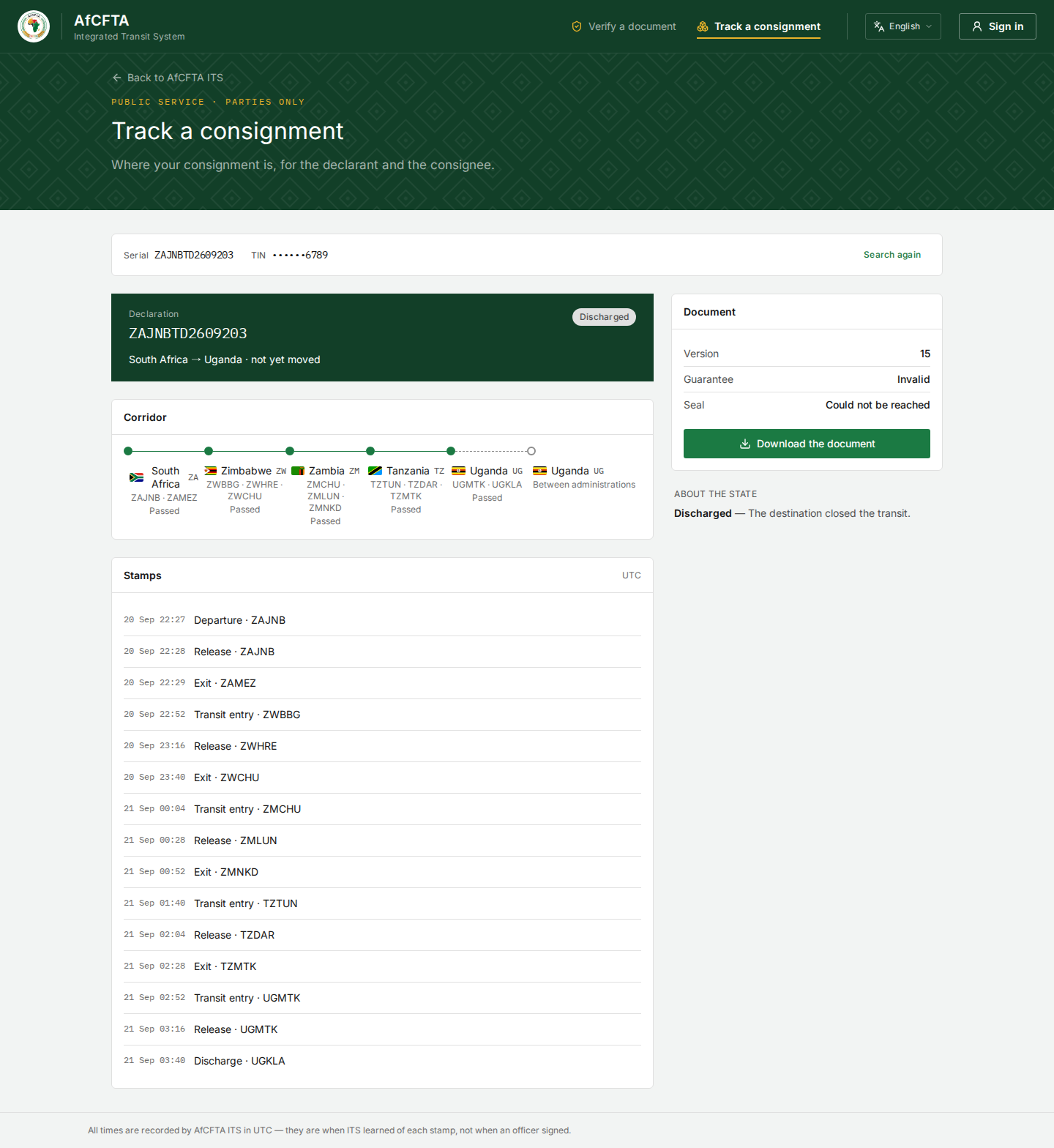
| Serial and TIN | What you looked up. Only the last four digits of the TIN are shown |
| Search again | Clears the answer so you can look up another consignment |
| The Declaration card | The serial number, the state, and the departure and destination countries |
| Corridor | One point per country the consignment has passed or been sent to, each with its offices and Passed, Here now or Between administrations |
| Stamps | Every stamp ITS has received, oldest first: the time, the act and the office |
| Document | The current Version, the Guarantee verdict and the Seal state |
| Download the document | Saves the current version of the Transit Document as a PDF |
| About the state | One sentence explaining the state, such as Discharged — The destination closed the transit. |
| Guarantee | Meaning |
|---|---|
| Verified | The guarantee platform confirms the reference |
| Invalid | The platform says the reference is not good |
| Declared, not verified | Nobody could be asked |
| Could not be checked | The platform did not answer usefully |
| Seal | Meaning |
|---|---|
| Active | The electronic seal reports normally |
| Tampered | The seal reports it has been interfered with |
| Could not be reached | There is an electronic seal, but no answer came |
| Unknown | The seal gave no state |
| No e-seal | The load has a normal metallic seal |
Download the document
- Select Download the document.
The current version of the Transit Document is saved as a PDF, with both leaflets. It is always the latest version; the page cannot give you an earlier one. ITS draws the PDF fresh each time and keeps no copy.
When nothing matches
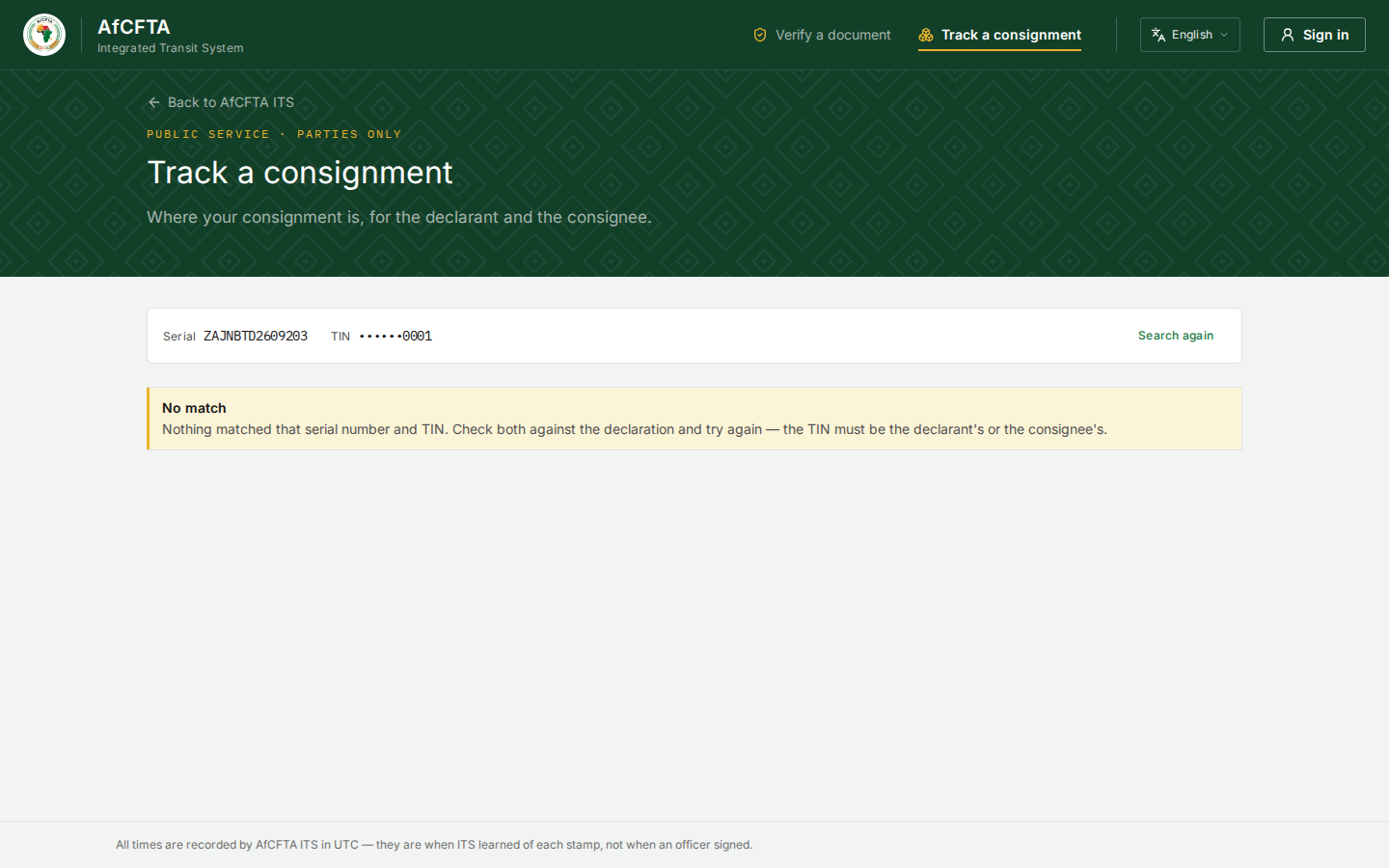
No match appears for any of these, and the page cannot say which:
- the serial number is wrong;
- the TIN is wrong;
- the TIN is the exporter's or the transporter's.
Check both against the document and try again. ITS gives the same answer in every case on purpose, so that nobody can use the page to find out which serial numbers exist.
Things that can mislead you
The Stamps list is headed UTC and the footer says All times are recorded by AfCFTA ITS in UTC, but the times in the list are shown in your browser's time zone. In Kampala, a stamp received at 22:27 UTC shows as 01:27 the next day. The order is always right.
- A discharged consignment can read not yet moved on the declaration card, although every stamp is listed below it.
- After the destination's discharge, the corridor can show the destination country twice, the second time as Between administrations. The first entry, Passed, is the real one.
- Guarantee: Invalid and Seal: Could not be reached can appear on a transit that is already completed. On a discharged consignment they no longer matter.