Consortium ledger
The consortium ledger is the shared ledger, held by several organisations, on which ITS records each signed version of a declaration so that anyone can prove it was not altered afterwards. The Consortium ledger page shows the ledger itself: who holds it, the rule a record must satisfy to be written, and what has been written. It is read from the ledger each time, not from ITS's own notes about it.
The ledger holds fingerprints only: each batch's root, never the records themselves. Declarations, stamps and announcements travel between ITS and national systems through ITS's own interface, never through the ledger.
Use it to check which organisations are members, whether ITS is still writing, and which members signed a given batch. To check one declaration against the ledger, use the ledger check on Declaration details. To check a printed document, use Verify a document.
Before you start
- You need the Secretariat admin, System admin or Organisation admin role, so the Secretariat and the administrator of a State Party or a REC can all open it. A technical contact and a customs officer cannot, and do not see it in All areas. See What each role can do.
- Everybody who opens the page sees the same thing. It is not limited to your own country or community.
- The page is read-only for every role. Nothing on it changes the ledger, its members or its rule.
- The page has content only where your installation is connected to a consortium ledger. Where it is not, it shows The ledger could not be read. See What the messages mean.
How to open it
- Select All areas in the header (
⌘K/Ctrl+K). - Under Oversight, select Consortium ledger.
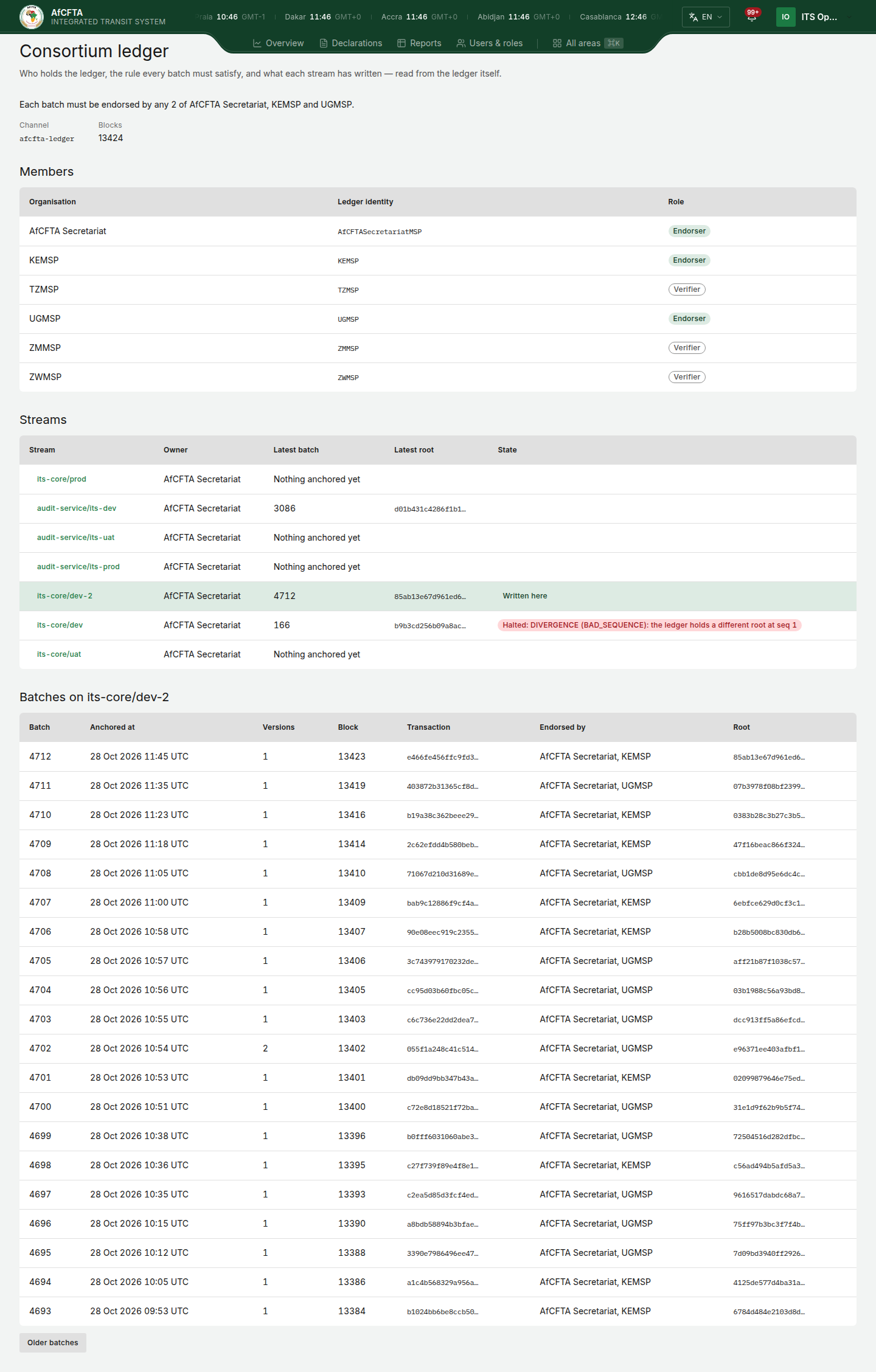
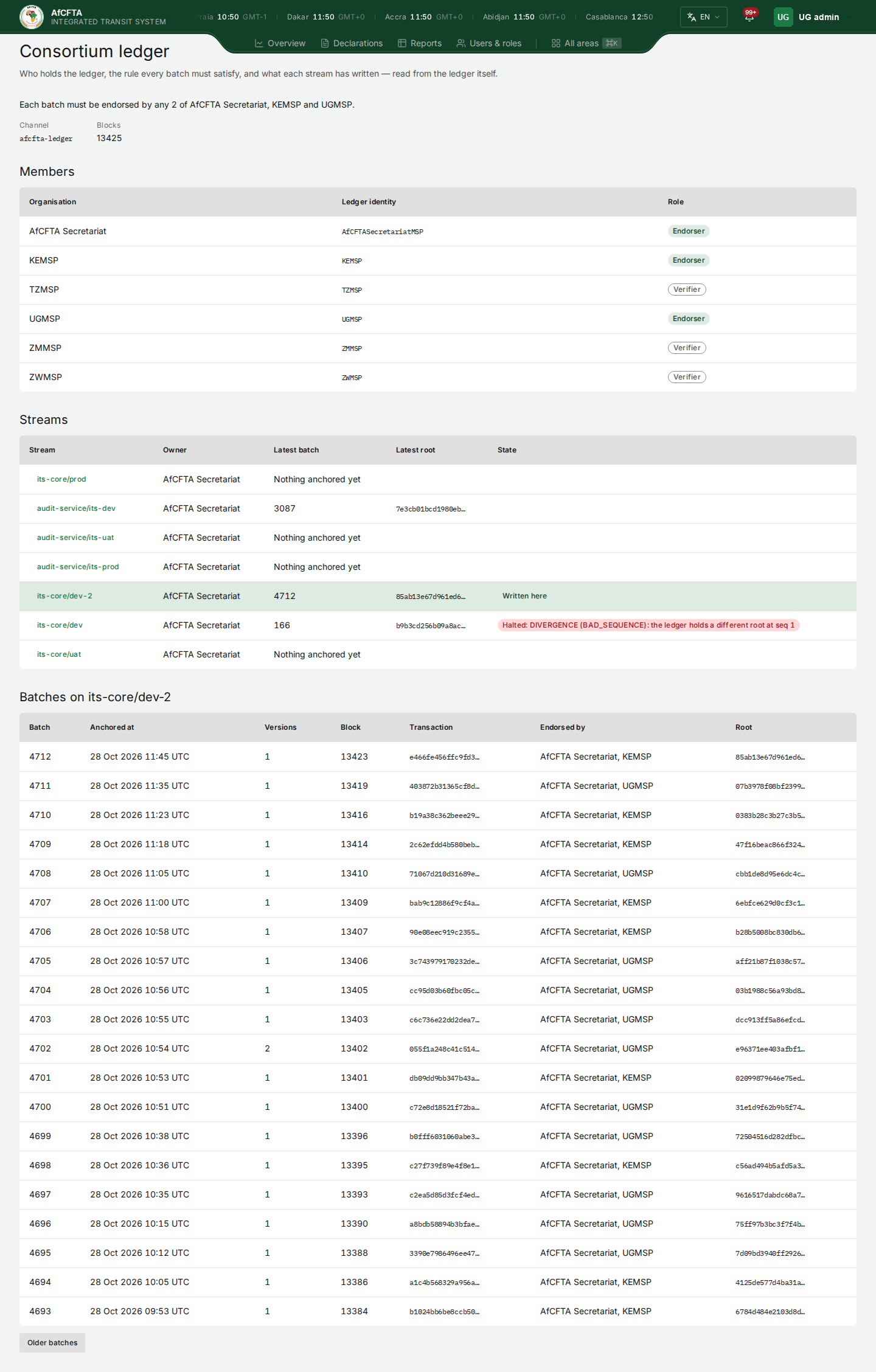
The same page as a State Party's administrator:
The page at a glance
| On the page | What it is for |
|---|---|
| Each batch must be endorsed by … | The rule: which members must sign a batch before the ledger accepts it. |
| Channel | The name of the ledger's channel. |
| Blocks | How many blocks the ledger holds. It grows as records are written. |
| Members | The organisations that hold the ledger. |
| Streams | The series of batches written to the ledger, one row each. |
| Batches on a stream | Every batch on the stream you selected, newest first. |
The rule
The sentence under the title says who must sign. It reads in one of these ways:
| The sentence ends | What it means |
|---|---|
| "the AfCFTA Secretariat alone (not yet decentralised)" | One member signs every batch. |
| "both of … and …", or "all of …, … and …" | Every member named must sign. |
| "any 2 of …, … and …" | That many of the members named must sign, whichever they are. |
| "a nested rule over …, … and …" | The members named sign under a rule with more than one condition. |
The names after "endorsed by" are written the same way as in Members: the
AfCFTA Secretariat by name, every other member by its ledger identity, for
example KEMSP. They are shown in English whichever language the portal is in.
Members
| Column | What it shows |
|---|---|
| Organisation | AfCFTA Secretariat for the Secretariat. Every other member is shown by its ledger identity, for example KEMSP, because ITS keeps no list of which country holds which identity. |
| Ledger identity | The identity the member holds on the ledger. |
| Role | Endorser (green): the member signs batches. Verifier (outlined): the member holds a full copy of the ledger and can check any proof on it, but does not sign batches. |
A State Party that runs its own ledger peer can check ITS's batches on that peer, without asking ITS. To check one declaration from the portal, use the ledger check on Declaration details.
Streams
A stream is one series of batches, written by one owner.
| Column | What it shows |
|---|---|
| Stream | The stream's name. Select it to list its batches below. |
| Owner | The member that writes the stream, named as in Members. |
| Latest batch | The number of the newest batch, or Nothing anchored yet. |
| Latest root | The first 16 characters of the newest batch's root, its fingerprint. |
| State | Written here (green): this installation of ITS is the one writing the stream. Halted: and a reason (red): this installation has stopped writing the stream, for the reason shown. Empty otherwise. |
Nothing in the portal restarts a halted stream. That is done by the system operator.
Batches
A batch is one record on the ledger. It seals a number of declaration versions under a single fingerprint, the root.
| Column | What it shows |
|---|---|
| Batch | The batch's number on its stream. Batch 1 is the oldest. |
| Anchored at | The date and time the batch was written to the ledger. |
| Versions | How many declaration versions the batch holds. |
| Block | The block of the ledger that holds the batch, or Not reported. |
| Transaction | The first 16 characters of the transaction that wrote it. |
| Endorsed by | The members that signed the batch, named as in Members. |
| Root | The first 16 characters of the batch's root. |
Read a stream's batches
When the page opens, it lists the batches of the stream this installation writes. If it writes none, it lists the first stream that has a batch.
- In Streams, select the name of the stream you want. Its row is highlighted and the section below is headed Batches on and the stream's name.
- Read the batches, 20 to a page, newest first.
- To go further back, select Older batches under the table. It is offered while there are older batches to show.
- To return to the newest, select Newest batches at the top right of the section. It appears once you have gone back.
Arrive from a declaration
On a declaration's Ledger row, the link Open batch N on the consortium ledger opens this page on that batch's stream, with the batch at the top of the list and its row highlighted. The link is shown only to those who may open this page. From there, Older batches and Newest batches work as above. The ledger check itself is described in Declaration details.
What the messages mean
| You see | What it means | What to do |
|---|---|---|
| Grey placeholder bars | The page is still reading the ledger. | Wait. |
| Nothing anchored yet in a stream's Latest batch | The stream exists and nothing has been written to it. | Nothing. |
| No batches yet, "This stream is declared on the ledger, and nothing has been anchored to it." | The same, for the stream you selected. | Select another stream. |
| The ledger could not be read, "ITS could not get an answer from the ledger. Declarations are not affected; only this view is." | The ledger did not answer, or this installation is not connected to one. Declarations can still be read and worked on. | Open the page again after a while. "If it keeps happening, report it to the system operator with the correlation ID": the Reference under the message, which the Copy reference button copies. |
| You do not have access to this area, "Ask the Secretariat to check the role on your ITS account." | Your role does not include the Consortium ledger. | Follow the message if you need the page. |
Things to know
What you see is kept for a minute before the portal reads the ledger again. There is no refresh button. To see a batch that has just been written, leave the page and open it again after a minute.
A member joins, and the rule changes, by a change the members themselves sign on the ledger. The page shows the result once it is on the ledger.