Compare your members as a REC
Who this is for: the administrator of a Regional Economic Community (REC), for example IGAD.
What you will achieve: a side-by-side view of the members that submit through your REC, and figures you have checked before you pass them on.
Before you start: you need Organisation admin on your REC's account. Know which of your members have delegated their submissions to you: only those appear. The Secretariat records it on Governance, which you cannot open yourself.
1. Know which members you administer
A REC reads and acts only for the members that submit through it, not for every member of the community.
- Open Reports.
- Read the sentence under the period: You are reading the 3 members of IGAD you administer.
- Open the Scope field on the right. It lists your REC's total first (IGAD (community)) and then one line per member you administer (DJ, ER, ET).
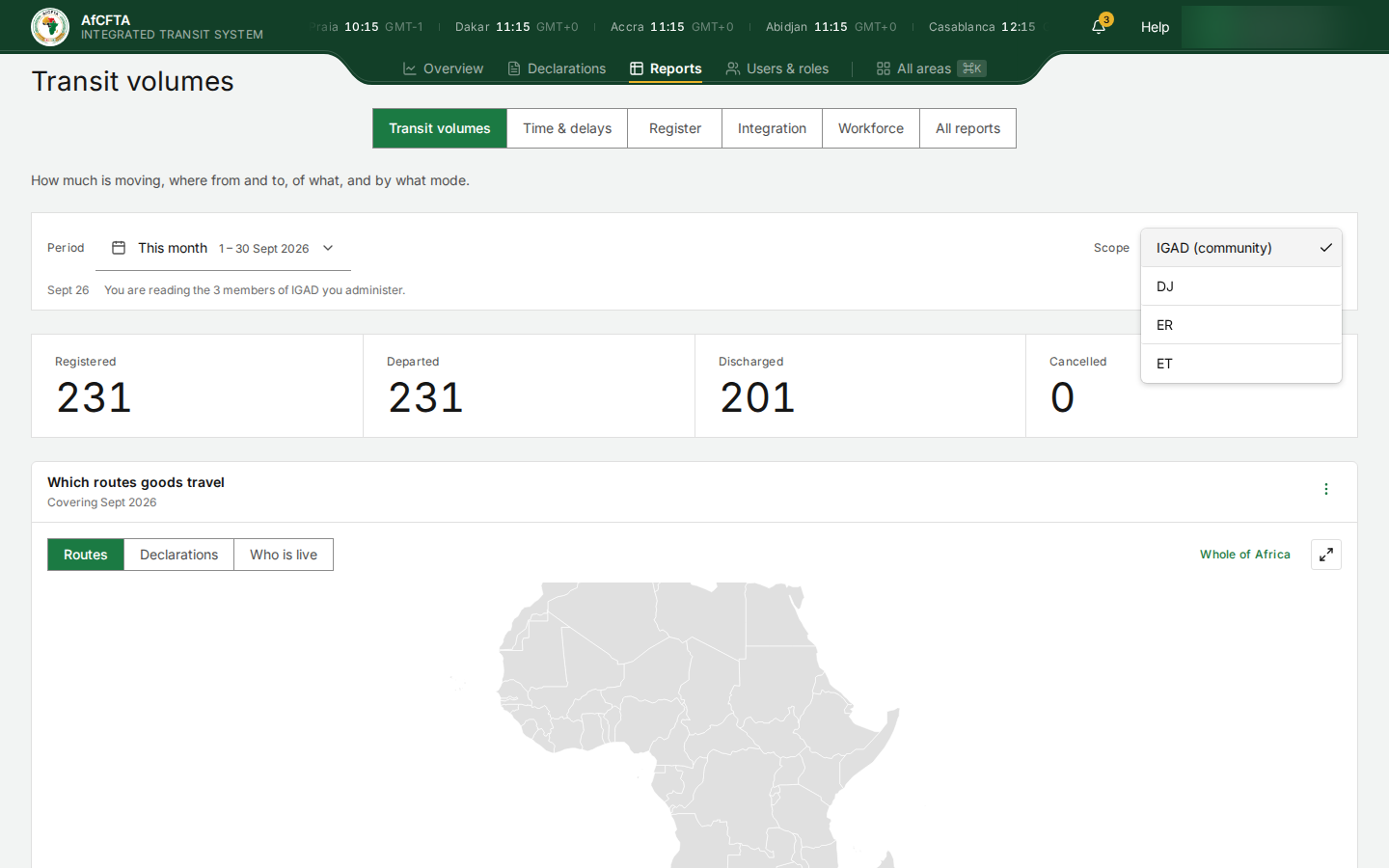
If a member you expected is missing, it has not delegated its submissions to your REC, or the delegation has ended. Ask the Secretariat.
IGAD has six members recorded (Djibouti, Eritrea, Ethiopia, Kenya, South Sudan and Uganda) but submits for three. Kenya, South Sudan and Uganda do not submit through IGAD, so their declarations, reports and customs offices are not IGAD's to read or change.
2. Read the community's total
- Leave Scope on IGAD (community).
- Open Register. Its figures and the Declarations table are limited to the declarations touching your members.
- Open Integration to see whether your members' systems are being refused.
3. Compare members one at a time
- In Scope, choose one member, for example DJ.
- Note the figures you need.
- Choose the next member and note the same figures.
Each member is read on its own. There is no screen that puts two members side by side, so write the figures into a table as you go.
4. Check before you use the figures
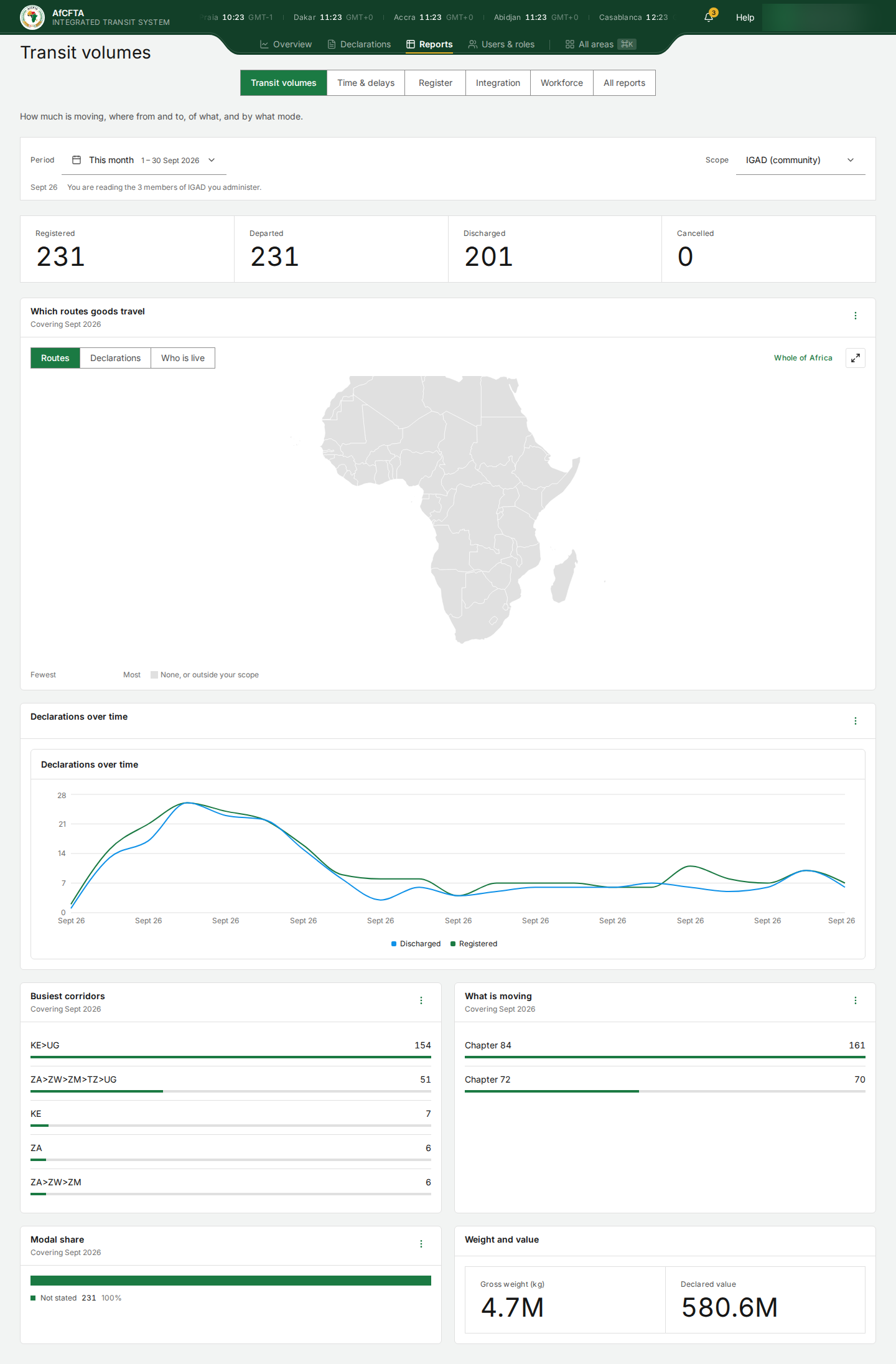
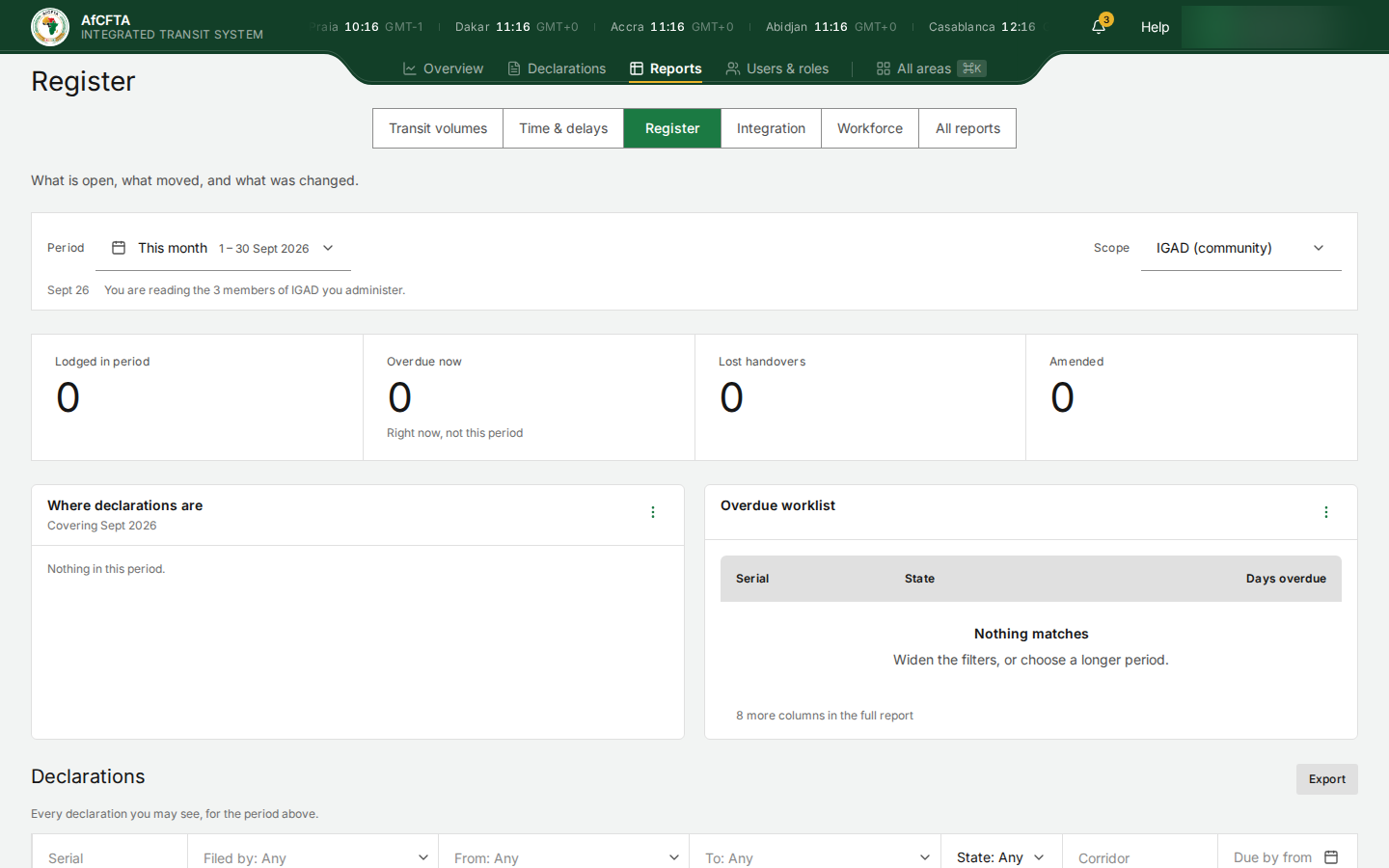
On the current version, Transit volumes and Time & delays read a different list of members from the rest of ITS. As IGAD in September 2026 they showed 231 declarations from Kenya and South Africa to Uganda, a 580.6M declared value and a 3.1h median crossing, while Register showed 0 declarations and Declarations was empty.
Before you use a figure from those two areas, compare it with Register on the same scope. If they disagree, use Register's.
| Transit volumes, as IGAD | Register, as IGAD, same month |
|---|---|
 |  |
5. Look after your members' offices
The same delegation decides whose customs offices you maintain. On Customs offices, My administration lists the offices of the members you submit for (80 for IGAD), and you can edit those. See Keep your customs offices up to date.