Failed transmissions
Failed Transmissions lists the requests ITS refused: a declaration with a missing field, a stamp at the wrong office, a call made without the right permission. It is where you look when your customs system's team says "ITS rejected it", and where the Secretariat sees who is having trouble.
Before you start
- Your account must be able to read declarations.
- If you are chasing one refusal, have its correlation ID ready. It is the value your system received in the
X-Correlation-IDresponse header, and the reference shown in the portal's own error messages.
How to open it
- Select Overview, then the Failed Transmissions tab.
- Or open All areas and select Failed transmissions under Work.
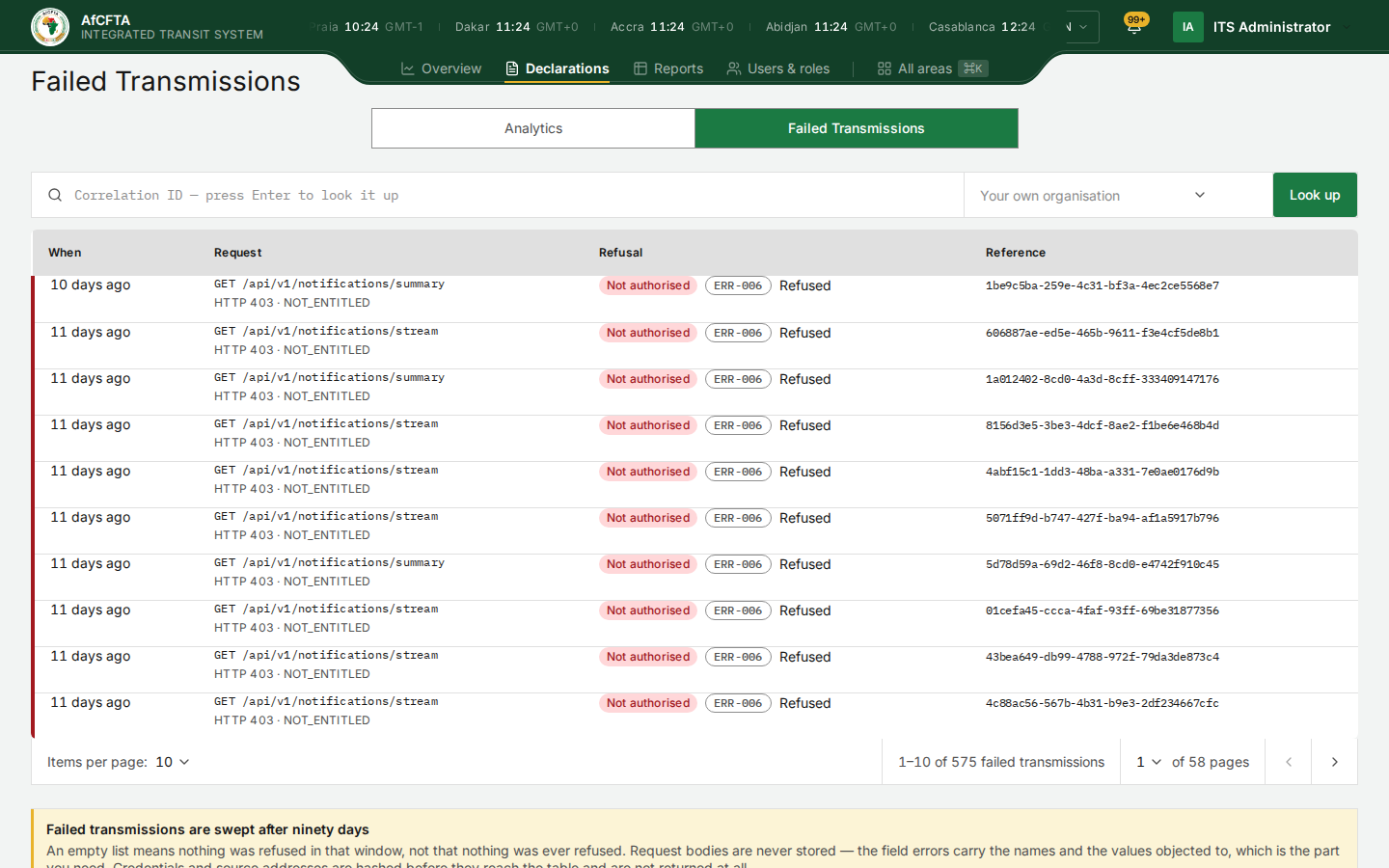
What you see depends on who you are
| You are | The list shows |
|---|---|
| The Secretariat | Refusals of every organisation. The filter beside the search lets you choose one |
| A State Party or a REC | Your own organisation's refusals only. The filter is still shown, with Your own organisation, but has nothing else to choose |
The columns
| Column | What it shows |
|---|---|
| When | How long ago the request was refused, such as 11 days ago |
| Request | The method and the address that was called, then the HTTP status and the reason, for example GET /api/v1/notifications/stream and HTTP 403 · NOT_ENTITLED |
| Refusal | The kind of refusal in words, such as Not authorised, the error code, such as ERR-006, and the outcome, Refused |
| Reference | The correlation ID of the request. Quote it when you report a problem |
Rows are newest first, ten to a page. Items per page under the table changes that.
The meaning of every error code is in the error catalogue, and what to do about the common ones is in Errors and troubleshooting.
Look one refusal up
- In Correlation ID, paste the correlation ID.
- Press
Enter, or select Look up.
The table shows that one refusal. Show recent instead returns to the full list.
Failed transmissions are kept for ninety days. An empty list means nothing was refused in that window, not that nothing was ever refused. ITS never stores the body of a refused request, and it hashes credentials and source addresses before they reach this table.
Every time you open a page, the portal itself asks ITS for things your account may not have, such as the list of organisations or the notifications stream, and ITS refuses them. Those refusals are recorded here as your organisation's, under GET requests such as /api/v1/authz/tenants or /api/v1/notifications/… with Not authorised · ERR-006.
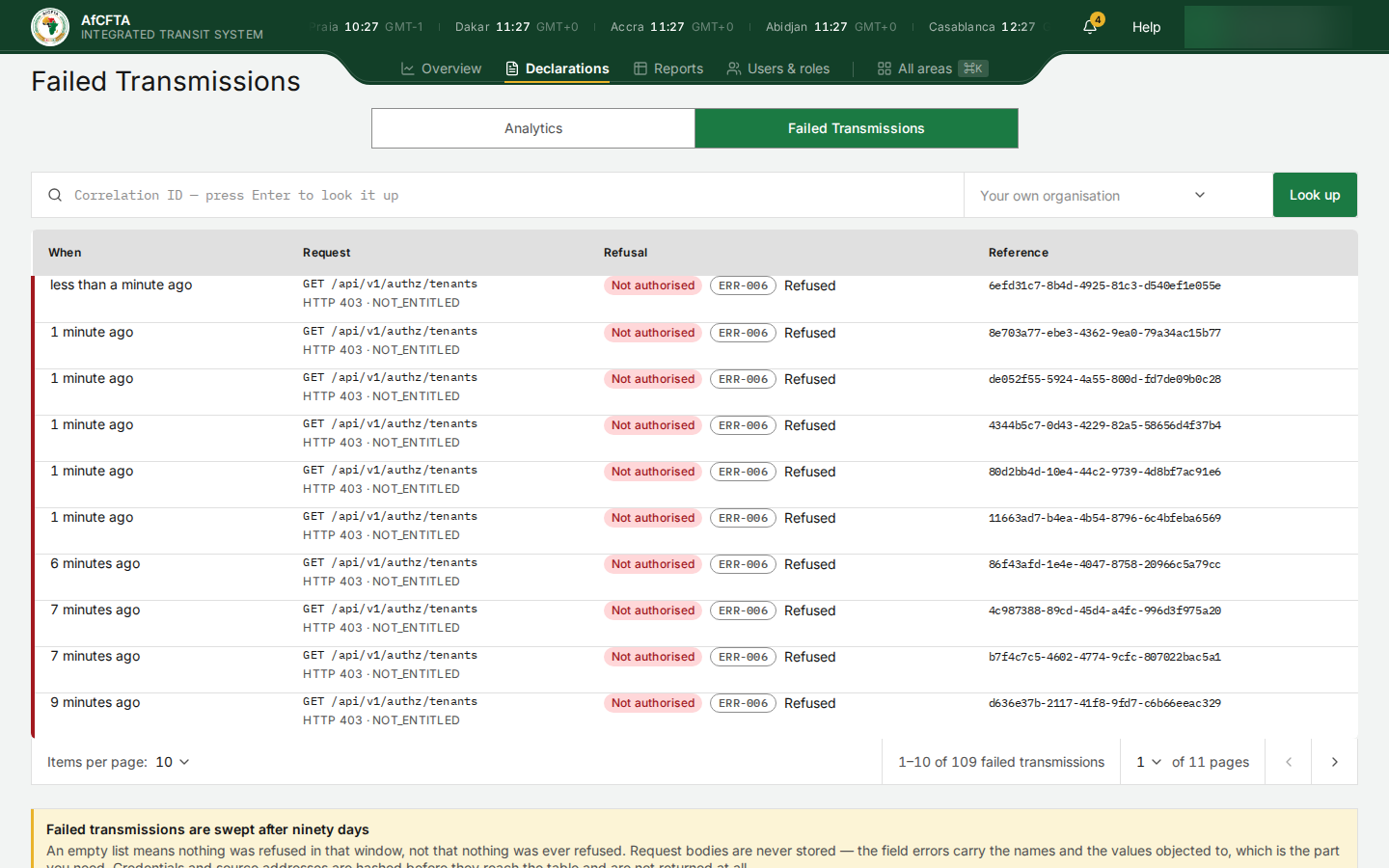
They also count towards the Rejections figure in the Integration report, and trigger notifications saying N of your requests were refused today. They say nothing about your customs system. To find your system's real refusals, look for requests it actually makes, such as POST /api/v1/etd, or search by the correlation ID your system logged.
- When is only ever relative, such as 11 days ago. The page shows no exact date or time.
- The address of this tab ends in
/rejections, although the page calls it Failed Transmissions. - The total here can be much lower than the Rejections figure in the Integration report, which counts over a different period and scope.