Transit volumes
Transit volumes is the first Reports area and the one most people open. It answers "how much is moving, where from and to, of what, and by what mode" for the period you choose.
Before you start
- You need a role that reads the analytics area (Secretariat admin, Organisation admin or Customs officer). See What each role can do.
- Read Reports first for the period picker and the scope sentence. They work the same on every area.
Open it
- Select Reports in the header. Transit volumes opens first.
- Check the Period and the sentence You are reading ….
- Wait for the grey blocks to fill. The map and the tiles can take several seconds.
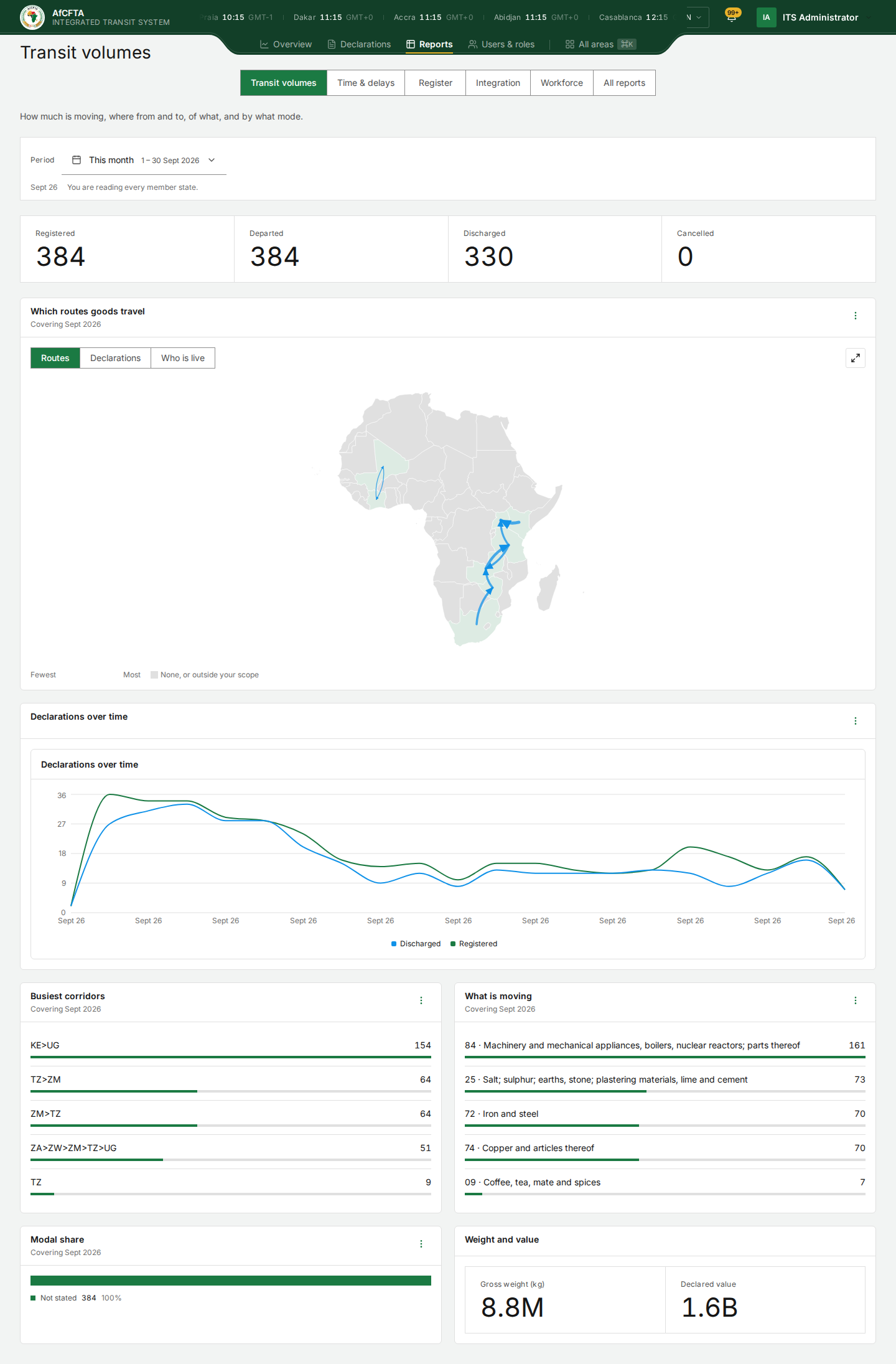
On the page
| On the page | What it is for |
|---|---|
| Registered | Declarations lodged in the period. |
| Departed | Declarations that received their departure stamp in the period. |
| Discharged | Declarations whose transit ended at the destination in the period. |
| Cancelled | Declarations cancelled in the period. |
| Which routes goods travel | A map of Africa. See The map. |
| Declarations over time | Registered and discharged declarations through the period. |
| Busiest corridors | The five corridors with most declarations, written as country codes in travel order: KE>UG is Kenya to Uganda. |
| What is moving | The five HS chapters with most declarations, for example "84 · Machinery and mechanical appliances…". |
| Modal share | Declarations by transport mode. |
| Weight and value | Total gross weight in kilograms and total declared value. Large numbers are shortened (8.8M, 1.6B); hover for the exact figure. |
Every tile's ⋮ Actions menu offers View as table and, where there is one, Open full report. See Reports.
The map
The map tile has up to three views, chosen with the buttons above it:
| View | What it shows |
|---|---|
| Routes | Arrows along the corridors goods travelled, thicker for more declarations. |
| Declarations | Each country shaded by how many declarations it had. |
| Who is live | How far each member state has got with ITS: live, onboarding, certified but not live, suspended or withdrawn. |
Countries you may not read are grey, and the legend says None, or outside your scope. The Full view button (the arrows at the top right) opens the map full screen.
| Secretariat | State Party (Tunisia) | REC (IGAD) | |
|---|---|---|---|
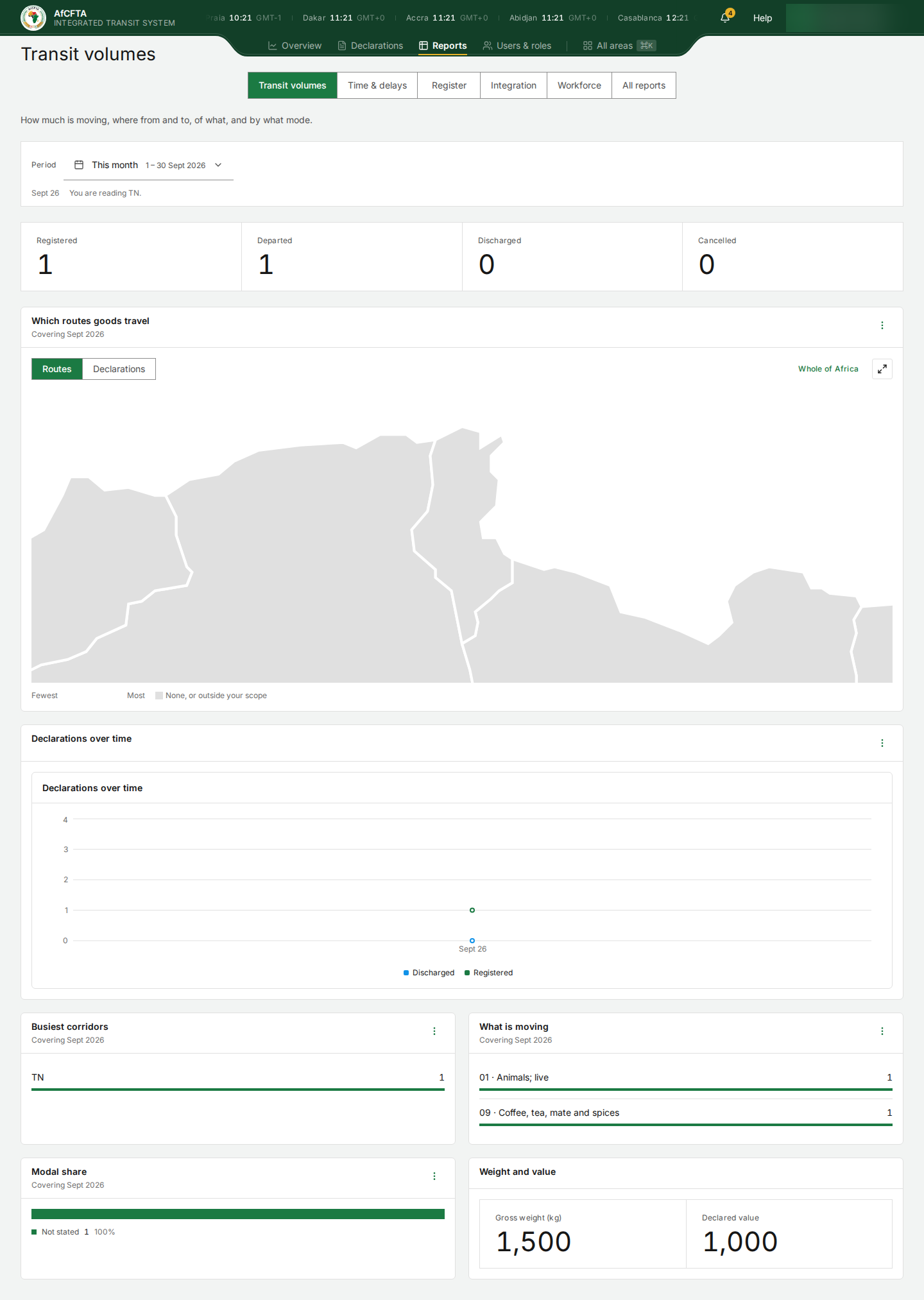
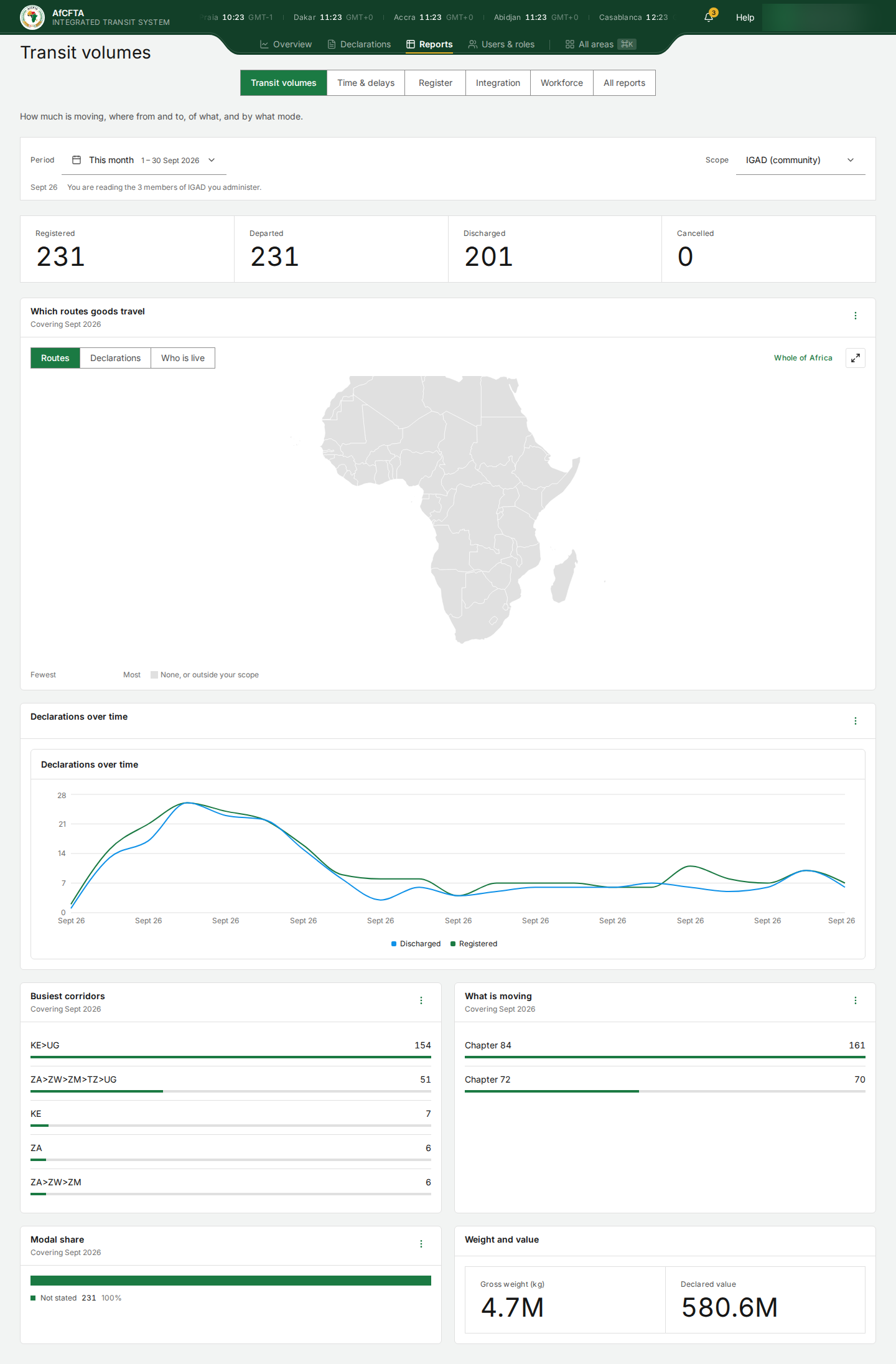
| The sentence | "You are reading every member state." | "You are reading TN." | "You are reading the 3 members of IGAD you administer." |
| Scope picker | No | No | Yes: the community or one member |
| Map views | Routes, Declarations, Who is live | Routes, Declarations | Routes, Declarations, Who is live |
| The map opens on | The whole continent | Your country and the countries your traffic touched | Your members and the countries their traffic touched |
| Whole of Africa button | No | Yes, to widen the map | Yes |
Who is live is offered only to someone who reads more than one country. A State Party would only ever see itself on it.
| Secretariat | State Party | REC |
|---|---|---|
|  |  |
Read the figures
- Start with the four headline figures. Registered minus Discharged gives a rough idea of what is still open from the period, but use the Register area for the exact list.
- Look at Busiest corridors and What is moving for where and what.
- For exact values, open the tile's ⋮ menu and select View as table.
- To take the figures elsewhere, select Open full report and export there. See Export a report.
As IGAD, this page shows traffic from Kenya and South Africa to Uganda (KE>UG 154, ZA>ZW>ZM>TZ>UG 51), although IGAD administers only Djibouti, Eritrea and Ethiopia. Its map shows no routes at all for the same period, and its Register area shows 0 declarations. Do not quote these figures as your members' traffic. See Reports.
Known problems
Every declaration currently shows as Not stated (100%) in Modal share, and Transport modes in All reports lists every row as unknown, although ITS carries road transit. Do not use this tile yet.
Declared value adds up the values as declared, in whatever currency each declaration used (for example US dollars and South African rand), and shows the total with no currency. It is not a sum of money in any one currency.
Busiest corridors can show a corridor that is one country, such as TZ or TN. That is a declaration whose later stamps have not arrived yet; its corridor so far has only one country in it. For Tunisia, the only declaration (TN to Mali) shows as TN 1.
For Tunisia, Departed reads 1 while its only declaration is still Registered and the Overview funnel says Departed 0. Check against the Register area before you report a departure count.
Related pages
- Reports
- Time & delays
- All reports: Period totals, Country rankings, Corridor volumes, Commodity profile, Transport modes, Participation.