Integration
Integration is the Reports area for the connection between ITS and the customs systems that call it. It answers three questions: what ITS refused and why, whether the declarations ITS announced to other countries were accepted, and how far organisations have got with onboarding.
It counts calls made by connected systems only. Refusals of your own portal session, such as a page you may not open, are not counted here.
It is the page a technical contact opens after a complaint that "ITS is rejecting our declarations".
Before you start
- You need a role that reads the integration area (Secretariat admin or Organisation admin). See What each role can do.
- Have the correlation ID of a refused call to hand if you are chasing one particular refusal. Your customs system receives it in every answer from ITS.
Open it
- Select Reports, then the Integration tab.
- Check the Period and the sentence You are reading ….
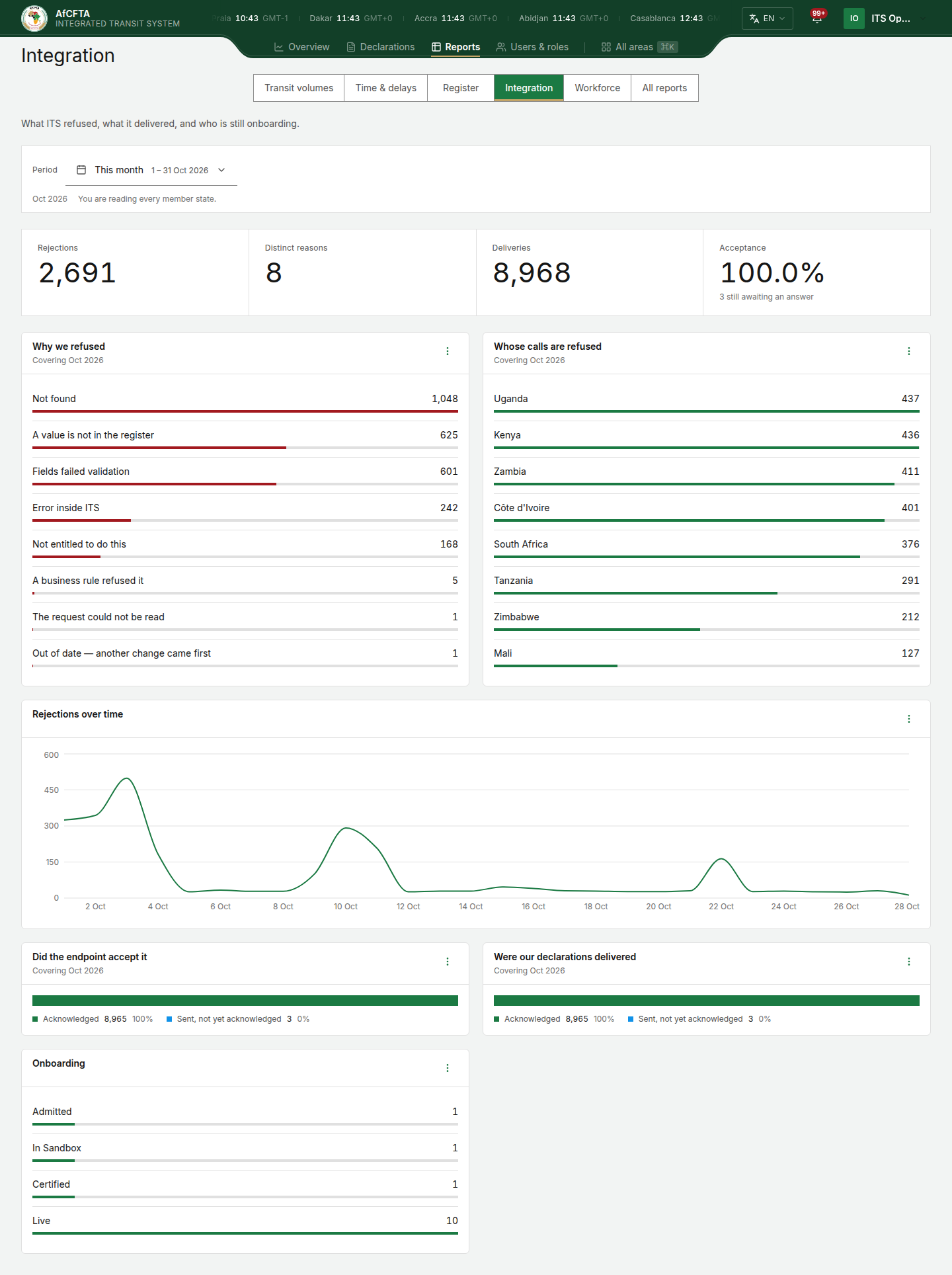
On the page
| On the page | What it is for |
|---|---|
| Rejections | Calls from connected systems that ITS refused in the period. |
| Distinct reasons | How many different reasons those refusals had. |
| Deliveries | Announcements ITS sent to other countries' systems (a new declaration, a stamp, an amendment). |
| Acceptance | The share of deliveries the receiving system acknowledged, to one decimal. The line under it says how many are still awaiting an answer; those are not counted as accepted. |
| Why we refused | Refusals by reason, in words, largest first. See The refusal reasons. |
| Whose calls are refused | Refusals by the organisation that made the call, by name: a State Party by its country's name (Kenya), and a REC by its name when the Secretariat is reading. A State Party or a REC sees a REC as its code (AMU). No identified caller is a call that arrived with no organisation attached. |
| Rejections over time | Refusals through the period, at the period's own grain: one point per day for a day, a week or a month, one per month for a year or a longer span. It follows the period exactly, so it carries no "Covering …" line. Open full report opens the Rejections over time report. |
| Did the endpoint accept it | Announcements ITS delivered to you, by result: Acknowledged, Sent, not yet acknowledged, Failed, retrying, Queued (waiting to be sent) or Undeliverable, gave up. |
| Were our declarations delivered | Announcements of the declarations you lodged, delivered to the other countries on their route, by the same results. |
| Onboarding | Organisations by how far they have got with connecting to ITS. Its View as table and the full Onboarding report name each organisation: a State Party by its name, and a REC by its name when the Secretariat is reading. A State Party or a REC sees a REC as its code (AMU), because the name is read from Governance. |
The refusal reasons
| Reason as shown | What it usually means |
|---|---|
| Not entitled to do this | The caller may not do this, or may not see this declaration. |
| Not found | The declaration or office asked for does not exist, or is outside the caller's scope. |
| Fields failed validation, The request could not be read, A value is not in the register | The request was badly formed or used a value ITS does not know. |
| A business rule refused it | The request was well formed but broke a transit rule, for example a stamp out of order. |
| Out of date — another change came first | Another change to the declaration arrived first. Read it again and resend. |
| Too many requests | The caller sent too many requests too quickly. |
| Error inside ITS | A fault on ITS's side. Report it with the correlation ID. |
The full Rejections report has an Error code column beside the Reason. For every error code, see the error catalogue.
| Secretariat | State Party (Uganda) | REC (AMU) | |
|---|---|---|---|
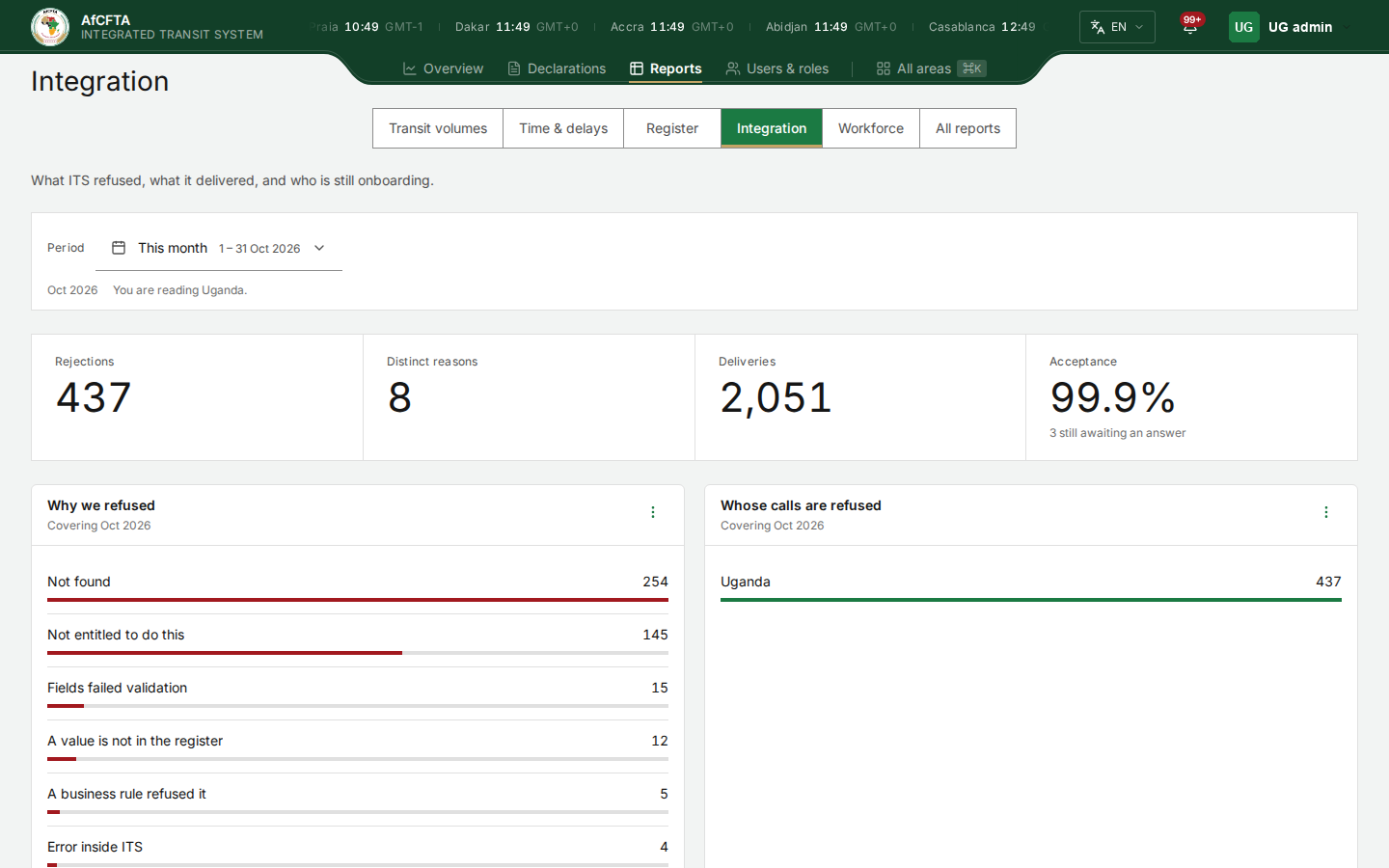
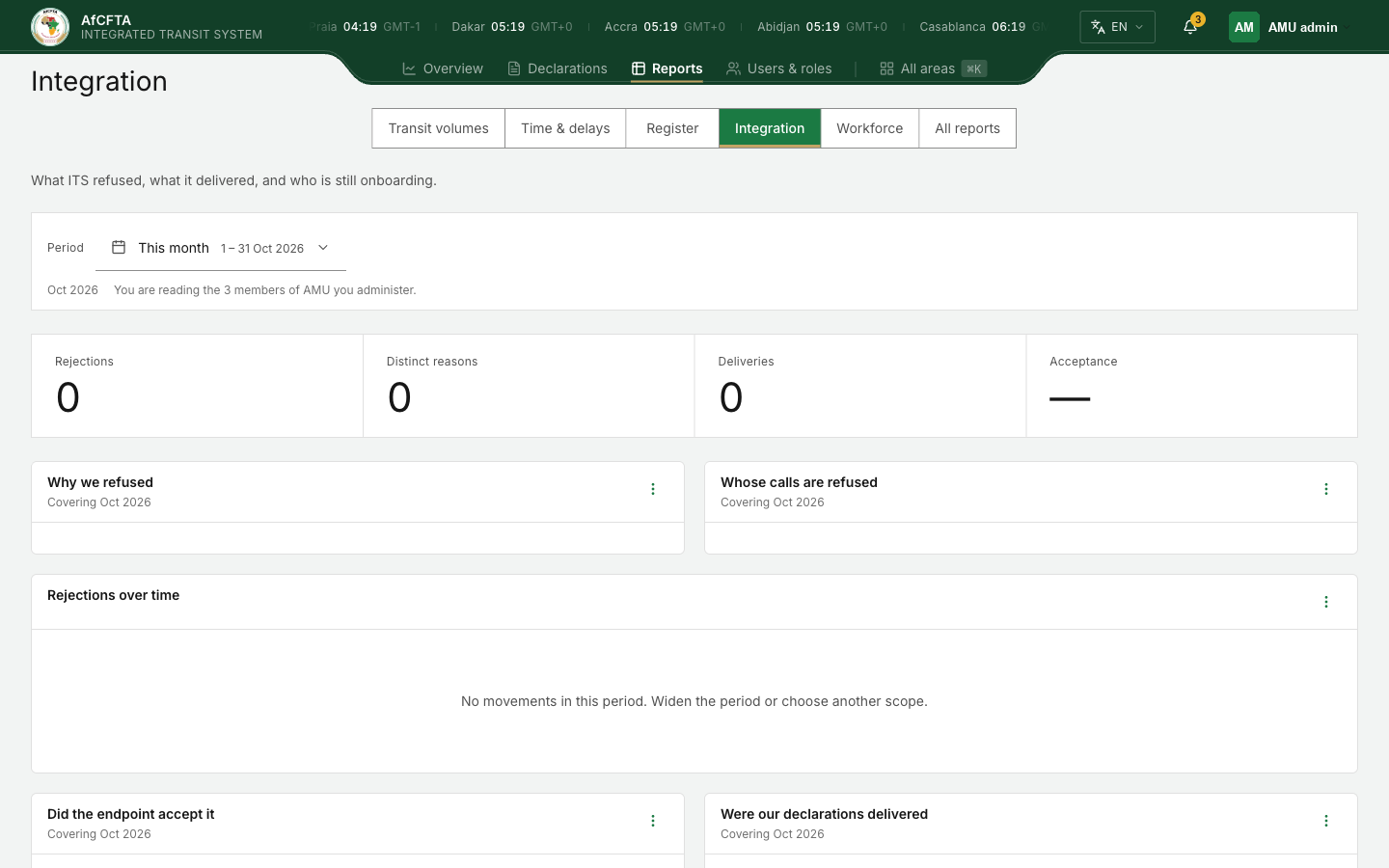
| Refusals counted | Every organisation's | Calls made by Uganda's system | Calls made by AMU's system |
| Whose calls are refused | Every country and organisation (Kenya, Uganda, Zimbabwe, No identified caller …) | Uganda only | AMU |
| Did the endpoint accept it | Every announcement ITS sent | Announcements to Uganda | Announcements to the members |
| Were our declarations delivered | Every announcement ITS sent | Announcements of what Uganda lodged | Announcements of what AMU's members lodged |
| Onboarding | Every organisation | Uganda | AMU and the members it administers |
| Secretariat | State Party | REC |
|---|---|---|
|  |  |
Find out what your system is sending wrong
- Read Why we refused. Reasons other than Not entitled to do this and Not found are the ones your system can usually fix.
- Open the tile's ⋮ menu and select Open full report. Rejections lists every refused call: when, which request, the reason, the reference and the caller.
- Narrow it to the period and reason you are chasing, and export it for your developers. See Export a report.
- For a single refusal, look it up by correlation ID on Failed transmissions (in All areas).
The Onboarding tile counts organisations by their state in ITS's reports. The System integration workspace can list a different number. A member that a REC files for, and that has no connection of its own, reads Through and the REC's code (for example Through AMU) in the State column of the full Participation report, not Not connected. The report's Through column gives the REC's code by itself (AMU).
Related pages
- Reports
- All reports: Rejections, Rejections by reason, Rejections over time, Outbound deliveries, Delivery outcomes, Deliveries of what we lodged, Onboarding.