Register
Register is the Reports area about individual declarations: what was lodged in the period, what is overdue right now, what went missing between two countries, and what was amended. Its bottom half is a full, filterable table of every declaration you may see, with an export.
Use it whenever you need a list of declarations rather than a count.
Before you start
- You need a role that reads the register area (Secretariat admin, Organisation admin or Customs officer). See What each role can do.
- Know what "overdue" means in ITS. See When a transit counts as overdue.
Open it
- Select Reports, then the Register tab.
- Check the Period and the sentence You are reading ….
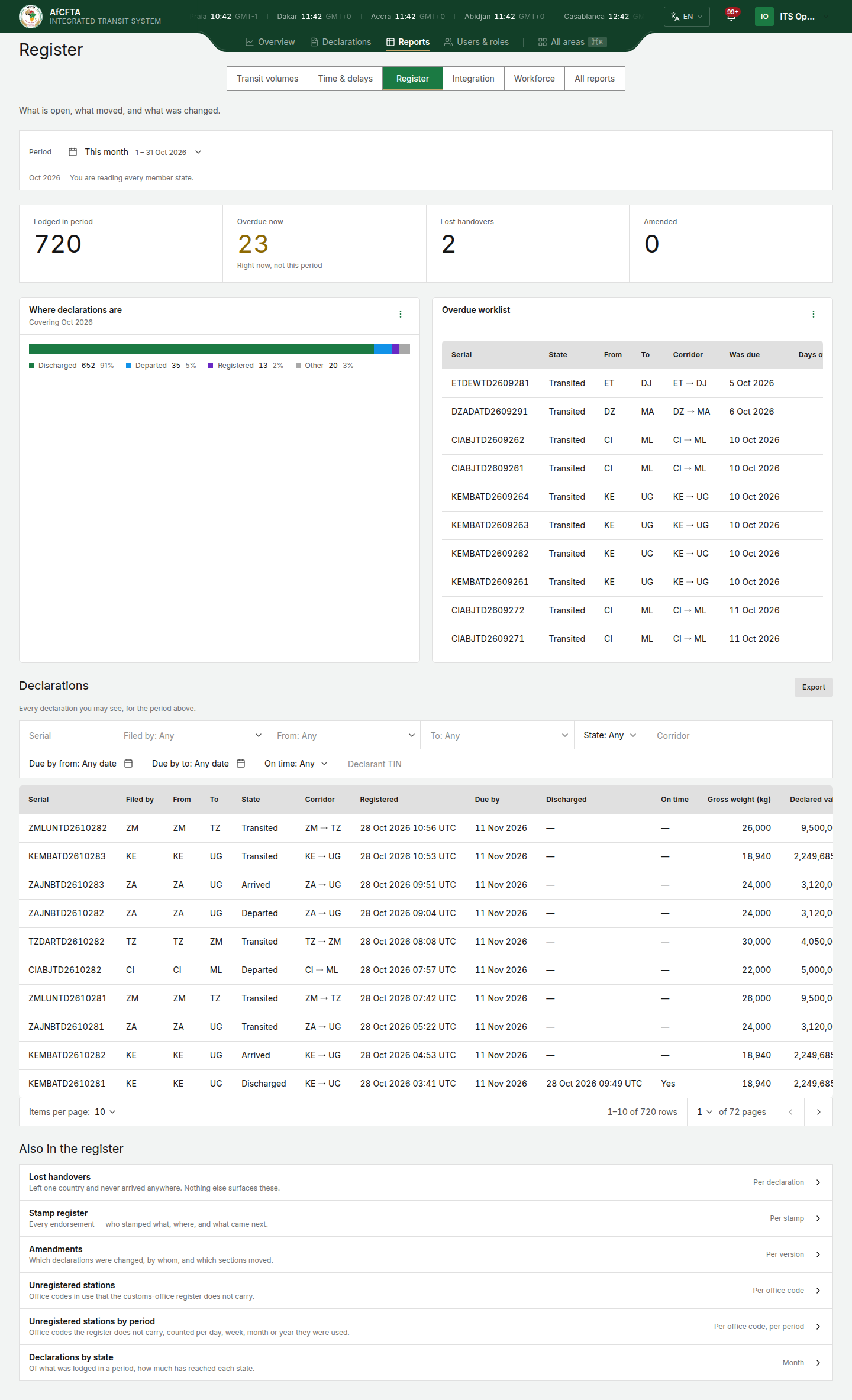
On the page
| On the page | What it is for |
|---|---|
| Lodged in period | Declarations lodged in the period. |
| Overdue now | Declarations that are overdue today. The line under it says Right now, not this period: the period does not change it. |
| Lost handovers | Declarations that left one country and never arrived in the next, and that are overdue. Until then, a declaration between two countries is simply in transit. Nothing else in ITS shows these. |
| Amended | Declarations changed in the period. |
| Where declarations are | Of what was lodged in the period, how many are in each state now (Transited, Arrived, Discharged …), as a bar and a list. |
| Overdue worklist | The most overdue declarations, with their state and how many days overdue. A line under the table says how many more columns are in the full report. |
| Also in the register | Links to the other register reports: Lost handovers, Stamp register, Amendments, Unregistered stations and Declarations by state. They open on the same period. |
| Declarations | Every declaration you may see, for the period above, with filters and Export. |
When a transit counts as overdue
Each declaration states the day its transit ends. The Register shows that day as Due by.
A declaration is overdue when it is still open (not discharged and not cancelled) after that day, plus any days of grace the Secretariat has set, has ended. Days end at midnight UTC.
The grace is a number of days the Secretariat can allow after the end of a transit before a transit still open counts as overdue. It is the setting Grace before a transit counts overdue on Settings. It is the same for every State Party and every REC, it is 0 unless the Secretariat has set it, and it can be at most 30 days.
| Due by | Grace | Overdue from |
|---|---|---|
| 10 Oct 2026 | 0 days | 11 Oct 2026 |
| 10 Oct 2026 | 2 days | 13 Oct 2026 |
What follows the grace:
- Overdue now, the Overdue worklist and the Overdue transits report: a declaration appears once it is overdue.
- Lost handovers, the figure and the report: a declaration that left one country and has not arrived in the next appears once it is overdue.
- Discharged on time and Punctuality by State Party on Time & delays: a deadline is counted once its day plus the grace has ended, and a discharge within the grace counts as on time.
What does not:
- Days overdue counts from the Due by day itself, so with a grace of 2 days a declaration enters the worklist already 3 days overdue.
- The On time column and filter of the Declarations table compare each discharge with its own Due by day, with no grace.
When the Secretariat changes the grace, the on-time figures of earlier periods are worked out again under the grace in force. They can take a while to settle.
The Declarations table
| Filter | What it narrows by |
|---|---|
| Serial | The serial number, typed in full. |
| Filed by | The country or REC that lodged it. |
| From, To | The departure and destination countries. |
| State | Registered, departed, transited, arrived, discharged or cancelled. |
| Corridor | The declared route, from the country of departure to the country of destination. |
| Due by from, Due by to | The declared end of transit, between two days. Each cell reads Any date until you pick a day. |
| On time | Whether it was discharged by its Due by day. |
| Declarant TIN | The declarant's taxpayer number, as declared, typed in full. |
Columns: Serial, Filed by, From, To, State, Corridor, Registered, Due by, Discharged, On time, Gross weight (kg), Declared value, Currency, Declarant TIN and Lines (the number of commodity lines). Corridor is the declared route, written with an arrow: KE → UG is Kenya to Uganda. Registered and Discharged are shown with their time zone ("29 Sep 2026 00:10 UTC+3").
Filter the table
- Choose a value in a list filter, or type in a text filter (Serial, Corridor, Declarant TIN) and press Enter.
- For the end of transit, select Due by from: Any date and pick the first day, then Due by to: Any date and pick the last. Either one alone is enough.
- To remove one date, select the × in its cell.
- To remove all the table's filters at once, select Clear filters at the end of the bar. The button is shown only while a filter is set. It clears the table's own filters only: the page's Period stays as it is.
When the filters do not fit on one row, the bar continues on a second row. When no declaration matches, the table says Nothing matches. If the "to" day is before the "from" day, the bar says The end date cannot be before the start date. and the dates are not applied until you correct one.
Export on the table downloads the same filters and period. See Export a report.
| Secretariat | State Party (Uganda) | REC (AMU) | |
|---|---|---|---|
| Declarations counted and listed | Every declaration in Africa | Declarations that touch Uganda | Declarations that touch the members AMU administers |
A declaration "touches" a country when the country is its departure, destination or a country it passes through.
| Secretariat | State Party | REC |
|---|---|---|
| 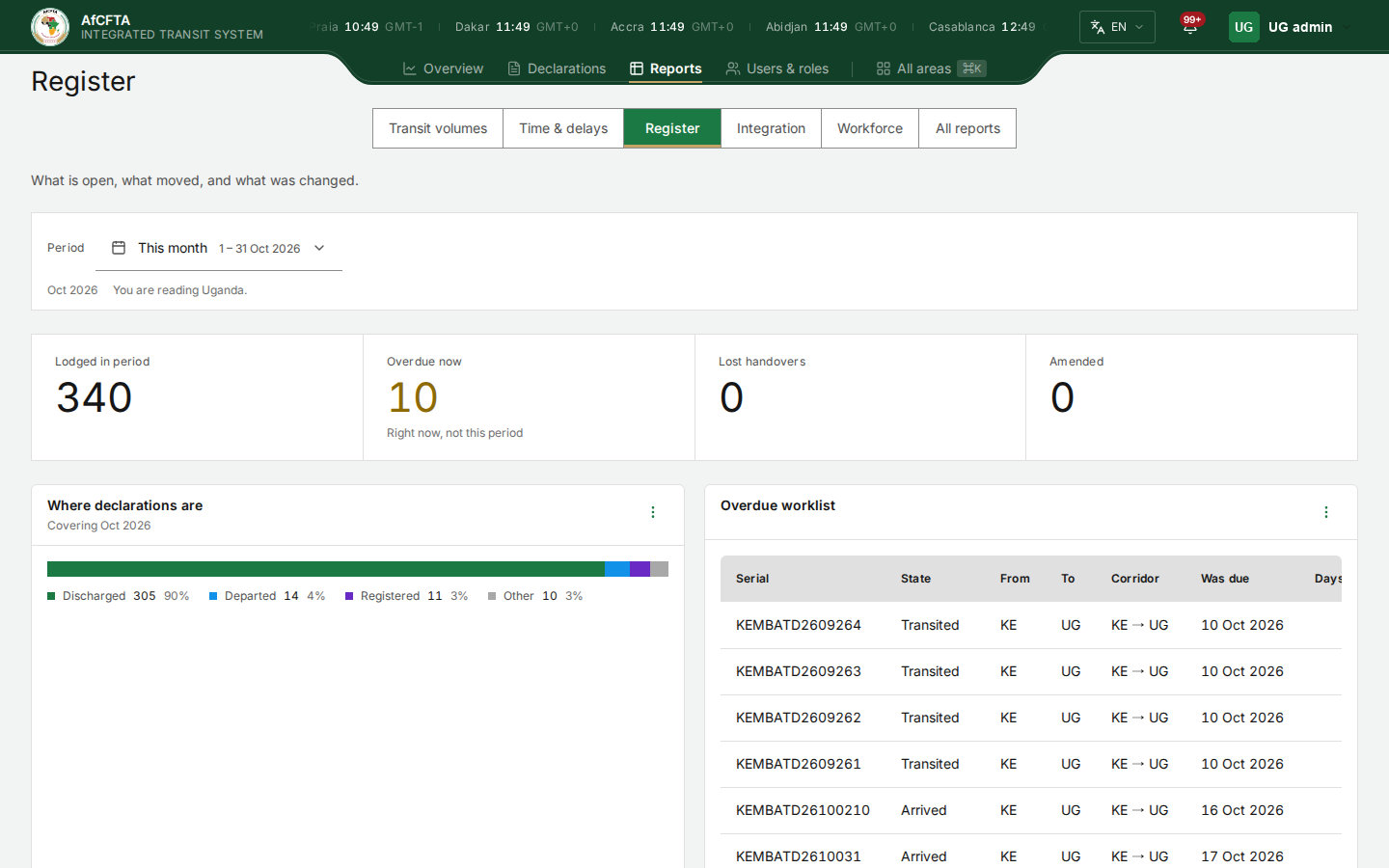 | 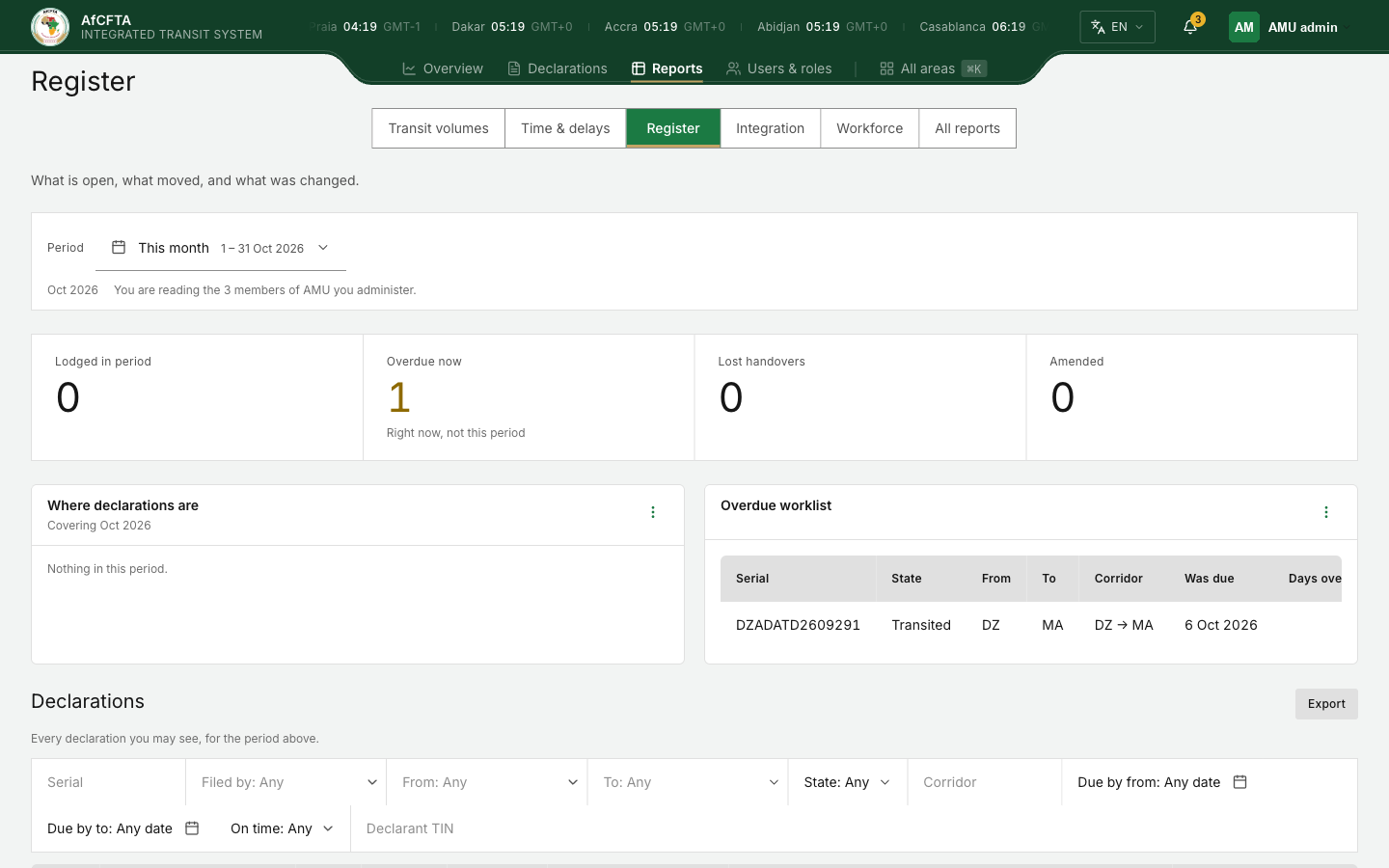 |
Work the overdue list
- Look at Overdue now. It is today's figure, whatever period is chosen.
- In Overdue worklist, the most overdue declarations come first. When nothing is overdue it says Nothing matches.
- To see where each was last seen, open the tile's ⋮ menu and select Open full report. Overdue transits adds the route, the corridor, the day it was due and the last country, office and time it was seen.
- Open a declaration by searching for its serial on Declarations.
A REC or a State Party that sees nothing here has no declarations touching its countries in the period. The Secretariat sees the same declarations across Africa.
Related pages
- Reports
- Settings: where the Secretariat sets the grace.
- Declarations: opening a single declaration.
- All reports: Declarations, Overdue transits, Lost handovers, Stamp register, Amendments, Unregistered stations, Declarations by state.