Find your way around
Every signed-in page of ITS has the same frame: a dark green header across the top, with a notch in the middle holding the main tabs, and the page itself below. Learn the header once and you can work anywhere in the portal.
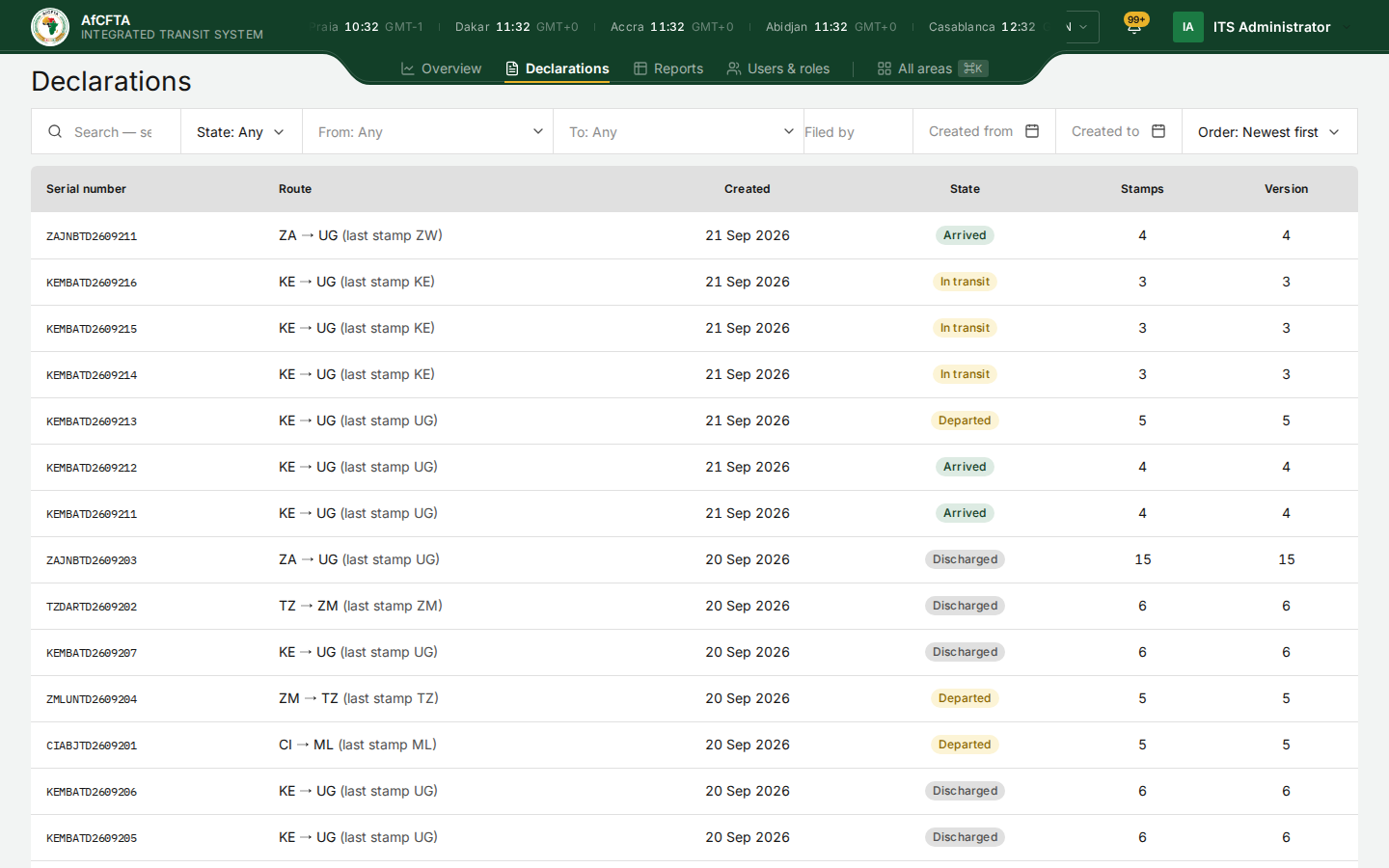
The header, left to right
| Part | What it is for |
|---|---|
| AfCFTA emblem and Integrated Transit System | Takes you to your starting page (see Where you land) |
| The city clocks | The time now in fourteen African cities, each with its offset from GMT |
| Overview | The analytics for your scope. See Overview |
| Declarations | The register of declarations. See Declarations |
| Reports | The six subject areas and the report library. See Reports |
| Users & roles | Your organisation's accounts. See Users |
| All areas ⌘K | Every area you may open, in one panel. See All areas |
| EN | The language menu. See Language |
| The bell | Your latest notifications. See The bell |
| Help | State Parties and RECs only. See Help |
| Your name | Your account menu and Sign out. See Your account |
The tab you are on is underlined in amber. A tab your account cannot use is not shown.
The city clocks
The strip at the top shows the local time in Praia, Dakar, Accra, Abidjan, Casablanca, Algiers, Lagos, Kinshasa, Cairo, Johannesburg, Addis Ababa, Nairobi, Dar es Salaam and Port Louis, each with its offset from GMT. It scrolls when there is not enough room for all of them. It is there because a corridor crosses time zones: an office in Lagos reading a stamp from Nairobi can see at a glance what time it is there.
Stamp times on the declaration pages are shown in your browser's time zone, without a label. The account menu's Signed in time is in UTC, and the public Track page labels its times UTC although they are in your browser's zone. See Known limitations.
All areas
All areas opens one panel listing every area your account may open, grouped by what you are doing. It is the only way to reach some pages, such as Notifications, Failed transmissions and Customs offices.
-
Select All areas in the notch, or press
⌘K(Mac) orCtrl+K(Windows).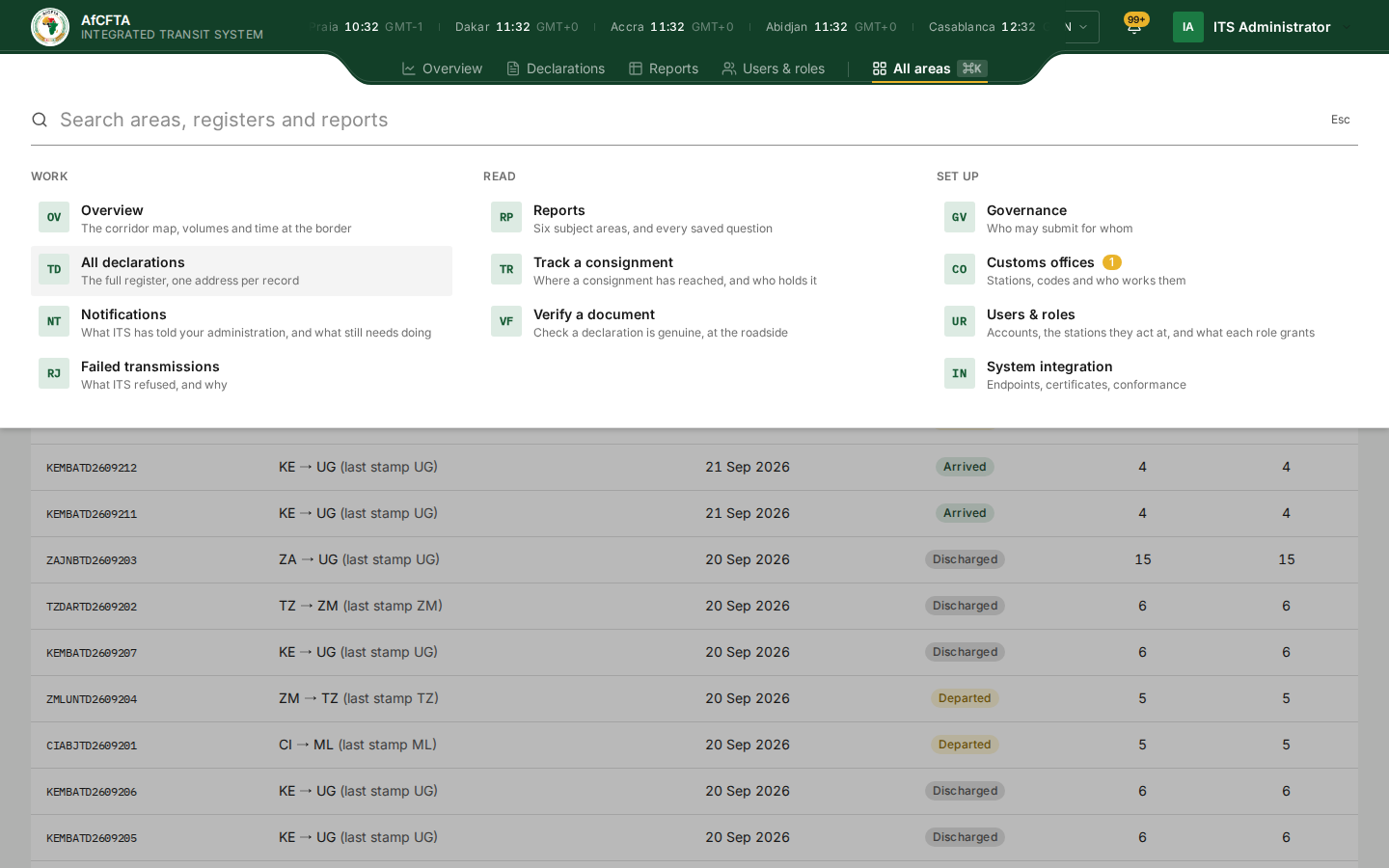
-
Select an area, or type part of its name in Search areas, registers and reports to narrow the list.
-
To close the panel without choosing, press
Escor select All areas again.
| Group | Area | What it opens |
|---|---|---|
| Work | Overview | The corridor map, volumes and time at the border |
| All declarations | The full register | |
| Notifications | What ITS has told your administration. See Notifications | |
| Failed transmissions | What ITS refused, and why. See Failed transmissions | |
| Read | Reports | The subject areas and the saved reports |
| Track a consignment | The public Track page | |
| Verify a document | The public Verify page | |
| Set up | Governance | Who may submit for whom. Secretariat only. See Governance |
| Customs offices | The register of stations. See Customs offices | |
| Users & roles | Accounts and roles | |
| System integration | Connecting your customs system. Not covered in this manual; an onboarding guide will follow |
A small number beside Customs offices counts the office codes used on declarations in your scope that your register does not yet carry.
The Secretariat sees Governance under Set up. A State Party and a REC do not.
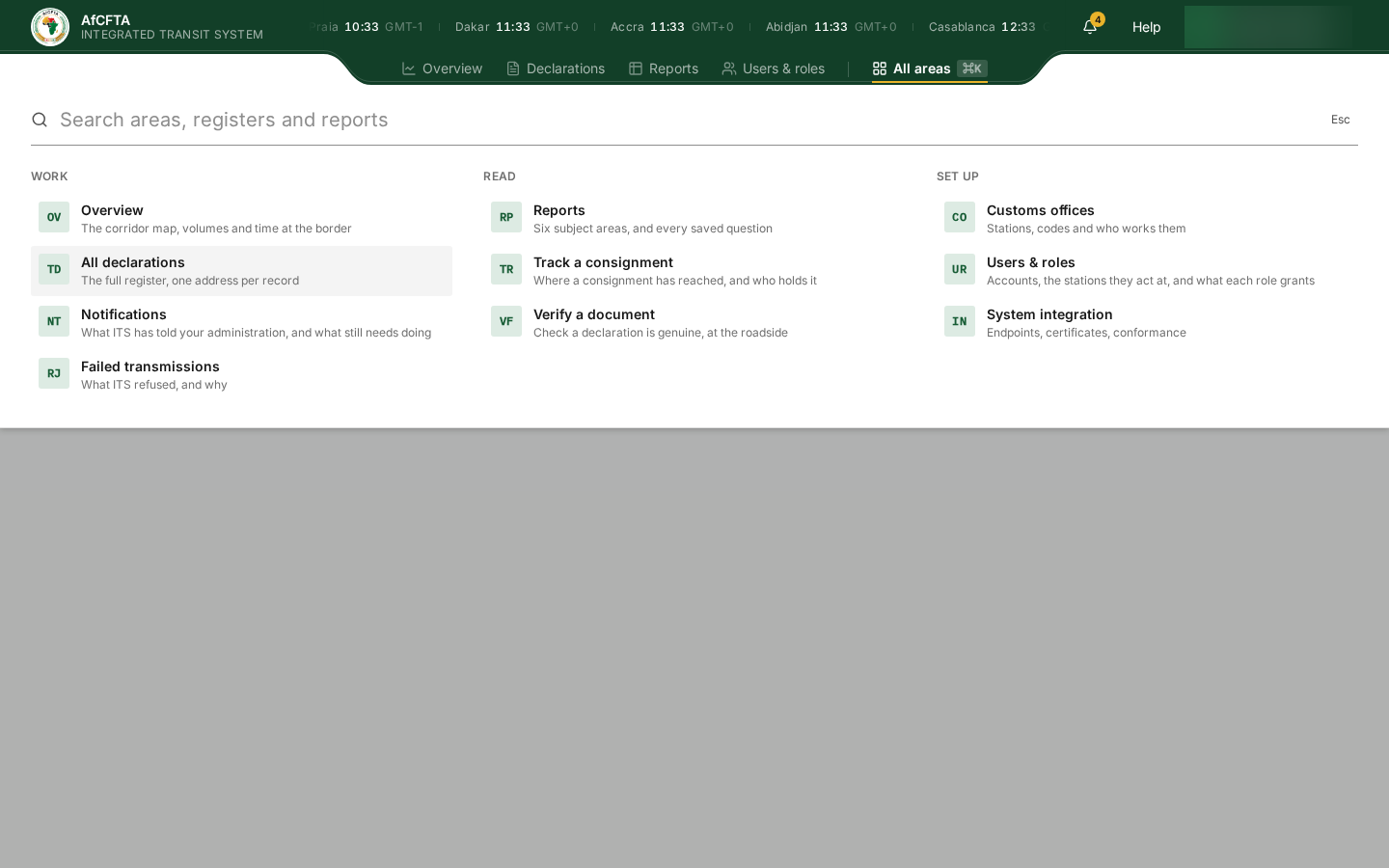
The panel describes Reports as Six subject areas, but there are five subject areas plus All reports.
Language
ITS is available in the six official languages of the African Union. Each is written in itself:
| Choose | Language |
|---|---|
| English | English |
| Français | French |
| العربية | Arabic; the whole portal switches to right-to-left |
| Português | Portuguese |
| Español | Spanish |
| Kiswahili | Kiswahili |
-
Select the language button, labelled EN in the console or English on the public pages.
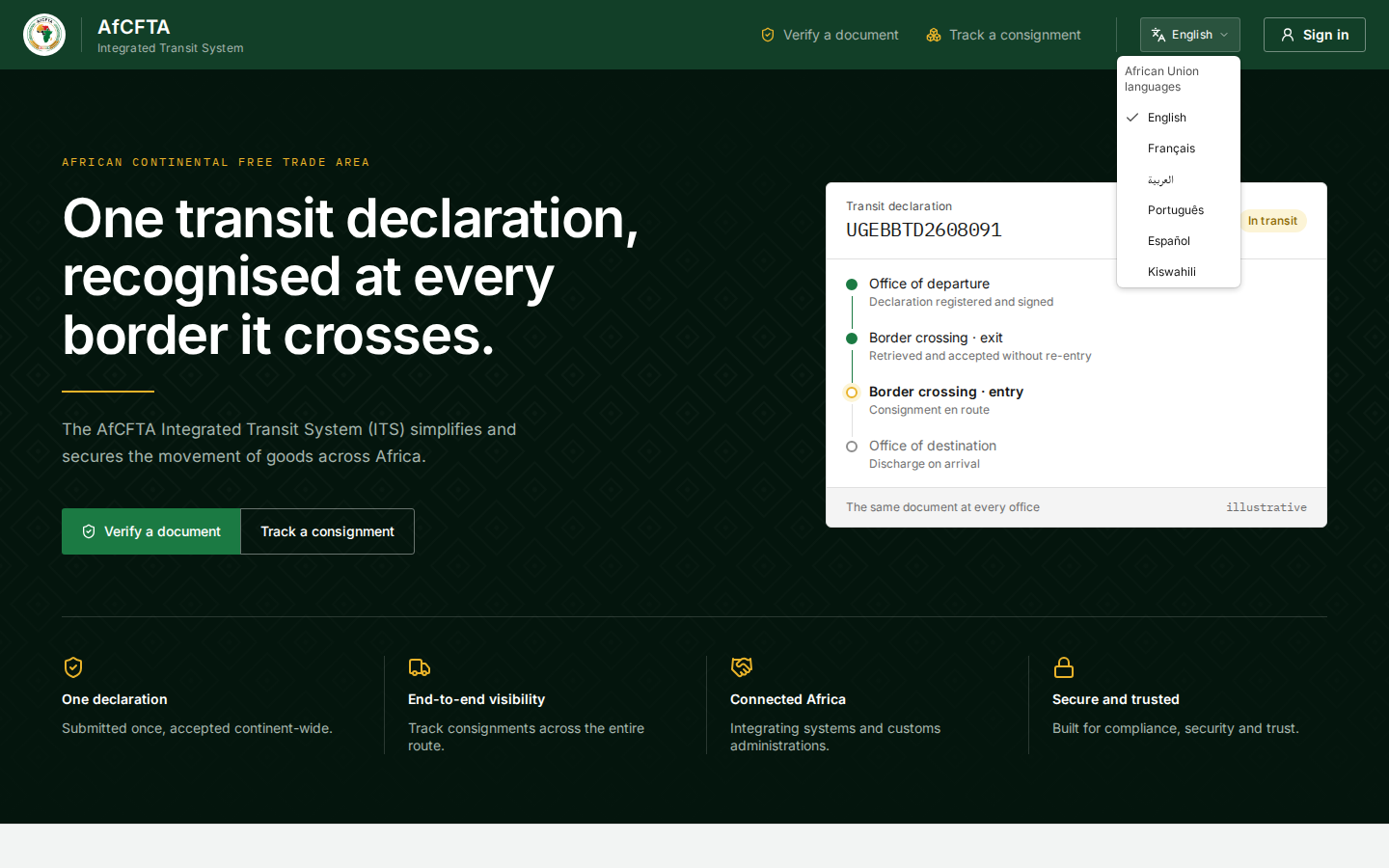
-
Select a language. The change is instant and is remembered in this browser.
The translations are machine-quality in places and incomplete in others. In French and Arabic the main tabs stay in English, and some words are translated wrongly. The footer of the landing page shows a placeholder instead of the year in several languages. Where a translated screen is unclear, switch to English. See Known limitations.
In the console, the city clocks can overlap the language button so that it cannot be selected, and in Arabic the header's notch covers it. For a State Party or a REC, on a screen about 1440 pixels wide, the button is not shown at all, because Help takes its place. If you cannot reach it, choose the language on the public landing page before signing in: the choice is shared.
The bell
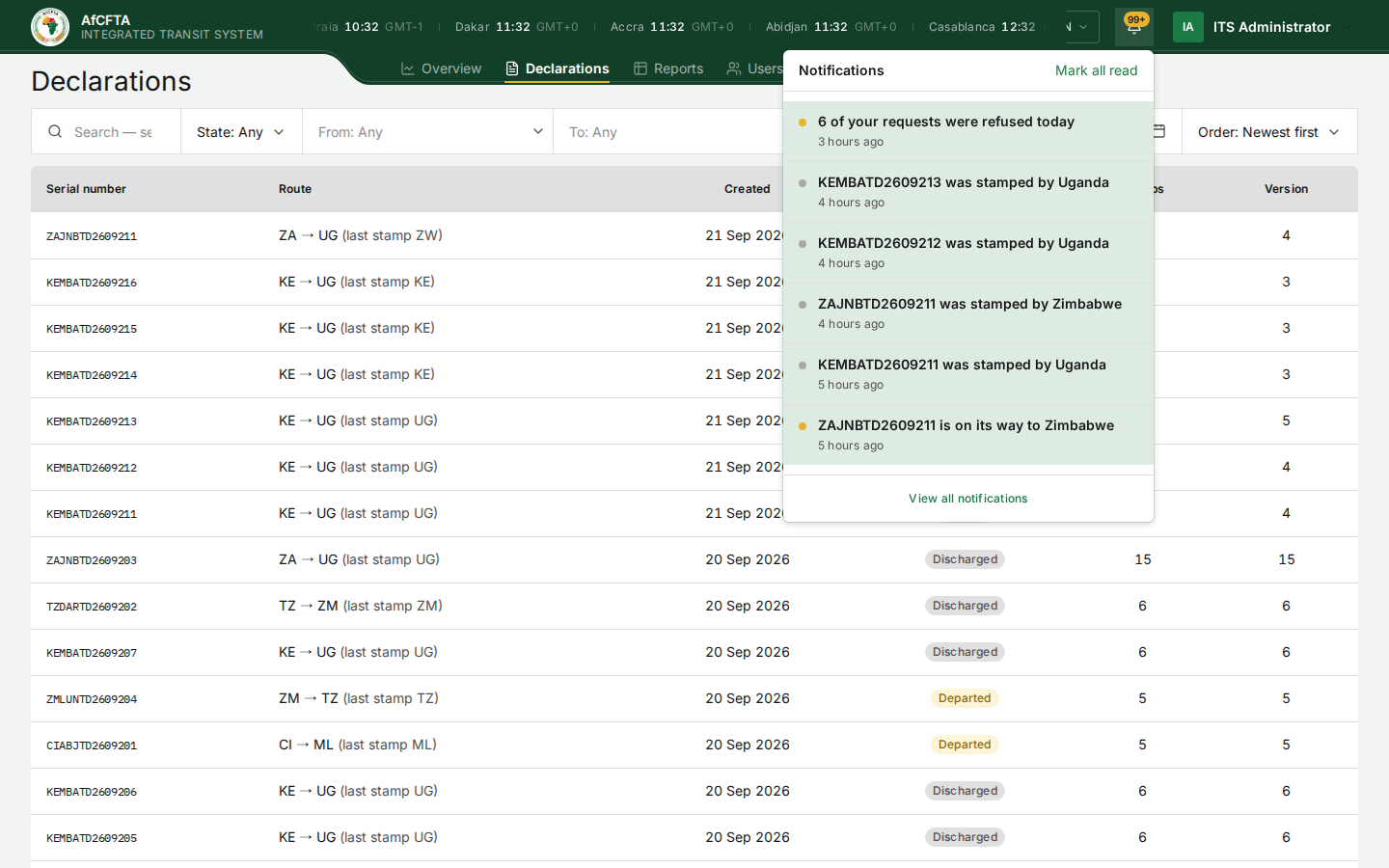
The bell opens your latest notifications without leaving the page. A number on the bell counts the notices needing attention (99+ above ninety-nine); pointing at the bell shows it as Needing attention: 4.
-
Select the bell.
-
Select a notice to open what it is about, or View all notifications to open the notification centre.
Mark all read, at the top of the panel, marks every notice read for you. It does not change anything for your colleagues.
The number on the bell does not always match the notification centre. It counts notices needing attention, not unread ones, and it can lag behind. See Notifications.
Help
State Parties and RECs have a Help link beside the bell. It opens one line: For integration help, contact your ITS technical administrator. It gives no name, address or link.
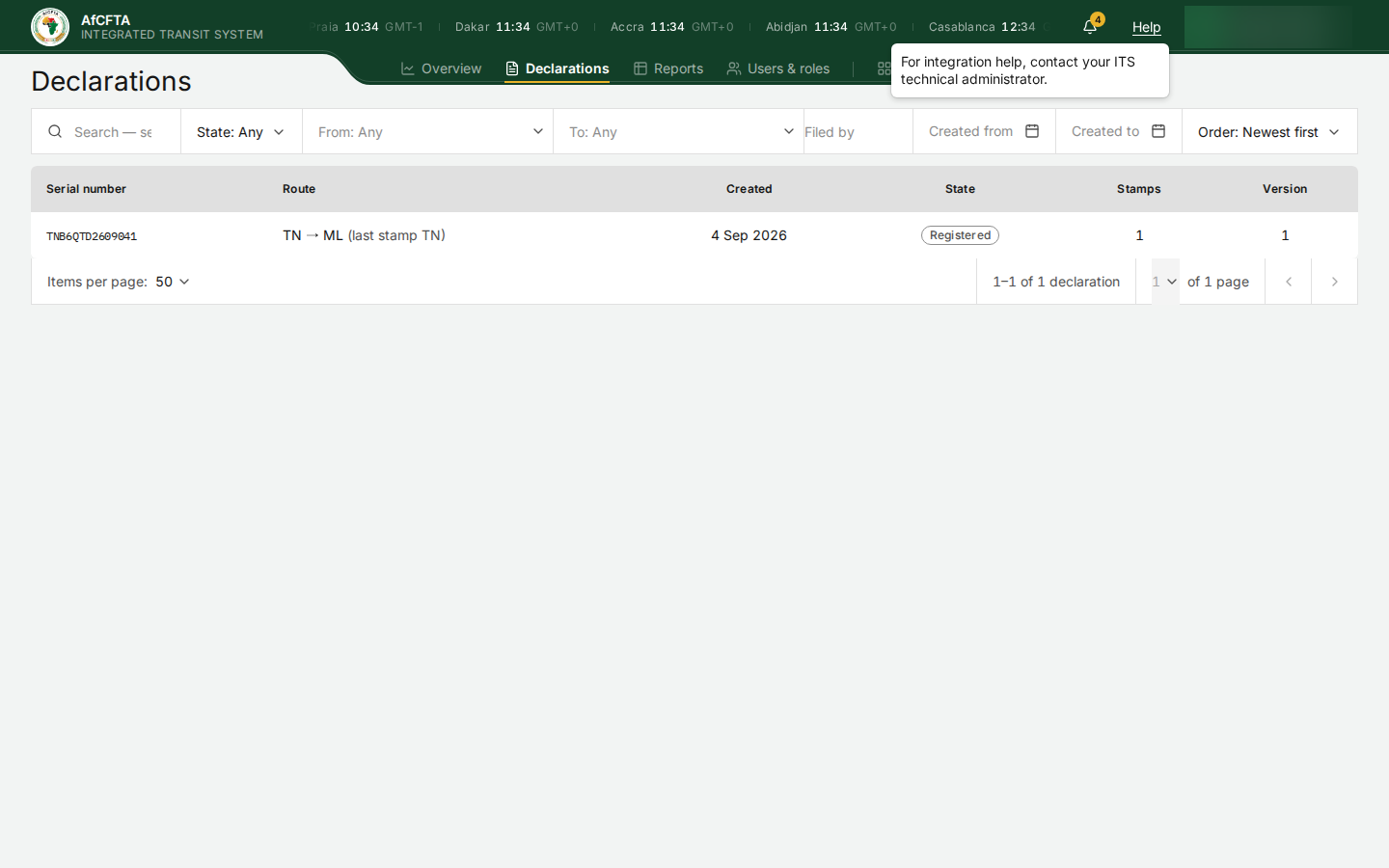
For questions about connecting a customs system, see Support.
Your account
Select your name at the far right of the header to see who you are signed in as.
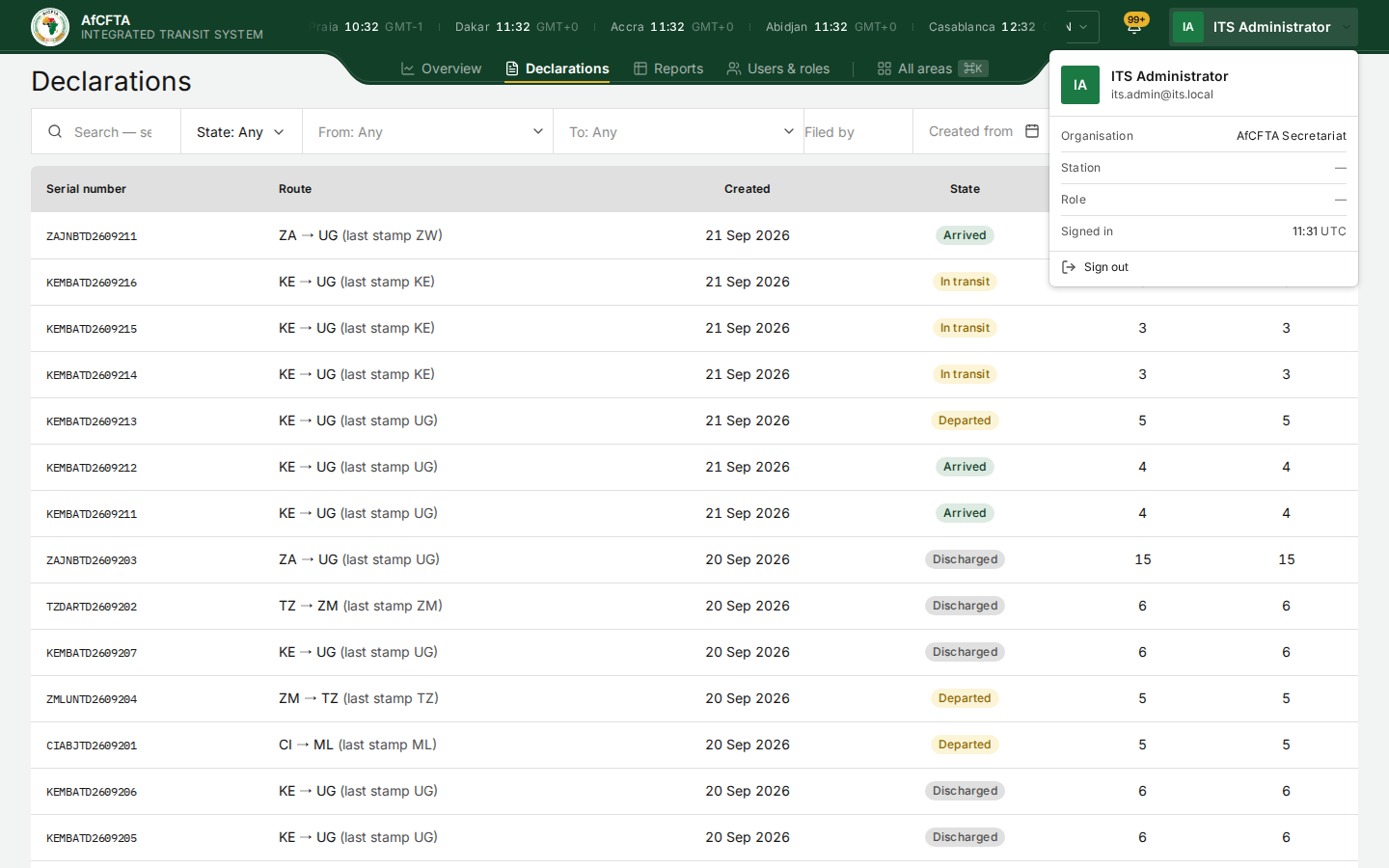
| Row | What it shows |
|---|---|
| Name and e-mail address | The account you are signed in with |
| Organisation | The organisation you work for |
| Station | The customs office your account is posted to, if any |
| Role | Always a dash today |
| Signed in | When you signed in, in UTC |
| Sign out | Ends your session. See Your session and signing out |
A dash means the portal cannot say, not that the row does not apply to you.
Organisation shows the Secretariat's name for the Secretariat, but a dash for a State Party or a REC administrator, although the account plainly belongs to one. Role is a dash for everyone. Neither dash means your account is incomplete.
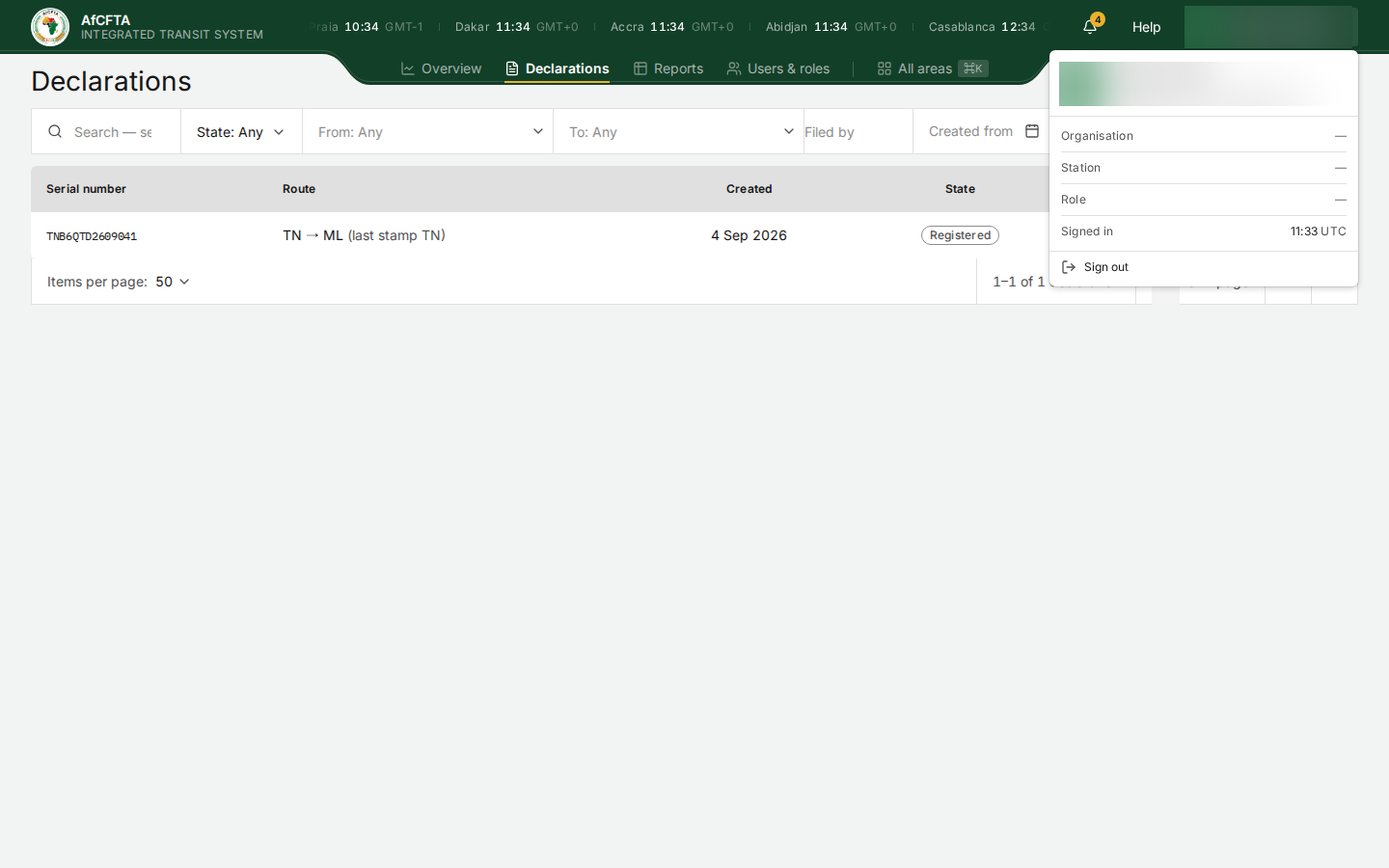
There is no profile, settings or password page here. To change your password, sign out and use Forgot Password? on the sign-in form.
Pages that are not in the tabs
| Page | How to reach it |
|---|---|
| Failed transmissions | Overview → Failed Transmissions, or All areas |
| Notifications | The bell → View all notifications, or All areas |
| Customs offices | All areas |
| Governance (Secretariat) | All areas |
| Track a consignment, Verify a document | All areas, or the public landing page |
| One declaration | Its serial number in the register |
Keyboard shortcuts
| Keys | What they do |
|---|---|
⌘K / Ctrl+K | Open or close All areas |
Esc | Close All areas, a menu or a panel |
Enter | Run the search in the Declarations register |