Verify a document
The Verify page answers one question: was this Transit Document issued by AfCFTA ITS, and does it still cover the goods? It needs no account.
Before you start
- The Transit Document, or a clear photo of it.
- A phone with a camera, or any web browser.
Scan the QR code
- Point any camera app at the QR code on the Transit Document.
- Open the link the camera offers.
The Verify page opens with the code already checked, under the heading Scanned transit document. Skip to Read the answer.
Type the code
Use this when the QR code will not scan, or you only have the code.
-
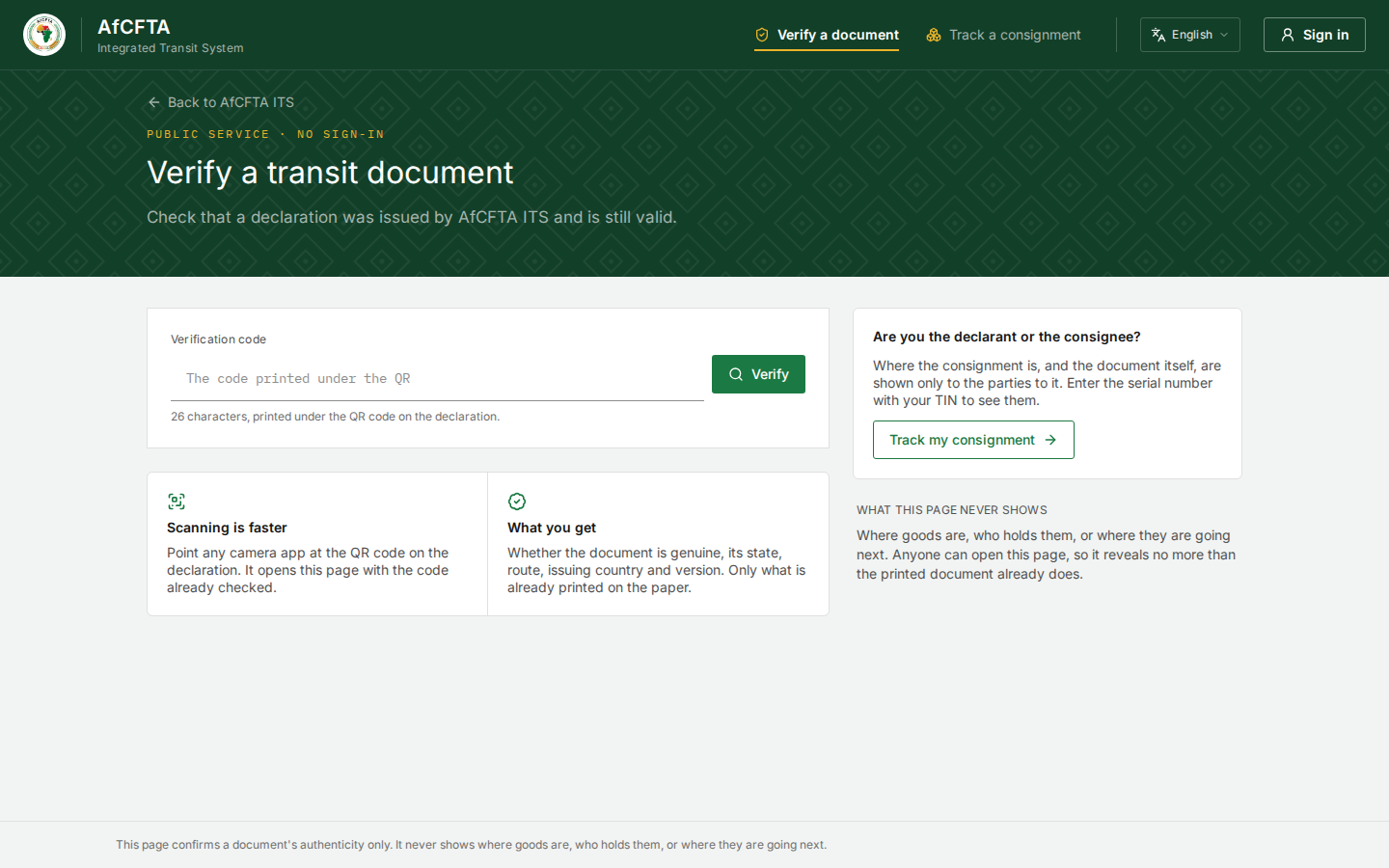
Open the ITS landing page and select Verify a document.
-
In Verification code, type the 26 characters printed under the QR code on the declaration. Capitals and small letters are the same, and you can type
Ofor zero orIorLfor one. -
Select Verify.
| On the page | What it is for |
|---|---|
| Verification code | The 26-character code printed under the QR code |
| Verify | Checks the code |
| Scanning is faster | Reminds you that a camera app does the same in one step |
| What you get | What the answer contains |
| Are you the declarant or the consignee? → Track my consignment | Opens the Track page, which shows more to the parties |
| What this page never shows | Where goods are, who holds them, or where they are going next |
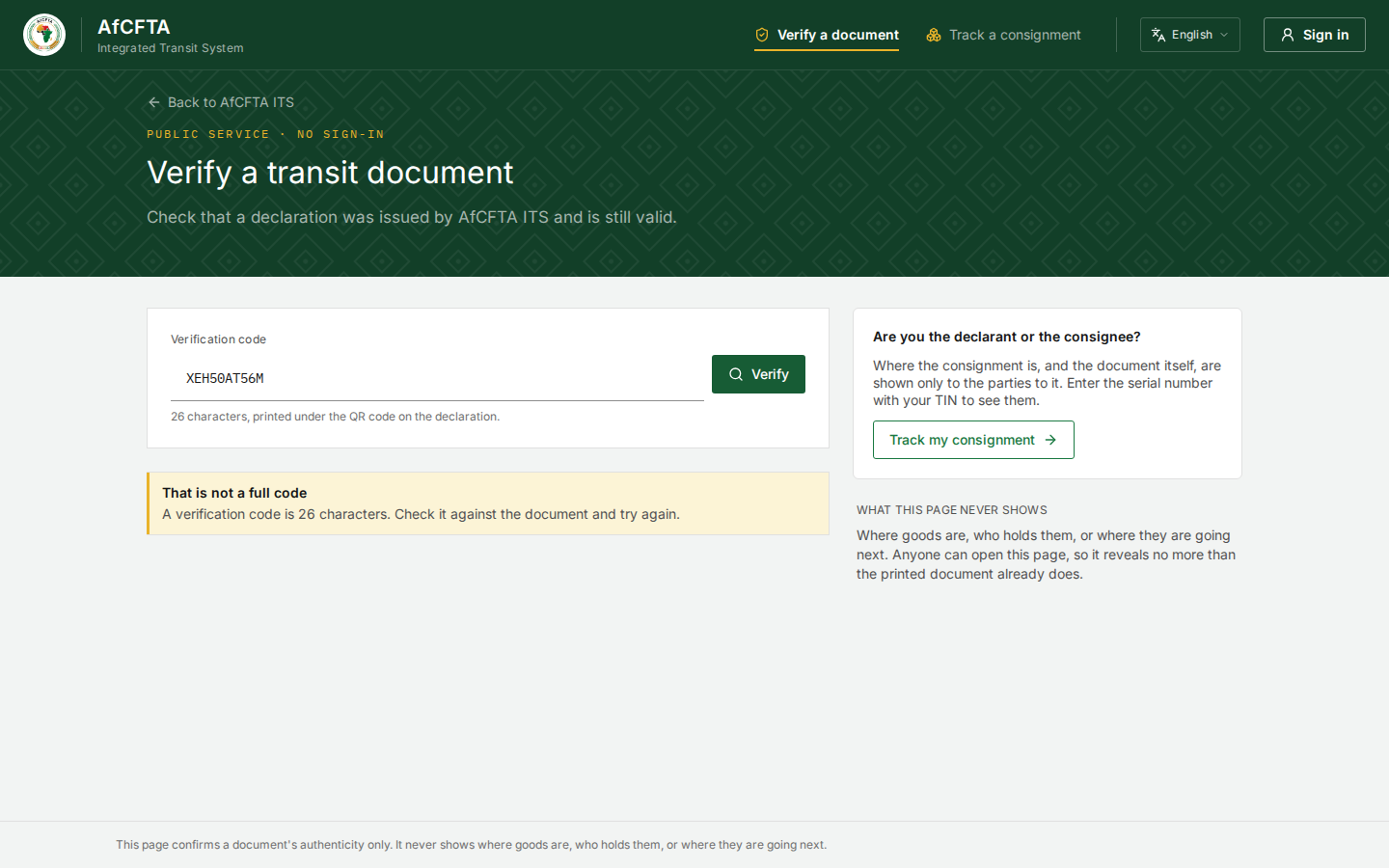
If the code is shorter than 26 characters, the page says That is not a full code before asking ITS anything. Check it against the document and type it again.
Read the answer
| Answer | What it means | What to do |
|---|---|---|
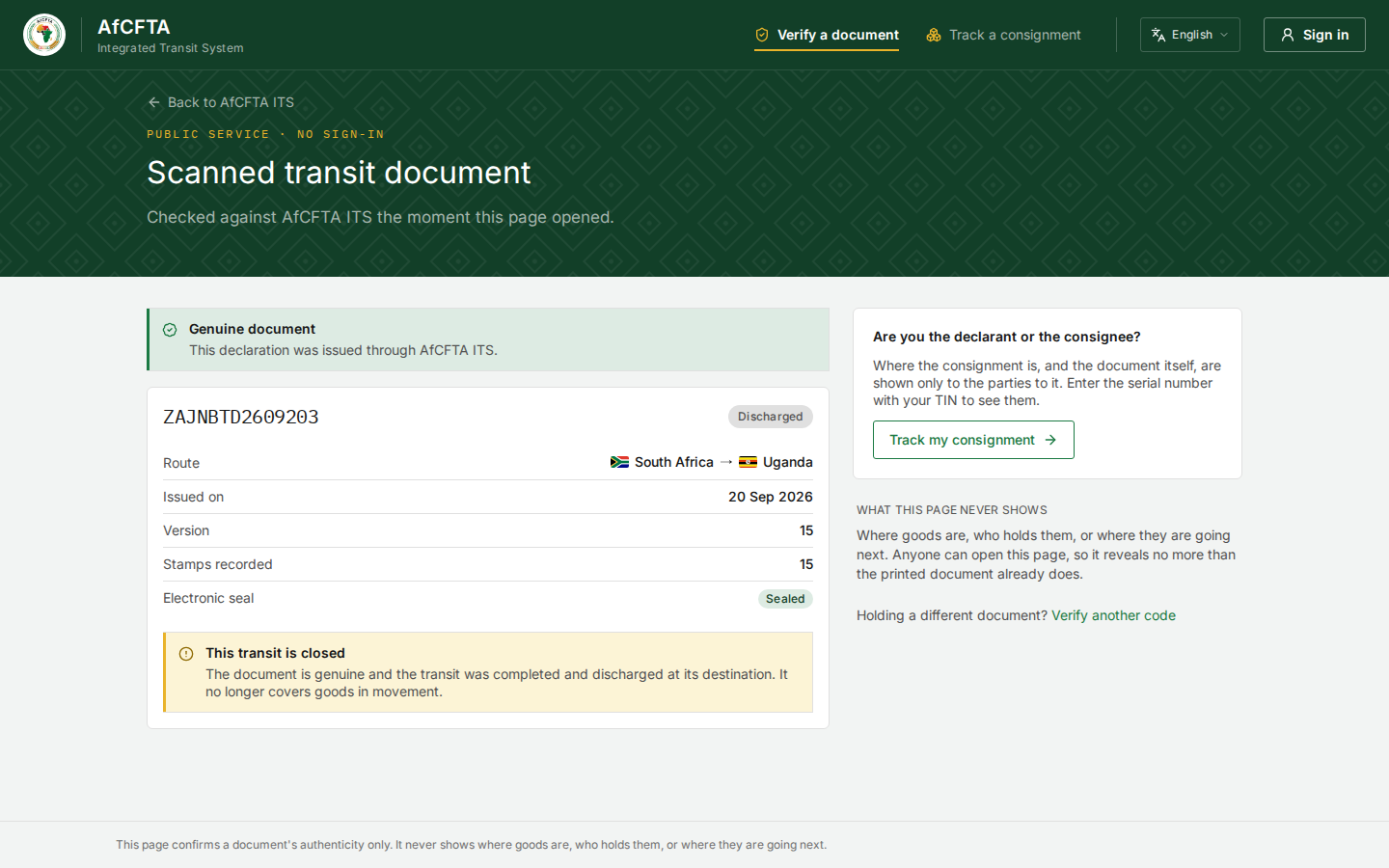
| Genuine document, with no warning | The document was issued through ITS and still covers goods in movement | Compare the serial number and the route with the paper in your hand |
| Genuine document with This transit is closed | The document is genuine, and the transit was completed and discharged at its destination. It no longer covers goods in movement | Goods still travelling under it are not covered |
| This declaration is cancelled / Withdrawn — do not rely on this paper | The document was issued and has since been cancelled | The goods are not covered by it |
| No match | Nothing matches that code | Check the code against the document. A document that never matches was not issued by ITS |
| Verification is unavailable | ITS could not be reached | Check your connection and try again |
The card under Genuine document shows what the paper already shows:
| Row | What it shows |
|---|---|
| The serial number and the state | For example ZAJNBTD2609203 and Discharged |
| Route | The departure and destination countries |
| Issued on | The day the declaration was lodged |
| Version | The latest version. The paper you hold may be an earlier one |
| Stamps recorded | How many stamps ITS has received |
| Electronic seal | Sealed or Not sealed |
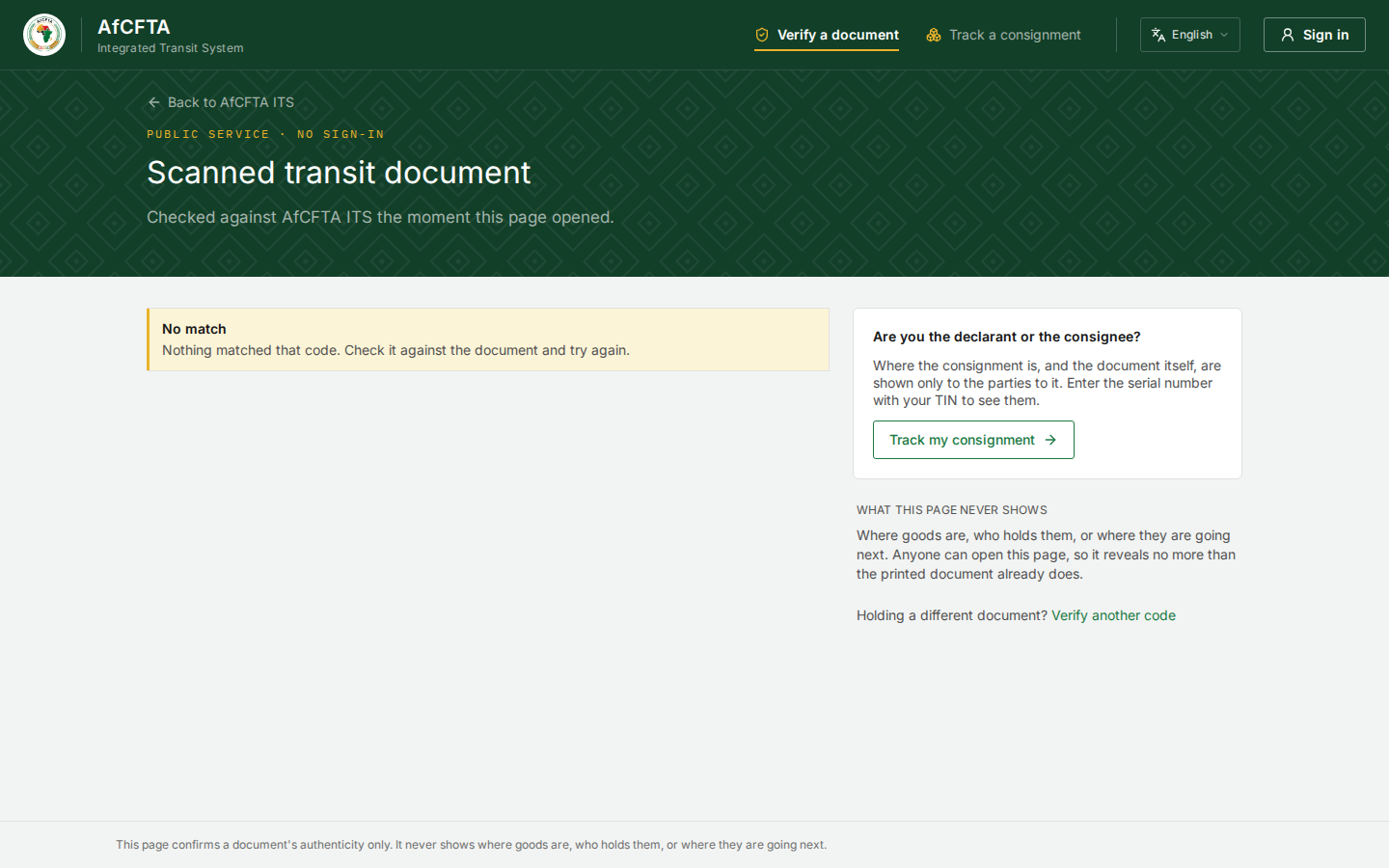
- The heading reads Scanned transit document even when you typed the code.
- Issued on is the date on ITS's clock, in UTC, so it can be a day earlier than the date the console shows in an East African browser.
- The page lists route and issuing country under What you get, and says it never shows where they are going next. Both are true: the route is the departure and destination printed on the paper, never the next border.