Attachments
The Attachments tab lists the supporting documents filed against a declaration: an invoice, a packing list, a certificate of origin. You can download each one, and the portal checks that the file you receive is exactly the one that was filed.
How ITS holds attachments
ITS does not keep the files. It keeps each file's digest, a fingerprint computed from its exact contents, and a reference to where the file is held. The file itself stays with the administration that filed it. When you download one, the portal fetches it and compares its fingerprint with the digest recorded in the signed declaration before handing it to you.
The tab says so at the top: Evidence filed against this declaration. ITS stores the digest and the reference; the bytes stay with the administration that filed them, so every download is checked against the digest before it is offered to you.
Open it
- Open the declaration. See Declaration details.
- Select the Attachments tab.
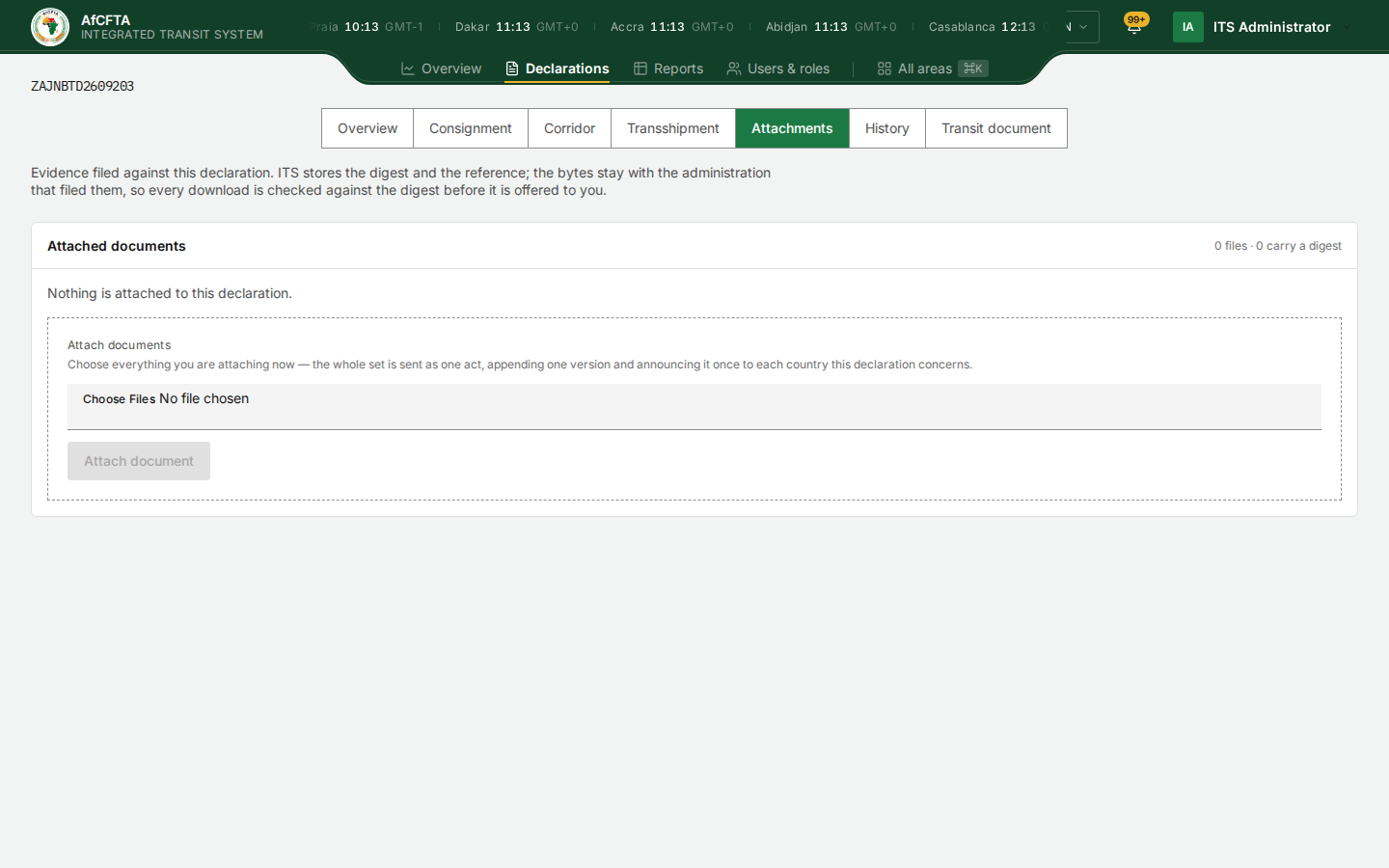
| On the tab | What it shows |
|---|---|
| Attached documents | The list of files |
| 3 files · 3 carry a digest | How many files there are, and how many can be checked on download |
| One row per file | Its name, its document type if one was given, and a download button |
| Nothing is attached to this declaration. | There are no files |
Download an attachment
- Select the download button at the right of the file's row.
The button shows a spinner while the file is fetched and checked. Then one of three things happens:
| You see | What it means |
|---|---|
| Digest verified, and the file is saved | The file is exactly the one that was filed |
| These bytes are not the ones signed for | The file that arrived is not the one recorded in the declaration. Do not rely on it; tell the administration that filed it |
| Nothing to check against | The declaration carries no digest for this file, so it cannot be checked. Treat it with care |
If the list itself cannot be loaded, the tab says Attachments could not be listed. Reload the tab.
Do not use the Attach documents box
Under the list, the tab shows an Attach documents box with Choose Files and an Attach document button. Attaching a document is an act on the declaration: it appends a new signed version and announces it to every country the declaration concerns. Like lodging and stamping, it is done by your administration's customs system.
- For a State Party or a REC, the box is shown but the attempt is refused, because the account has no permission to attach.
- For the Secretariat's operator account, which does hold that permission, an attachment would be recorded and announced along the corridor.
Do not choose files here. See Attachments and documents for how customs systems attach documents.